Decoding Accreditation: Why Regional & Cognia Status Protects Your Child’s Future
Parents often confuse “state approval” with “accreditation,” and diploma mills bank on that confusion. In the U.S., the gold standard for K–12 is regional accreditation. The six recognized agencies—WASC (West), SACS/Cognia (South), NEASC (New England), MSAC/CESS (Middle States), NWAC (Northwest), and HLC (North Central)—hold schools to the same rigorous standards applied to Ivy League universities and your local public elementary. If a virtual kindergarten carries one of these seals, you can bank on seamless credit transfer to any public or private first grade nationwide.
Regional vs. National: The Transfer Trap
You will see “nationally accredited” plastered across cheaper programs, often backed by DEAC (Distance Education Accrediting Commission) or faith-based bodies. While legitimate for vocational or religious tracks, national K–12 accreditation rarely satisfies public school districts. I’ve watched families lose a semester because a district registrar rejected a nationally accredited transcript, labeling it “unrecognized coursework.” Regional accreditation is non-negotiable if you plan to re-enter the public system.
Why Cognia (formerly AdvancED) Is the Universal Language
Cognia is the heavyweight champion here, accrediting over 36,000 institutions globally. Because they audit the entire system—governance, curriculum, teacher certification, and student outcomes—a Cognia stamp tells a receiving principal, “This child met seat-time, mastery, and instructional-hour requirements equivalent to our building.” Without it, you are at the mercy of a district administrator’s discretion. Pro tip: Verify the status yourself on the Cognia School Search or the U.S. Department of Education database; marketing PDFs lie, databases don’t.
Red Flags: Curriculum Masquerading as a School
This is the most expensive trap in 2024. Companies like Time4Learning, Power Homeschool, or The Good and the Beautiful sell excellent curriculum packages—often $200–$600/year—but they are not schools. They issue no transcripts, hold no accreditation, and employ no certified teachers of record. If you enroll your kindergartner expecting a diploma or transferable record, you are effectively homeschooling solo. You must file a Notice of Intent with your district and maintain a portfolio yourself. Before paying a $50–$100 “application fee,” confirm:
- The program lists a specific regional accreditor (e.g., “Accredited by WASC”) on their homepage footer.
- They provide a certified teacher of record who logs live instructional hours.
- They issue an official transcript with a school CEEB/ACT code.
Bottom line: Accreditation isn’t bureaucracy—it’s your insurance policy against repeating kindergarten. Verify the seal before you swipe the card.
True Cost Breakdown: Tuition, Tech Fees, & Hidden Expenses for 2024-2025
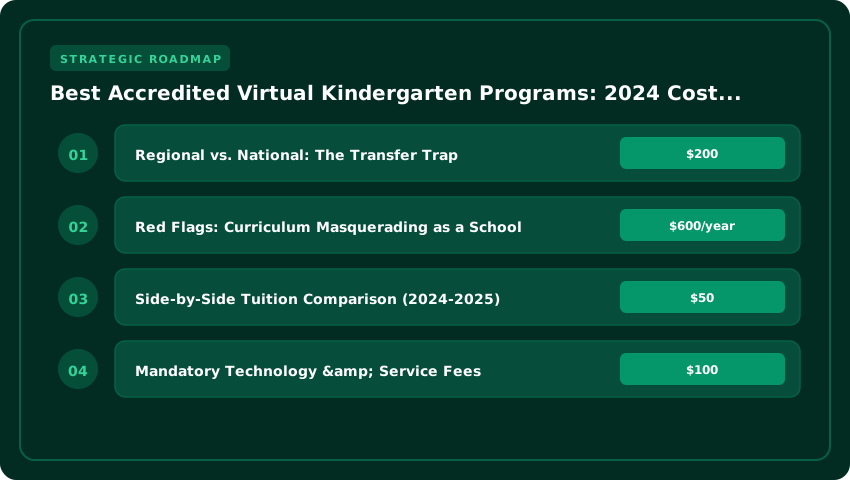
When families evaluate a virtual kindergarten, the sticker price is only the first line item. Below is a detailed, out‑the‑door calculator that layers tuition, mandatory technology fees, and often‑overlooked hidden costs so you can compare virtual options against local brick‑and‑mortar alternatives.
Side‑by‑Side Tuition Comparison (2024‑2025)
| Program | Annual Tuition (USD) | Notes |
|---|---|---|
| K12/Stride K‑12 | $6,500 | Includes core curriculum; optional electives add $150‑$300 each. |
| Connections Academy | $5,800 | Standard K‑5 package; advanced math/reading tracks $200 extra. |
| State‑Led Virtual Charters (e.g., Florida Virtual School, Pennsylvania Cyber Charter) | $0 – $2,500 | Many states fund these seats fully; out‑of‑state families pay a per‑credit fee (~$125/credit). |
Mandatory Technology & Service Fees
- LMS Access Fee: $120‑$180 per year (covers platform hosting, updates, and technical support).
- Material Kit: $200‑$400 for manipulatives, art supplies, and science‑experiment boxes shipped each semester.
- Proctoring/Assessment Fee: $75‑$125 per standardized benchmark test (typically three per year).
- Graduation Transcript & Diploma: $25‑$40 for official paper copy and electronic verification.
Adding the average mandatory fees ($150 LMS + $300 kit + $300 proctoring + $30 transcript) yields roughly $780 in non‑tuition expenses per student.
Financial Aid Landscape
Understanding available aid can dramatically shift the net cost.
- Education Savings Accounts (ESAs): States such as Arizona, West Virginia, and Iowa offer ESAs that can be applied to virtual kindergarten tuition, often up to $7,500 per child annually.
- State Scholarship Programs: Examples include the Florida Tax Credit Scholarship ($7,000 cap) and the Ohio EdChoice Scholarship ($6,000 cap), both of which accept accredited online providers.
- District‑Funded Seats: Many public school districts contract with virtual charters to provide free or reduced‑cost slots for residents; eligibility is typically based on residency and income verification.
- FAFSA & Federal Aid: While FAFSA primarily targets post‑secondary education, families enrolling in dual‑enrollment or early college courses through a virtual kindergarten may qualify for Pell Grants or federal work‑study once the child reaches high school.
For perspective, the U.S. Bureau of Labor Statistics reports that the average annual cost of a private‑sector kindergarten program in 2023 was approximately $10,200. By contrast, a fully funded state virtual charter plus ESA coverage can bring the net out‑the‑door expense below $1,000 for many families.
When budgeting, remember to factor in potential hidden costs such as internet upgrades ($50‑$100/month) and optional extracurricular clubs ($75‑$150 per activity). Using the tables and figures above, you can build a personalized spreadsheet that mirrors the true cost of each virtual kindergarten option and weigh it against your local brick‑and‑mortar alternatives.
Curriculum Showdown: Mastery-Based vs. Live Instruction Models for Early Literacy
Choosing between a mastery-based asynchronous program and a live synchronous model often feels like choosing between a custom-built engine and a scheduled train—both move forward, but the driver’s seat looks radically different. For a five-year-old cracking the code of reading, the pedagogical engine matters immensely. Most accredited virtual kindergartens—think K12/Stride, Connections Academy, or Laurel Springs—plant their flag firmly in one camp, and that decision dictates your daily reality.
Phonics Architecture: Structured Literacy vs. Balanced Approaches
The reading wars are real, and virtual schools have picked sides. Mastery-based platforms (like Lexia Core5 supplements or Bridgeway Academy’s core) typically align with Orton-Gillingham (OG) principles: explicit, systematic, sequential, and multisensory. Your child masters short vowels before long vowels, blends before digraphs, with zero guessing strategies. You’ll see scope sequences mapped to IDA (International Dyslexia Association) standards.
Conversely, many live-instruction models (common in district-run virtual academies) lean toward Balanced Literacy or “Science of Reading-adjacent” curricula like Lucy Calkins Units of Study or Fountas & Pinnell adaptations. They embed phonics in “word study” blocks but often prioritize leveled readers and context cues (three-cueing) over pure decoding drills. If your child shows early signs of dyslexia—or you simply want a guarantee that every phoneme is taught explicitly—demand an OG-aligned scope and sequence document before enrolling.
The Time Budget: Live Zoom vs. Parent-Led Coach
This is where the rubber meets the road for working parents. A synchronous model typically demands 2.5 to 3.5 hours of mandatory live “Class Connect” sessions daily (morning meeting, phonics block, math, SEL). You are a “Learning Coach” managing logistics, tech troubleshooting, and bathroom breaks. Asynchronous mastery models flip the script: expect 60–90 minutes of total screen time (adaptive software, pre-recorded lessons), but you deliver the hands-on manipulatives, the sand-tray writing, the decodable book practice—roughly 2 to 3 hours of active parent facilitation spread across the day.
- Synchronous Pro: Certified teacher owns pacing, IEP minutes, and social interaction.
- Synchronous Con: Rigid schedule; “Zoom fatigue” is real for Kindergarteners.
- Asynchronous Pro: Total schedule flexibility; pace accelerates or remediates instantly.
- Asynchronous Con: High parent labor; requires pedagogical confidence to catch errors.
Special Education: IEP/504 Fidelity in the Cloud
Federal law (IDEA) follows the child, but implementation fidelity varies wildly. In live models, related services (Speech, OT, PT) are often delivered via teletherapy breakout rooms during the school day—clean, scheduled, documented. Mastery-based programs frequently contract third-party providers (like PresenceLearning or DotCom Therapy), requiring you to coordinate separate calendars.
Crucially, ask for the “Virtual Service Delivery Plan” before signing. How are accommodations (extra time, chunked assignments, assistive tech like Read&Write or Co:Writer) baked into the LMS? Does the adaptive software auto-adjust for processing speed, or does a human have to toggle settings weekly? For a 504 plan addressing ADHD, a live teacher’s private chat reminders (“Hey, back to slide 3”) often beat an asynchronous dashboard alert that a distracted five-year-old ignores.
Socialization & SEL: How Top Programs Solve the ‘Isolation Problem’ for 5-Year-Olds
Let’s be honest: the “socialization question” is the elephant in the room for every virtual kindergarten parent. You aren’t just buying curriculum; you are buying a peer group. The best accredited programs know this and have moved way past the passive “Zoom circle time” model of 2020. Today, the gold standard is structured, synchronous peer interaction—typically 150 to 225 minutes per week of live, facilitated social time, not just academic instruction.
Virtual Recess: It’s Not Free Play, It’s Facilitated SEL
Top-tier programs like Laurel Springs, Pearson Online Academy, and Stride K12 (where available) treat “virtual recess” as a scheduled instructional block. They use moderated breakout rooms with low student-to-teacher ratios (often 1:6 or 1:8) to run evidence-based Social-Emotional Learning (SEL) curricula. The two heavy hitters you’ll see on syllabi are Second Step (Committee for Children) and RULER (Yale Center for Emotional Intelligence).
- Second Step focuses on executive function and empathy through scripted weekly themes—think “Fair Ways to Play” or “Handling Disappointment”—with puppet videos and partner practice.
- RULER builds emotional granularity using the “Mood Meter” and class charters, teaching five-year-olds to label “high energy/pleasant” vs. “low energy/unpleasant” states.
These aren’t add-ons; they are graded competencies. If a program cannot show you a scope-and-sequence for SEL aligned to CASEL (Collaborative for Academic, Social, and Emotional Learning) standards, keep looking.
The In-Person Anchor: Field Trips, Testing Centers, and Micro-Schools
Screen-based bonding has a ceiling. Accredited providers bridge the gap with mandatory or heavily incentivized in-person touchpoints. Stride K12 and Connections Academy (Pearson) typically schedule quarterly regional field trips—science museums, zoos, nature centers—clustered by zip code. Budget $150–$300 annually for travel and entry fees; some state-funded charters cover these via student activity funds.
Hybrid “micro-school” partnerships are the fastest-growing model. Programs like Primer or KaiPod Learning partner with virtual academies to provide a physical “learning pod” 2–3 days a week. Your child stays enrolled in the accredited virtual school (keeping the transcript clean) but gets daily face-to-face collaboration. Expect to pay $3,000–$7,000/year out-of-pocket for the pod seat, though some ESA (Education Savings Account) states like Arizona or Florida cover it.
Don’t forget state-mandated testing centers. Even fully virtual kids show up in person for benchmark assessments (NWEA MAP, DIBELS) 2–3 times a year. These days double as low-stakes social mixers.
The “Learning Coach” Reality Check: Hours by Tier
You are the “Learning Coach”—the district’s term for the adult in the room. The time cost is real and scales inversely with tuition:
- Public Virtual Charters (Free): 4–6 hours/day hands-on. You manage the LMS, troubleshoot tech, facilitate offline manipulatives, and log attendance. High parent lift.
- Private Accredited (e.g., Laurel Springs, $5,000–$10,000/yr): 2–3 hours/day. Teachers lead live synchronous blocks (3–4 hrs); you supervise asynchronous work and upload work samples.
- Hybrid Micro-School Partner ($8,000–$15,000+ total): 1–2 hours/day (evenings/weekends only). The pod guide handles daily execution; you handle big-picture advocacy and IEP/504 coordination if needed.
Pro tip: Ask admissions for a sample “Day in the Life” schedule including the Learning Coach column. If they can’t produce one, they haven’t solved the isolation problem—they’ve just outsourced it to you.
State-by-State Eligibility: Navigating Residency, Age Cutoffs & Enrollment Windows
Here is the reality most national guides gloss over: virtual kindergarten is not borderless. Even though the classroom lives in the cloud, the funding, the legal authority, and the seat your child occupies are tethered to a physical school district and a specific state charter law. If you are hunting for a tuition-free option—essentially a public education delivered to your kitchen table—you must pass three distinct gatekeepers: residency proof, the birthday cutoff, and the enrollment calendar.
The Tuition-Free Map: Where Charters Operate
Roughly 30 states allow full-time virtual charter schools, but the “big four” for established, accredited Kindergarten programs are Florida (FLVS Full Time), Pennsylvania (PA Virtual, Agora), Ohio (OHVA, GOVS), and Colorado (CVA, Destinations). These states fund the per-pupil expenditure—often $6,500–$9,500 annually—directly to the provider, meaning zero tuition for families. Texas, California, and Michigan also host major players, but eligibility often hinges on district boundaries or prior-year public enrollment requirements. Pro tip: Always verify the school’s charter authorizer on the state Department of Education website; “state-approved vendor lists” are not the same as an active charter contract.
The Birthday Trap: September 1 vs. December 31
This is where most applications derail. Your child’s eligibility is dictated by the school’s state law, not your home state’s law (if they differ) and certainly not your preference.
- Hard Cutoffs (Sept 1): Florida, Texas, Ohio, Pennsylvania, and roughly 19 other states require a child to turn 5 on or before September 1. No exceptions, no waivers for virtual charters.
- Later Cutoffs (Oct–Dec): California (Sept 1 for TK, Dec 2 for K in some districts), Colorado (Oct 1), New York (Dec 1 or Dec 31 depending on district), and Michigan (Dec 1) offer more runway.
- The “Young 5” Gap: If your child turns 5 on September 15 in Florida, they are ineligible for K. You cannot simply enroll them in a Colorado virtual academy to bypass this—residency rules block it.
Open Enrollment vs. The Lottery Clock
Unlike brick-and-mortar schools that must take every resident child, virtual charters have enrollment caps set by their charter contracts. This creates two distinct application universes:
- Rolling / Open Enrollment: Florida Virtual School (FLVS) and many Colorado academies often accept applications year-round until seats fill. Apply in July? You’re likely in. Apply in October? You may waitlist.
- Hard Lottery Deadlines: Pennsylvania cyber charters (PA Virtual, CCA) and Ohio e-schools typically close applications by mid-March to early April for the following fall. If demand exceeds seats—a common scenario in PA—a random lottery determines admission. Missing this window by a day means a full year wait.
Action Item: Bookmark the “Enrollment” page of your target school today. Download their Residency Affidavit checklist (usually two proofs: utility bill + lease/mortgage, or a notarized affidavit if living with relatives). Have birth certificates and immunization records scanned as PDFs. In the virtual charter world, the early bird doesn’t just get the worm—the early bird gets the seat.
Tech Stack & Parent Dashboard Usability: The Daily Driver Experience
You can have the best curriculum on paper, but if the Learning Management System (LMS) crashes during morning circle time or the mobile app won’t load a leveled reader in the carpool line, the school day falls apart. For working parents acting as unpaid “learning coaches,” the tech stack isn’t backend infrastructure—it is the classroom. The friction points here are real: forgotten passwords, opaque grading queues, and manipulatives that arrive crushed.
LMS Showdown: Buzz, Canvas, and the Proprietary Gamble
Most accredited virtual kindergartens run on one of three rails. Agilix Buzz powers heavy hitters like K12/Stride and several state virtual academies. Its strength is competency-based architecture—great for mastery tracking, but the parent interface feels utilitarian, almost corporate. Canvas (Instructure) is the gold standard for usability; its “SpeedGrader” lets you see exactly which phonics standard your child missed on Tuesday’s quiz, and the mobile push notifications are reliable. Then there are proprietary portals (common in newer microschools or district-run virtual options). These often look prettier in the sales demo but lack API integrations—meaning you can’t sync the calendar to Google Calendar or export a portfolio for a future IEP meeting. Always ask for a “sandbox” login before enrolling; if they refuse, walk away.
Mobile App Functionality: The Working Parent Lifeline
Kindergarten happens in 15-minute windows between meetings. A native iOS/Android app—not a responsive website wrapped in a webview—is non-negotiable. You need offline download capability for video lessons (critical for flights or spotty rural broadband) and biometric login (FaceID/TouchID) so you aren’t typing a 16-character password while holding a toddler. Test the “To-Do” widget: does it show today’s required live Class Connect sessions and overdue assignments at a glance, or do you have to drill three menus deep? Programs like Connections Academy and Laurel Springs have invested heavily here; smaller providers often treat mobile as an afterthought.
Offline Material Kits: Unboxing the Reality
The “school in a box” arrival is a milestone. Quality varies wildly. Top-tier programs (think K12 or Bridgeway Academy) ship branded manipulatives: magnetic ten-frames, handwriting without tears slate chalkboards, and decodable readers aligned to the exact scope-and-sequence in the LMS. Budget operators ship generic Amazon-basics kits—plastic counters that roll under the fridge and science kits with expired baking soda. Check the packing list against the curriculum map: are there leveled readers (Guided Reading Levels A–D) for the first semester, or just a library card suggestion? You are paying $3,000–$7,000/year in tuition (or tax dollars); the physical materials should arrive organized by unit, not dumped in a single gaylord box.
Data Privacy: FERPA, COPPA, and the State Patchwork
Your five-year-old generates a shocking amount of PII (Personally Identifiable Information): voice recordings from fluency assessments, webcam footage from proctored benchmarks, and keystroke analytics. Federal baseline compliance is table stakes: FERPA protects educational records, COPPA governs data collection on kids under 13. But the real teeth are in state laws—SOPIPA (California), NY Education Law 2-d, Illinois SOPPA, Colorado HB 16-1423. These prohibit selling student data, targeting ads based on school behavior, and require breach notification within 30–60 days. Ask the admissions team for their Data Privacy Agreement (DPA) signed with the LMS vendor. If they stare blankly, your child’s reading struggles could end up training a third-party AI model.
Decision Matrix: 5-Step Framework to Select & Enroll Before the Fall Deadline
You have the research; now you need a decision engine. With most state virtual academies and reputable private programs closing fall enrollment by mid-August—and some lottery-based public options shutting down in March—you cannot afford analysis paralysis. Use this weighted scoring template to quantify your gut feeling and move straight to enrollment.
Step 1: Build Your Weighted Scorecard (100 Points Total)
Print this table and score each finalist 1–5 (5 being ideal) across the five pillars below. Multiply by the weight. A program scoring below 70 total should be dropped immediately.
- Accreditation & Transferability (30%): Non-negotiable. Only regional accreditation (WASC, Cognia/SACS, NEASC, MSAC) or full Cognia certification earns a 5. State “approval” alone scores a 1.
- Total Cost of Attendance (20%): Score 5 for tuition-free public options. For private, calculate total annual cost (tuition + required materials + tech fees + testing proctoring). Under $3,000/yr = 5; $3,000–$6,000 = 3; Over $8,000 = 1.
- Schedule Flexibility & Live Instruction Ratio (20%): Kindergarteners need synchronous morning meetings for social-emotional growth. Score 5 for 60%+ live synchronous blocks with certified teachers; score 1 for fully asynchronous “parent-as-teacher” models.
- Special Education & IEP/504 Support (15%): Ask specifically: “Who is the assigned case manager?” and “How are related services (OT/PT/Speech) delivered virtually?” A dedicated virtual SPED coordinator = 5; “contracted out as needed” = 2.
- Structured Socialization Pipeline (15%): Look for scheduled virtual recess, show-and-tell, regional in-person meetups, and LMS-integrated clubs. Ad-hoc “optional” hangouts score a 1.
Step 2: The “No-Excuses” Document Checklist
Gather these now—missing a single PDF stalls enrollment for weeks. Create a dedicated Google Drive folder titled “K-Enrollment-[ChildLastName]”.
- Proof of Residency: Two current documents (utility bill dated within 60 days + lease/mortgage statement). P.O. boxes disqualify you for district-based virtual schools.
- Immunization Records: Official state form (often Form 3231 or equivalent) signed by a pediatrician. Religious/philosophical exemptions require notarized state-specific affidavits—start this today if applicable.
- Certified Birth Certificate: Hospital souvenirs are rejected. Order the long-form vital record now if you cannot locate it; processing takes 4–6 weeks in many counties.
- Prior School Records: Even for Pre-K, request cumulative files, report cards, and any existing IEP/504/EL plans. Unsigned withdrawal forms from the previous district trigger truancy flags.
Step 3: Execute the “Clean Break” Transition Plan
Truancy algorithms do not care about your intent. The moment you accept a virtual seat, execute this sequence in order:
- Secure Written Acceptance: Save the timestamped enrollment confirmation email and student ID number.
- Submit Formal Withdrawal: Email the current district registrar and principal simultaneously. Subject line: “Formal Withdrawal – [Student Name] – Effective [Date] – Enrolled in [Virtual School Name].” Attach the new school’s acceptance letter.
- Request “Records Release” Confirmation: Demand a signed receipt that the prior district released cumulative files to the new school. This is your legal shield against truancy court referrals.
- Log Day-One Attendance: Ensure your child completes the “Orientation Module” or “Day 1 Check-in” on the virtual LMS before the prior district’s first day of school. That timestamp is your attendance alibi.
Pro Tip: Set a calendar alert for the state’s “Count Day” (usually early October). Funding—and your child’s seat—locks in based on attendance that week. Missing it risks mid-year disenrollment.
| Program Name | Primary Accreditation | Annual Tuition (USD) | Curriculum Model | Live Teacher Instruction | Public Grade 1 Transfer Assurance |
|---|---|---|---|---|---|
| K12 / Stride Learning | Cognia (SACS/CASI, NWAC, NWCCU) | $0 (Public) – $4,500+ (Private) | Standards-Aligned, Interactive Online | Daily Synchronous Sessions | High – Widely Accepted by Districts |
| Connections Academy (Pearson) | Cognia (SACS/CASI, NWAC) | $0 (Public Charter) – $5,000+ (Private) | Proprietary & Partner Content | Daily LiveLesson® Sessions | High – Public School Partnerships |
| Laurel Springs School | WASC, Cognia (SACS/CASI) | $3,900 – $6,500 | College-Prep, Mastery-Based | Scheduled 1:1 & Small Group | High – Regional Accreditation (WASC) |
| Bridgeway Academy | Cognia (NWAC, SACS/CASI), MSA-CESS | $2,200 – $4,800 | Customized Blend (Text + Online) | Academic Advisor + Live Classes | High – Dual Cognia/MSA-CESS |
| Acellus Academy | WASC, Cognia (NWAC) | $2,400 – $3,600 | Video-Based, Prism Diagnostics® | On-Demand + Live Tutoring Opt. | High – WASC Accredited Transcripts |
Frequently Asked Questions
What is the difference between state approval and regional accreditation for virtual kindergarten?
State approval only permits a school to operate legally within that state; it does not verify academic rigor. Regional accreditation (WASC, SACS/Cognia, NEASC, MSAC/CESS) validates curriculum quality, teacher credentials, and operational stability against national standards, ensuring credits transfer seamlessly to public first grade nationwide.
How much does accredited virtual kindergarten cost in 2024?
Costs range from $0 for state-funded public virtual academies (e.g., K12/Connections Academy charters) to $2,200–$6,500 annually for private accredited programs like Laurel Springs or Bridgeway Academy. Private tuition typically includes curriculum, teacher support, and accredited transcripts.
Will my child have to repeat kindergarten if their virtual school lacks regional accreditation?
Yes, most public school districts require transcripts from a regionally accredited (WASC, Cognia, NEASC, MSAC/CESS) or state-recognized program for Grade 1 placement. Without it, districts often mandate placement testing or grade retention, forcing the child to repeat kindergarten.
Which accreditation agencies are recognized for virtual kindergarten in the US?
The six recognized regional agencies are WASC (West), SACS/Cognia (South), NEASC (New England), MSAC/CESS (Middle States), NWAC (Northwest), and HLC (North Central). Cognia (formerly AdvancED) is the largest global accreditor and operates across multiple regions including SACS and NWAC.
Do accredited virtual kindergarten programs offer live teacher interaction?
Yes, top accredited programs like K12, Connections Academy, and Laurel Springs provide daily or weekly synchronous live instruction. Others like Acellus offer video-based instruction with optional live tutoring. Accreditation standards require certified teachers and documented student-teacher interaction logs.
Strategic Final Takeaway
When evaluating Accredited Virtual Kindergarten Programs Cost And Curriculum Comparison For US Families, base your decisions on accredited institutional standards, measurable return on investment (ROI), and up-to-date official guidelines. Always verify specific dates and requirements through official regulatory portals.