Integrating NIN with JAMB and Post-UTME Portals for 2026 Admissions
The 2026 admission cycle operates on a zero-tolerance policy for identity discrepancies. The Joint Admissions and Matriculation Board (JAMB) has fully centralized identity verification through the National Identity Management Commission (NIMC) database, meaning your NIN is now the single source of truth for UTME, Direct Entry (DE), and Post-UTME screening. If your biometrics on the NIMC database do not perfectly match what you present at the CBT centre or during institutional screening, the system flags you for “Identity Mismatch”—a status that halts admission processing instantly.
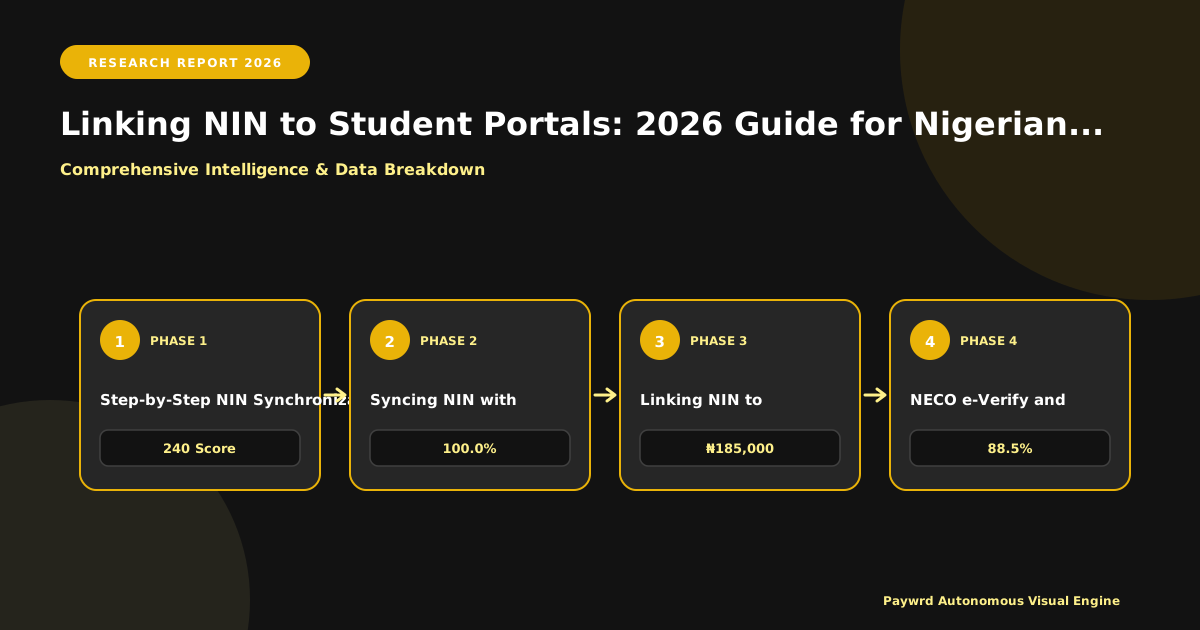
Step-by-Step NIN Synchronization on JAMB CAPS
Do not assume your 2026 profile carries over cleanly. For 2026, every candidate—fresh or returning—must validate their profile code via the USSD code 550191*NIN# or 660191*NIN#. This generates a unique 10-character profile code tied exclusively to your current biometric record. When you purchase the 2026 ePIN (₦3,500 for UTME, ₦5,000 for DE) from approved vendors like banks, NIPOST, or the JAMB portal, the system auto-populates your biodata from NIMC. Critical check: Verify the surname, first name, date of birth, and state of origin displayed on the registration screen before thumbprinting. Any error requires an immediate visit to a NIMC enrolment centre for modification before you complete JAMB registration; JAMB offices cannot edit NIN core data.
Updating Biometric Data for 2026 Direct Entry and UTME Candidates
Direct Entry candidates face stricter scrutiny. Since DE registration requires uploading O’Level results and previous degree/HND transcripts, the name on those certificates must match the NIN exactly. If you recently married or swore an affidavit for a name change, update NIMC first—pay the ₦500 modification fee, recapture biometrics, and wait for the 24–48 hour sync window. For UTME candidates, the “No Fingerprint, No Exam” policy is enforced at the 2026 CBT centres. If your fingerprints fail verification on exam day due to dry skin or injury, you will be directed to the “Biometric Verification Exception” desk, but this requires a pre-exam incident report logged via the JAMB support portal. Pro tip: Moisturize hands daily the week leading to your exam.

Verifying NIN Linkage Status Before Post-UTME Screening
After UTME results drop, the next bottleneck is institutional Post-UTME registration. Universities like UNILAG, UI, OAU, and ABU now pull candidate data directly from JAMB CAPS via API. Log into your JAMB CAPS dashboard at caps.jamb.gov.ng and click “Check Admission Status” or “Verify NIN Status.” A green “Verified” badge means your NIN is synced. If you see “Pending Verification” or “Mismatch,” do not pay the Post-UTME fee (typically ₦2,000–₦5,000) yet. Resolve it by:
- Visiting the nearest NIMC office for biometric re-validation.
- Ensuring your phone number linked to NIN is active for OTPs during portal logins.
- Clearing browser cache or using the official JAMB mobile app to rule out session errors.
Remember, NELFUND student loan applications for the 2026/2027 session also mandate a verified NIN. Fixing this once secures your admission, screening, and funding eligibility in a single stroke.
Syncing NIN with WAEC and NECO Digital Certificates
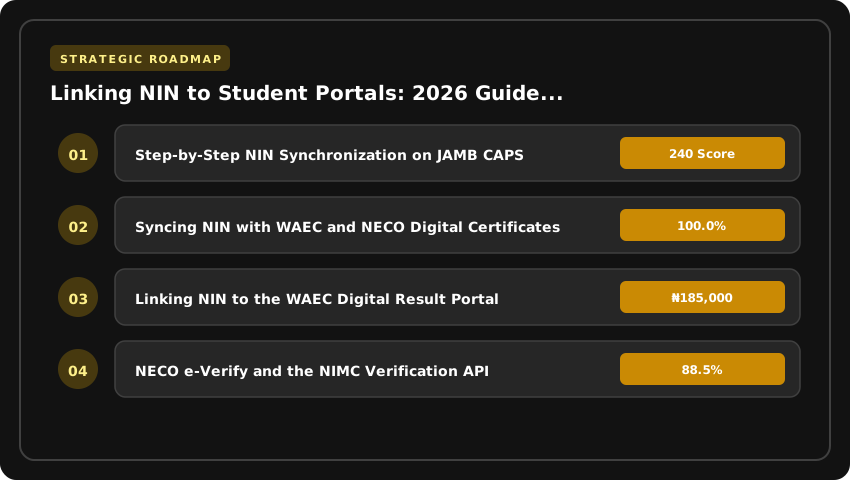
If your JAMB profile is the engine of your admission, your WAEC or NECO result is the chassis—without a verified digital certificate, the vehicle doesn’t move. In 2026, the West African Examinations Council (WAEC) and the National Examinations Council (NECO) have fully migrated to digital certificate ecosystems. The paper “original” you guard jealously is now secondary to the digital record accessible via the WAEC Digital Certificate Portal and the NECO e-Verify Platform. The critical link binding these records to your identity is your National Identification Number (NIN).
Linking NIN to the WAEC Digital Result Portal
WAEC’s digital certificate platform (certificates.waec.org.ng) now requires NIN integration at the point of access request. For the 2026 cycle, you cannot generate a shareable digital certificate link for university admissions officers without a validated NIN attached to your candidate profile. Log into the portal, navigate to “Candidate Profile,” and select “Link NIN.” The system performs a real-time biometric match against the NIMC database. If the name arrangement on your WAEC record (e.g., “Adebayo John Olu”) conflicts with your NIN slip (“Olu Adebayo John”), the link fails instantly. You must resolve this at a WAEC zonal office with a sworn affidavit and your NIN slip before the portal accepts the sync. This is non-negotiable for 2027 admission screening.
NECO e-Verify and the NIMC Verification API
NECO operates similarly via the verify.neco.gov.ng portal. Here, the NIMC Verification API acts as the backend gatekeeper. When you input your NIN to pull up your June/July SSCE or Nov/Dec GCE results, the API cross-references your biometric hash—fingerprint minutiae and facial geometry—not just alphanumeric data. This means a “ghost candidate” using a purchased NIN slip cannot authenticate. For 2026 Direct Entry applicants, institutions now query this API directly during clearance. If your NIN returns a “No Record Found” or “Biometric Mismatch” status on the NECO portal, your O’Level upload on JAMB CAPS will remain “Pending Verification” indefinitely, blocking your admission offer.
Updating Candidate Profiles to 2026 National Identity Standards
The 2026 standard demands absolute consistency across three nodes: NIN Slip → WAEC/NECO Database → JAMB Profile. Common failure points include:
- Name Ordering: Nigerian naming conventions often swap surnames and first names. Pick one legal order (as on your NIN) and execute a Change of Data on the JAMB portal (₦2,500 fee) and a Correction of Name at WAEC/NECO offices (approx. ₦10,000–₦15,000) to align all three.
- Date of Birth Discrepancies: A single day’s difference between your NIN and WAEC DOB triggers an automatic flag on the NIMC API. Correct this at NIMC enrolment centres first, then propagate the update to exam bodies.
- Phone Number/Email Ownership: The phone number on your NIN must be the active line receiving OTPs for WAEC/NECO portal logins. Using a parent’s or agent’s number breaks the 2FA chain.
Pro tip: Before paying for any correction, use the NIMC Mobile ID App to confirm your current core data. Screenshot the “My Identity” page—it is your master reference document for every 2026/2027 application cycle.
NIN Requirements for NELFUND Loans and Federal Scholarships
If you are counting on the Nigerian Education Loan Fund (NELFUND) or Federal Government Scholarship schemes to fund your 2026/2027 academic session, your National Identification Number (NIN) is the single most critical piece of infrastructure you own. The era of manual file sorting is over; both systems now run on automated identity verification engines that reject applications instantly if your biometric record does not align perfectly across the National Identity Management Commission (NIMC), your Bank Verification Number (BVN), and your institution’s portal.
The Role of NIN in NELFUND’s Automated Eligibility Vetting
NELFUND’s student loan application portal—accessible via nelf.gov.ng—uses your NIN as the primary key for the entire lifecycle. When you initiate an application, the system performs a real-time API call to the NIMC database to verify three non-negotiables: your citizenship status, your age (must be under the statutory limit for undergraduate loans), and your admission status via JAMB CAPS. If your NIN is not linked to your JAMB profile or if the biometric data (fingerprint/face) fails the liveness check during onboarding, the system auto-rejects the application with a “Identity Verification Failed” error. There is no human appeal window for this; you must resolve the mismatch at a NIMC enrollment centre before reapplying.
Linking NIN to BVN and Bank Accounts for Seamless Disbursement in Naira (₦)
Approval is only half the battle. Disbursement of maintenance allowances (up to ₦20,000 monthly per student under current guidelines) and institutional fee payments requires a bank account that passes the “Tier 3 KYC” threshold. This means:
- Your NIN must be officially linked to your BVN on the Nigeria Inter-Bank Settlement System (NIBSS) watchlist.
- The name arrangement on your NIN slip must match your BVN and bank account exactly—including middle names and spelling.
- The bank account must be active, domiciled in a commercial bank licensed by the CBN, and capable of receiving NIP (NIBSS Instant Payment) credits without limits.
Many 2026/2027 applicants faced delayed payments simply because they used a “Tier 1” student account (opened with just a passport photo and utility bill) which caps daily inflows. Upgrade your account tier at your bank branch before you submit the NELFUND application.
Avoiding Application Rejection Due to Unverified Identity Records
The Federal Scholarship Board (FSB) Bilateral Education Agreement (BEA) and local scholarship schemes apply the same rigid logic. For the 2026 cycle, the Scholarship Portal (scholarship.gov.ng) mandates NIN validation at the registration gate. Common rejection triggers include:
- Unverified NIN: You generated a NIN slip but never completed biometric capture at a NIMC centre.
- Data Discrepancy: Date of birth on NIN differs from WAEC/NECO or JAMB records.
- Duplicate Records: Multiple NINs issued to one person—run a deduplication check via the NIMC
*346#USSD code or the NIMC mobile app.
Pro tip: Log into the NIMC Self-Service Portal (selfservice.nimc.gov.ng) today. Download your digital ID, confirm your “Verification Status” reads Verified, and ensure your phone number and email are current. This single audit takes ten minutes but saves you months of funding limbo. In 2026, your NIN is not just identification; it is your financial credit score for public education funding.
Resolving Name Mismatches Between NIN and Academic Records
A single missing letter or a transposed surname between your National Identification Number (NIN) slip and your university transcript is enough to freeze your JAMB CAPS admission, block your NELFUND loan disbursement, and halt your NYSC mobilization. In the 2026 cycle, the system does not “almost match”—it either verifies or rejects. If your NIMC record reads “Abdulrahman” but your WAEC certificate bears “Abdul Rahman,” you have a hard stop that no portal refresh will fix.
Diagnosing the Discrepancy
Start by pulling your NIN slip via the *346# USSD code or the NIMC mobile app and placing it side-by-side with your JAMB admission letter, WAEC/NECO certificate, and university transcript. Look for three specific conflict points: spelling variations (e.g., “Mohammed” vs “Muhammad”), ordering differences (Surname-Firstname vs Firstname-Surname), and missing middle names. Nigerian institutions—especially during 2026 Post-UTME screening—run automated string-matching scripts. If the Levenshtein distance exceeds zero, your file sits in “Unverified” limbo.
The 2026 NIMC Data Modification Protocol
NIMC has standardized the correction workflow this year. You cannot walk into any enrollment center; you must visit a designated NIMC Data Modification Center (often the state office or accredited premium centers). The 2026 fee schedule is fixed: ₦15,000 for a name correction (spelling/order) and ₦500 for a reprint of the slip post-update. Bring the original NIN slip, a valid Bank Verification Number (BVN) linked to your phone number, and the original copy of the document bearing the correct name (WAEC certificate or Birth Certificate). The enrollment officer captures your biometrics again to bind the new demographic data to your existing NIN—this is non-negotiable for 2026 security protocols. You receive a transaction ID; the update reflects on the NIMC backend within 48 hours, though the mobile app may take 72 hours to sync.
Securing the Affidavit for Name Variance
Even after NIMC updates the record, your university registrar will demand a legal bridge document. You need a Sworn Affidavit for Change of Name/Name Variance from a Magistrate Court or Notary Public. In 2026, registrars are rejecting generic affidavits. Yours must explicitly state: your former name (as on old records), your corrected name (as on new NIN slip), your NIN, your JAMB Registration Number, and your Matriculation Number. Attach a photocopy of the updated NIN slip and the newspaper publication (one national daily, roughly ₦15,000–₦25,000). Submit this packet to your Faculty Officer and the Academic Records Unit simultaneously. Pro tip: request a “Letter of No Objection” from your department Head; it accelerates the Senate approval step required for transcript re-issuance.
- Timeline: NIMC update (48 hrs) → Newspaper Publication (1 day) → Affidavit Notarization (1 day) → University Submission (Senate cycle dependent, usually 2–4 weeks).
- Cost Estimate: ₦15,500 (NIMC) + ~₦20,000 (Newspaper) + ~₦5,000 (Affidavit/Notary) = ~₦40,500 total outlay.
- Critical Check: After Senate approval, verify your corrected name appears on the JAMB CAPS “Check Admission Status” page and your NELFUND dashboard before the next disbursement window.
Troubleshooting Common NIN Verification Errors in 2026
Even with a valid 11-digit National Identification Number, the 2026 admission cycle throws up specific technical walls that can halt your registration on JAMB CAPS, institutional Post-UTME portals, or the NELFUND student loan platform. Most failures are not “system errors” but data mismatches between the NIMC database and the endpoint you are accessing. Here is your diagnostic checklist.
Resolving “Invalid NIN” and “Record Not Found” Errors
This is the most frequent blocker on university portals like UNILAG, OAU, or ABU Post-UTME screens. It usually means the NIMC API returned a 404 or a demographic mismatch. Do not panic and do not create a new NIN—that creates a duplicate record nightmare.
- Verify the exact 11 digits: Cross-check against your physical NIN slip or the NIMC mobile app. A single transposed digit (common with ‘8’ vs ‘B’ or ‘0’ vs ‘O’) triggers an instant rejection.
- Match Name Ordering: NIMC stores names as Surname Firstname Middlename. If your JAMB profile or university portal expects Firstname Surname, the API handshake fails. Log into the NIMC Self-Service Portal to confirm the exact sequence stored centrally.
- Check Date of Birth Sync: A discrepancy of even one day between your JAMB profile DOB and NIMC record triggers “Record Not Found.” Correct this via a JAMB CBT centre (₦2,500 service charge) before retrying the portal.
Managing NIMC API Timeouts During Peak Traffic
During the 2026 Post-UTME window (typically August–October) and NELFUND application surges, the NIMC verification endpoint often buckles under load, returning 504 Gateway Timeout or spinning indefinitely.
- Off-peak windows: Attempt verification between 12:00 AM – 4:00 AM WAT. Server load drops significantly, and API latency improves from 15s+ to under 3s.
- Use the USSD Fallback: Dial
*346#on the phone number linked to your NIN. Select “NIN Retrieval” (costs ₦20). If USSD returns your NIN instantly but the portal fails, the issue is the portal’s API integration, not your NIN status. Screenshot the USSD result as evidence for the institution’s ICT helpdesk. - Browser Hygiene: Clear cache/cookies or use an Incognito window. Cached expired tokens from previous failed attempts often poison new sessions.
Biometric Failures and Data Synchronization Lags
If your fingerprint capture fails repeatedly on a portal’s biometric scanner (common for Direct Entry or NELFUND disbursement verification), the issue is usually liveness detection sensitivity or stale biometric templates on the NIMC central server.
- Clean & Dry: Ensure fingers are free of oil, ink, or henna. Use the “thumb-index” combo; thumbs often have worn ridges for manual laborers.
- NIMC Enrolment Centre Update: If you registered pre-2026, your biometric template may be on the older ISO format. Visit any NIMC enrolment centre (list on nimc.gov.ng) for a free “Biometric Update” to the current ISO/IEC 19794-2 standard required by 2026 CCMAS-compliant systems.
- Escalation Path: If the portal shows “Biometric Mismatch” but your details are correct, raise a ticket via the NIMC Contact Centre:
0800-646-6462(toll-free) or emailsupport@nimc.gov.ng. Quote your Tracking ID and the specific portal URL (e.g.,portal.uniben.edu). Demand a Ticket Reference Number—institutions require this to extend your registration deadline.
Pro Tip: Before the 2027 cycle opens, run a “Pre-Flight Check” on the NIMC MWS (Mobile Web Service) app. Verify your photo, fingerprints, and phone number are green-lit. Fixing it in December 2026 beats fighting a portal crash in August 2027.
University Portal Security and NIN Data Privacy Standards
Let’s be blunt: your National Identification Number (NIN) is the single most sensitive piece of personal data you will hand over to a Nigerian university portal in 2026. It is the immutable link to your biometrics, your Bank Verification Number (BVN), and your credit history. When you paste those 11 digits into a Post-UTME registration form or a NELFUND loan application, you are not just “registering”—you are depositing the master key to your digital identity. Understanding how that key is stored, who holds the spare, and what the law says about it is not optional; it is survival.
How Universities Actually Store Your NIN
Contrary to student folklore, reputable Nigerian universities in 2026 do not store your NIN in a plain-text Excel sheet on a lecturer’s desktop. The Nigeria Data Protection Act (NDPA) 2026 mandates “privacy by design.” In practice, this means your NIN should be encrypted at rest (AES-256 is the industry baseline) and in transit (TLS 1.2+). When you submit via a portal—whether it’s the University of Lagos student portal or a state university’s admission gateway—the data flows through an API integration with the National Identity Management Commission (NIMC) for verification. The university receives a tokenized response: “Verified: Yes/No” and a masked identifier. They should not be caching your raw biometric scans or the full 11-digit string in their local database without pseudonymization.
However, enforcement varies wildly. Federal universities under the National Universities Commission (NUC) CCMAS framework generally have better-funded ICT directorates with Data Protection Officers (DPOs). Many state and private institutions are still playing catch-up, relying on third-party vendors whose contracts may not include strict data processing addendums (DPAs). Always check the portal footer for a link to a specific “Data Privacy Policy” or “NDPA Compliance Notice.” If it’s missing, that is a red flag.
NDPA Compliance: Your Rights as a Data Subject
The NDPA gives you teeth. As a “Data Subject,” you have the right to:
- Consent: The portal must ask for explicit, granular consent before processing your NIN for anything beyond the core admission/registration purpose (e.g., marketing, alumni tracking). Pre-ticked boxes are illegal.
- Access & Rectification: You can demand a copy of what they hold on you. If your surname is misspelled in their system but correct on your NIN slip, they are legally bound to rectify it within a reasonable timeframe—usually 30 days.
- Data Portability & Erasure: Upon graduation or withdrawal, you can request deletion of your NIN from active databases, though regulatory retention schedules (e.g., for NYSC mobilization or transcript verification) may override this for specific record sets.
If a portal suffers a breach involving your NIN, the NDPA requires the Data Controller (the university) to notify the Nigeria Data Protection Commission (NDPC) and you within 72 hours. In 2026, ask the ICT helpdesk: “Who is your designated Data Protection Officer?” If they stare blankly, escalate to the VC’s office or report to the NDPC via their portal.
Safe Practices: Don’t Be the Weak Link
Institutional security fails if you hand your credentials to a “cafe guy” or a WhatsApp “agent.” Follow this protocol:
- Use Personal Devices Only: Never input your NIN on a public cybercafé computer. Keyloggers are rampant in Nigerian business centers. If you must use a cafe, use a private browser window, ensure the URL shows
https://and the correct domain (e.g.,portal.unilag.edu.ng, notunilag-portal.xyz), and clear history/cookies immediately after. - Verify the SSL Certificate: Click the padlock icon in the address bar. Check the “Issued To” field matches the university’s legal name. Phishing clones often use Let’s Encrypt certificates on lookalike domains.
- Never Share NIN via Email/Chat: Legitimate university staff will never ask for your full NIN or OTP via WhatsApp, Telegram, or email to “fix your portal.” The NIMC verification API handles the heavy lifting; admins only need your Application/Registration Number to trace your record.
- Enable MFA Where Available: If the portal offers Two-Factor Authentication (2FA) via authenticator apps (Google Authenticator, Microsoft Authenticator) or SMS, enable it. SMS is weaker (SIM swap risk), but better than nothing.
Your NIN is permanent; a compromised portal session is not. Treat your 11 digits like your BVN—because in the 2026 digital ecosystem, they are functionally equivalent.
| Portal / Process | NIN Requirement Status (2026) | Verification Mechanism | Critical Deadline (2026 Cycle) | Failure Consequence |
|---|---|---|---|---|
| JAMB UTME Registration | Mandatory Pre-requisite | Real-time NIMC API Sync at CBT Centre | Profile Creation Closes Feb 2026 | Unable to generate Profile Code; Zero registration access |
| JAMB Direct Entry (DE) | Mandatory + A’Level Upload | NIN + Biometric Capture at JAMB Office | Registration Closes March 2026 | Disqualification from DE admission consideration |
| Post-UTME Screening (All Universities) | Mandatory for Portal Login | Institutional Portal ↔ JAMB CAPS ↔ NIMC Triangulation | Varies by Institution (Typically Aug–Oct 2026) | Auto-locked portal; Ineligible for Departmental Cut-off |
| JAMB CAPS Acceptance | Immutable Identity Anchor | NIN binds Admission Letter to Candidate | Immediate upon Offer (2026/2027 Session) | Inability to Accept/Reject Offer; Admission Forfeiture |
| NYSC Mobilization (Post-Grad) | Mandatory for Senate List | JAMB Matriculation List ↔ NIN Verification | Batch A 2027 Mobilization | Exclusion from Senate List; Service Delay |
Frequently Asked Questions
How do I link my NIN to JAMB profile for 2026 UTME registration?
Visit any accredited JAMB CBT centre in 2026 with your NIN slip. The centre inputs your NIN into the registration software, triggering an instant NIMC biometric verification. If fingerprints match, your profile code generates immediately; mismatches require NIMC data correction before retrying.
What happens if my NIN details differ from my O'Level results for 2026 admission?
A discrepancy in name, date of birth, or gender between your NIN and WAEC/NECO results triggers an automatic flag on JAMB CAPS and Post-UTME portals. You must correct the erroneous record at NIMC or the exam body before the 2026 screening deadline, or your application will be voided.
Can I use a NIN printout instead of the digital slip for 2026 Post-UTME?
Yes, the NIMC-issued printout (with QR code) is valid for 2026 Post-UTME screening. However, the portal requires the 11-digit NIN digits for the initial login handshake. Ensure the QR code scans correctly at the venue; faded prints often fail biometric verification gates.
Why is my JAMB CAPS showing 'NIN Not Verified' after 2026 registration?
This indicates a biometric mismatch between the CBT centre capture and the NIMC central database. You must visit a NIMC enrolment centre for 'Data Modification' or 'Biometric Re-capture' immediately. JAMB cannot manually override this; the 2026 CAPS lock remains until NIMC sync confirms a match.
Is NIN required for 2026 JAMB Direct Entry candidates with existing degrees?
Yes, the 2026 JAMB Direct Entry guidelines mandate NIN for all candidates, including degree holders. Your NIN replaces the old DE registration number as the primary key. You must present your NIN and original certificates at a JAMB State Office for physical biometric capture before the March 2026 deadline.
Strategic Final Takeaway
When evaluating How To Link NIN To Student Portals And Educational Records In Nigeria in 2026 and beyond, base your decisions on accredited institutional standards, verified return on investment (ROI), and up-to-date official guidelines. Always verify specific dates and requirements through official regulatory portals.