portal.jamb.gov.ng domain. Avoid any third-party “result checker” links shared via WhatsApp or Telegram, as these are phishing clones designed to steal your registration details and NELFUND credentials.
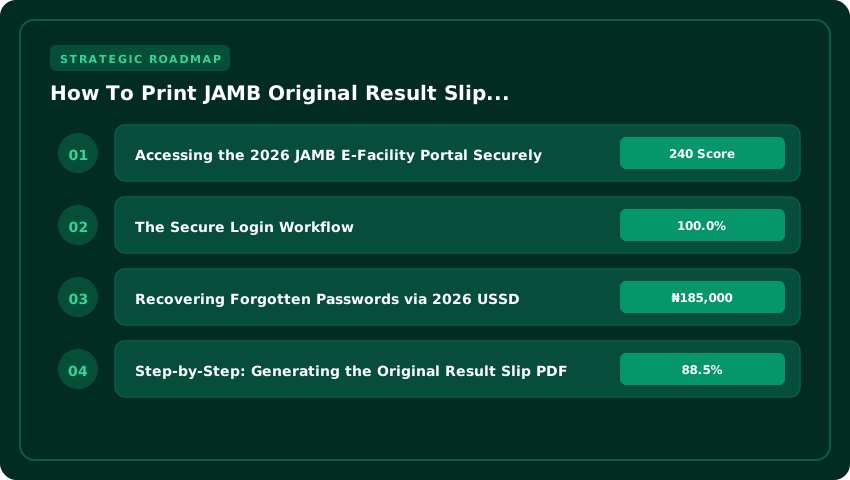
Accessing the 2026 JAMB E-Facility Portal Securely
Navigating the JAMB E-Facility portal in 2026 requires more than just a login; it requires vigilance. With the increase in sophisticated phishing sites promising “instant result printing,” candidates must ensure they are accessing the authentic Joint Admissions and Matriculation Board gateway. The only legitimate path to your original result slip is through the official JAMB portal. Before attempting to log in, verify that the URL begins with https:// and ends with .gov.ng.
The Secure Login Workflow
The 2026 login architecture has been streamlined to prioritize security and multi-factor authentication. Depending on how you registered for the UTME, your entry point will differ:
- Email-Based Login: Enter your registered email address and password. This is the fastest route for candidates who have kept their profile updated.
- Phone Number Verification: If you opt for phone login, the system will trigger a One-Time Password (OTP) sent to the mobile number linked to your JAMB profile. This prevents unauthorized access even if your password has been compromised.
- Browser Safety: We strongly recommend using a private/incognito window or clearing your browser cache before logging in to avoid session errors during the result printing process.
Recovering Forgotten Passwords via 2026 USSD
If you find yourself locked out of your profile, do not pay “cyber cafe agents” to recover your password. JAMB has integrated a secure, direct-to-candidate recovery system for the 2026 academic session. You can reset your profile password using the official USSD recovery code.

To initiate a reset, dial the designated JAMB recovery code (typically *554# or the updated 2026 sequence provided during registration) from the SIM card registered to your profile. Follow the on-screen prompts to verify your identity and receive a temporary password via SMS. Once you receive this code, log in immediately and update your password to a strong, unique combination of letters, numbers, and symbols.
Once securely logged in, you will be directed to your candidate dashboard, where the “Print Result Slip” option is located under the E-Facility menu. Ensure your internet connection is stable to avoid payment double-deductions during the printing phase.
Step-by-Step: Generating the Original Result Slip PDF
Generating your original 2026 JAMB result slip is a precise process. Unlike the preliminary result check via SMS or the basic portal view, the original result slip is a formal document featuring the JAMB seal, your passport photograph, and a verifiable QR code. This document is mandatory for physical screening at your chosen institution and for completing your NELFUND loan application for the 2026/2027 academic session.
Navigating the E-Facility Dashboard
Once you have successfully logged into your JAMB profile, you will be greeted by a dashboard with multiple options. It is critical to distinguish between the available tabs to avoid wasting your printing credits. To get the official document, locate and click specifically on the “Print Result Slip” tab. Do not confuse this with the “Print Admission Letter” tab; while the admission letter confirms your placement, only the result slip displays your raw UTME/DE scores and subject breakdown required for departmental verification.
Selecting the 2026 Examination Year
After clicking the print tab, the system will prompt you to specify the examination year. From the dropdown menu, carefully select “2026”. If you are a Direct Entry (DE) candidate, ensure you select the corresponding DE category for 2026. Selecting a previous year will either result in an error or, if you sat for the exam previously, will generate an obsolete document that will be rejected during your university screening.
Troubleshooting Common Portal Errors
Despite the 2026 portal upgrades, some candidates may encounter technical hitches. Here is how to resolve the most common issues:
- “Result Not Available”: This usually occurs if the Board has not yet released the results for your specific center or if there is a pending discrepancy in your biometric data. Wait 24 hours and clear your browser cache before retrying.
- “Invalid Registration Number”: Double-check for typos. Ensure there are no trailing spaces at the end of your registration number. If the error persists, verify that your profile is fully activated via the JAMB CAPS portal.
- PDF Loading Failure: If the page remains blank after payment, disable any active Ad-blockers or switch to a desktop browser (Chrome or Edge) to ensure the PDF generator triggers correctly.
Once the PDF generates, save a digital copy to your Google Drive or iCloud before printing. Use a high-quality color printer on white A4 paper to ensure the QR code is scannable by institutional admission officers.
Payment Protocols: Remita, Card & USSD Options for ₦1,000 Fee
To access your 2026 Original Result Slip, JAMB mandates a non-refundable service charge of ₦1,000. This fee covers the secure generation of your digital certificate and the authentication of your scores against the central database. To avoid the common “payment pending” loop or accidental double-charging, you must follow the official Remita payment flow strictly.
Generating Your Remita Retrieval Reference (RRR)
The process begins on the JAMB E-Facility portal. Once you select the “Print Original Result Slip” option, the system will not ask for your card details immediately. Instead, it will generate a unique 12-digit Remita Retrieval Reference (RRR). This RRR is the only valid identifier for your transaction. If your browser crashes or the page refreshes before the RRR is displayed, do not start a new application; check your registered email or SMS for the reference number to avoid paying twice.
Flexible Payment Channels
You are not required to stay on the JAMB portal to complete the payment. In fact, using a dedicated banking channel is often more stable. You can settle the ₦1,000 fee via the following methods:
- Mobile Banking Apps: Open your bank app, navigate to “Payments,” select “Remita,” and input your RRR. The system will automatically pull up the “JAMB Original Result Slip” description.
- USSD Code: For those without active data, dial
*565*1#(or your specific bank’s Remita USSD string). Follow the prompts to enter the RRR and authorize the ₦1,000 debit. - POS Terminals: Visit any authorized bank branch or POS agent. Provide them with your RRR, and they can process the payment directly through the Remita gateway.
Confirming Payment and Auto-Updates
A critical mistake candidates make in 2026 is attempting to refresh the JAMB portal immediately after a bank alert. The synchronization between the Remita gateway and the JAMB database can take between 30 seconds to five minutes. Once the payment is successful, the “Pay Now” button on your printing page will automatically transition to “Print Result.”
If the status does not update after ten minutes, do not make a second payment. Instead, use the “Check Payment Status” feature on the Remita portal using your RRR to verify the transaction. Once confirmed, return to the JAMB portal to finalize your printout.
Verifying Slip Authenticity: QR Code, Seal & NUC CCMAS Alignment
Once you have printed your 2026 JAMB original result slip, the process is not complete until you verify its authenticity. With the rise of sophisticated digital forgery, both candidates and admission officers must be vigilant. A fake slip can lead to immediate disqualification during Post-UTME screening or the summary rejection of your NELFUND student loan application, as the loan portal now integrates real-time API verification with JAMB records.
Digital Validation via QR Code
The most reliable way to confirm your slip is genuine is by using the integrated QR code located at the bottom-right corner of the document. This is not a static image but a secure encrypted link to the JAMB database. To verify:
- Open the official JAMB Mobile App or a secure corporate QR scanner.
- Scan the code directly from the printed slip.
- Ensure the redirected page displays your exact registration number, name, and 2026 UTME scores. If the scanner leads to a third-party website or shows mismatched data, the document is a forgery.
CCMAS Alignment and Subject Benchmarks
In 2026, the National Universities Commission (NUC) has fully transitioned to the Core Curriculum and Minimum Academic Standards (CCMAS). This means your result slip must align with the specific subject combinations mandated for your chosen course. When reviewing your slip, cross-check your scores against the 2026 CCMAS cut-off benchmarks for your target institution.
If a “modified” result slip shows scores that do not match the subject requirements for your degree program on the NUC portal, it is a red flag. Remember, JAMB does not “adjust” scores to fit CCMAS requirements; your raw score must meet the institutional threshold independently.
Identifying Physical Security Features
For physical submissions during departmental screening, look for the micro-text security watermark. Authentic 2026 slips are printed with a subtle, repeating pattern of “JAMB” and “FEDERAL REPUBLIC OF NIGERIA” visible only under close inspection or magnification. Forged slips often lack this micro-text, appearing as flat, low-resolution prints. Additionally, ensure the official seal is crisp and not blurred, as blurred seals are a hallmark of scanned and edited PDF clones. Any discrepancy in these security features will result in the slip being flagged as fraudulent during the verification process.
Mobile-First Printing: Chrome, Opera Mini & JAMB App Workflows
In 2026, you no longer need to rush to a cybercafe to secure your original result slip. Whether you are using a high-end smartphone or a budget Android device running Opera Mini, the JAMB portal is fully optimized for mobile retrieval. The goal is to move from a web view to a permanent digital file that you can present during physical screening or upload for NELFUND loan applications.
Saving Your Slip via Mobile Browsers
If you are using Google Chrome or Opera Mini on Android or iOS, do not simply take a screenshot of your result; screenshots are often rejected during official university verification. Instead, follow this workflow to save a high-resolution PDF:
- Once your result displays on the portal, tap the three-dot menu (top right in Chrome) or the Opera menu icon.
- Select Share and then choose the Print icon.
- In the printer dropdown menu, select Save as PDF.
- Rename the file as “JAMB_Original_Result_2026_[YourName]” and save it directly to your Google Drive or the Files app for permanent cloud backup.
Handling No-Printer Scenarios
Many candidates panic when they don’t have a physical printer at home. The “Print to PDF” feature is your primary tool here. By converting the web page into a PDF document, you create a digital original that maintains the official JAMB formatting and QR code integrity. You can then send this file via email to a printing center or keep it on your phone for instant presentation during admission exercises.
Syncing for 2027 Direct Entry (DE) Conversion
Looking ahead to 2027, candidates who may be transitioning to Direct Entry or seeking a change of course must ensure their digital slip is synced with their JAMB CAPS profile. While the portal handles most updates automatically, having a cloud-saved copy in your Google Drive allows you to quickly re-upload documentation if there is a synchronization error during the 2027 conversion window.
By securing a PDF copy immediately, you eliminate the risk of portal downtime or password loss, ensuring your 2026 academic records are safe and accessible regardless of your proximity to a physical computer terminal.
Post-Printing Checklist: Post-UTME, NELFUND & Clearance Docs
Printing your 2026 JAMB original result slip is only the first step. To secure your admission for the 2026/2027 academic session, you must transition from a “candidate” to an “admitted student” by successfully navigating the institutional screening and funding portals. Most Nigerian universities now utilize a centralized digital upload system, meaning a physical copy of your slip is insufficient; you need a high-quality, compliant digital version.
Merging Documents for Screening Uploads
During the Post-UTME screening process, most institutions require a single PDF document containing your academic credentials. You should not upload your JAMB slip, WAEC, and NECO results as separate files unless explicitly stated. Use a PDF merger tool to combine your 2026 JAMB Original Result Slip with your O’Level results (WAEC/NECO/NABTEB). Ensure the JAMB slip is the first page, followed by your O’Level certificates. This streamlined approach prevents your application from being flagged as “incomplete” during the automated verification process on the university’s portal.
NELFUND Loan Verification
For students seeking financial support via the Nigerian Education Loan Fund (NELFUND), the original JAMB result slip is a mandatory verification document. To avoid delays in loan disbursement for the 2026/2027 session, upload a clear, scanned copy of your slip to the NELFUND portal. The system uses OCR (Optical Character Recognition) to verify your registration number and score against the JAMB database. Any blurriness or cropped edges on the upload can lead to an immediate “Verification Failed” status, stalling your funding application.
Professional File Naming & Formatting
University ICT centers and NELFUND administrators process thousands of uploads daily. Files named “Document1.pdf” or “Scan_2026.jpg” are often lost or ignored. To ensure your documents are easily traceable and professionally presented, adhere to the following strict naming convention for all your 2026 uploads:
- Standard Format: Surname_JAMBRegNo_2026_OriginalSlip.pdf
- Example: Okoro_12345678AB_2026_OriginalSlip.pdf
- File Type: Always save as PDF unless the portal specifically requests JPEG.
- Resolution: Ensure the scan is at least 300 DPI for legibility.
By following this checklist, you eliminate the common administrative errors that lead to admission delays or loan rejection, ensuring a seamless transition into your tertiary institution for the 2026/2027 session.
| Feature/Requirement | Official JAMB Portal (2026/2027) | Third-Party/Phishing Sites |
|---|---|---|
| URL Domain | portal.jamb.gov.ng | .com, .net, or .xyz extensions |
| Security Protocol | HTTPS (Encrypted) | HTTP or Unverified SSL |
| Printing Cost | Official JAMB Prescribed Fee | Hidden/Inflated Service Charges |
| Data Privacy | Secure Government Encryption | High Risk of Identity Theft |
| NELFUND Integration | Directly Linked & Secure | Phishing for Credentials |
Frequently Asked Questions
How do I print the original JAMB result slip for 2026?
To print your original 2026 JAMB result slip, visit the official portal.jamb.gov.ng. Log in using your registration email and password, navigate to the 'Print Result' section, and complete the required payment. Ensure you use a PDF printer to save a digital copy before printing on a hard copy.
What is the official website to print JAMB results in 2026?
The only legitimate website for printing 2026 JAMB results is portal.jamb.gov.ng. Candidates must avoid third-party links shared via WhatsApp or Telegram, as these are often phishing clones designed to steal sensitive registration details and NELFUND credentials. Always verify that the URL ends with the .gov.ng domain.
Can I use a cyber cafe to print my 2026 JAMB result slip?
Yes, you can use a cyber cafe, but you must personally verify that the operator is accessing portal.jamb.gov.ng. To protect your 2026 academic records and NELFUND data, never leave your login credentials with the operator and ensure you log out completely before leaving the system.
What should I do if the JAMB portal is not loading for 2026 results?
If the 2026 JAMB portal is unresponsive, clear your browser cache or try a different web browser. Avoid using 'result checker' shortcuts from unofficial sources. If the issue persists, check the official JAMB social media handles for scheduled maintenance updates regarding the 2026/2027 admission cycle.
Is there a fee for printing the original JAMB result slip in 2026?
Yes, printing the original JAMB result slip for 2026 requires a prescribed payment made through the official portal. This fee is mandatory for the document to be recognized as valid for university screening and NELFUND loan applications during the 2026/2027 academic session.
Strategic Final Takeaway
When evaluating How To Print JAMB Original Result Slip 2026 On Portal in 2026 and beyond, base your decisions on accredited institutional standards, verified return on investment (ROI), and up-to-date official guidelines. Always verify specific dates and requirements through official regulatory portals.