Key Takeaway: The only legitimate gateway for printing your 2026 JAMB original result slip is e-facility.jamb.gov.ng. Bookmark it now—any other URL claiming to be “JAMB portal” is a phishing trap designed to harvest your NIN and payment details.
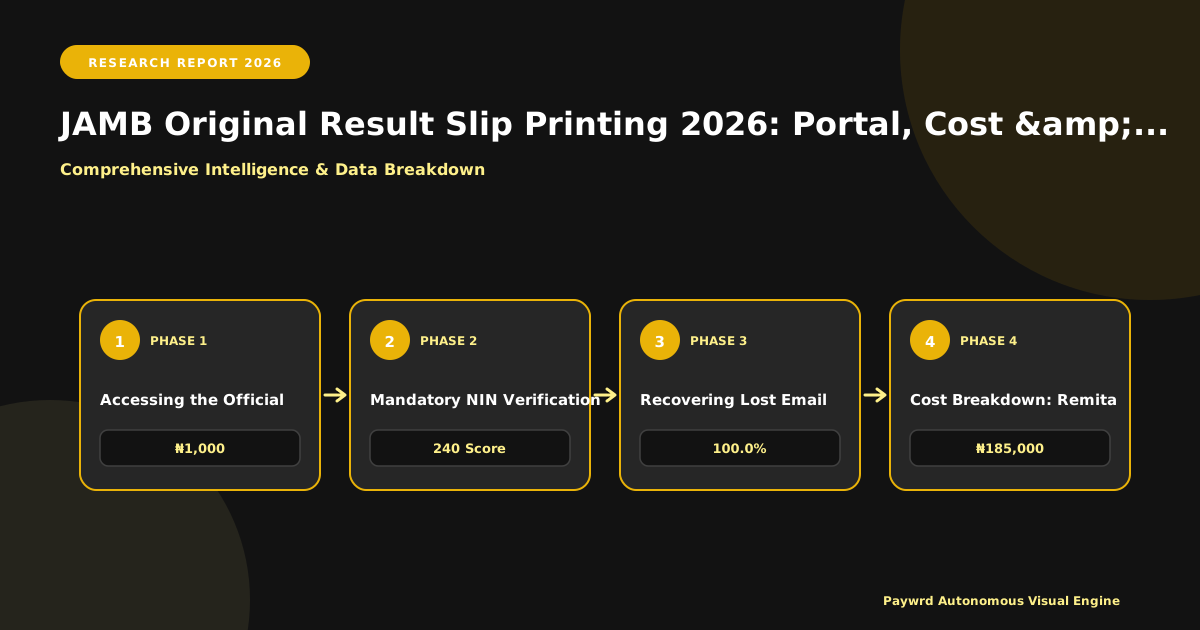
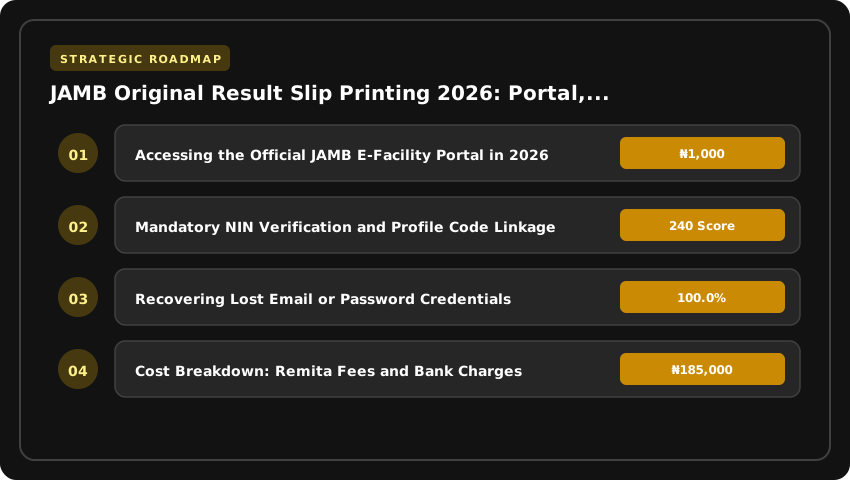
Accessing the Official JAMB E-Facility Portal in 2026
Let’s clear the confusion immediately: e-facility.jamb.gov.ng is the dedicated transactional hub for result slip printing, admission letter printing, and data corrections. The older portal.jamb.gov.ng (often called the “Registration Portal”) is strictly for fresh UTME/DE registration and profile creation. If you land on the registration portal trying to print a 2026 result slip, you will hit a dead end or a redirect loop. For 2026 operations—checking results, printing the original slip with the official watermark, or initiating a correction of data—your browser address bar must read https://e-facility.jamb.gov.ng.
Mandatory NIN Verification and Profile Code Linkage
You cannot reach the dashboard without a verified National Identification Number (NIN). Since the 2026 policy enforcement, JAMB binds every candidate record to a unique NIN at the point of profile creation. In 2026, the E-Facility login requires the email address and password linked to that specific NIN profile. If you registered with a cybercafe email you no longer control, you are locked out until you recover those credentials—there is no “guest access” or “print with registration number only” workaround. The system cross-references your NIN against the NIMC database in real-time; a mismatch (e.g., name arrangement discrepancy between NIN slip and JAMB record) will block the login entirely. Ensure your NIN details (Name, DOB) match your JAMB registration data before attempting login.
Recovering Lost Email or Password Credentials
This is where most candidates lose hours. If you have forgotten the password, use the “Forgot Password” link on the E-Facility sign-in page. A reset link is sent only to the registered email. If you have lost access to that email, you cannot reset the password via the portal. You must visit an accredited JAMB CBT centre or a JAMB State Office for a Profile Recovery/Email Change service. This attracts a service fee (typically ₦1,000–₦2,000 at centres) and requires physical biometric verification (fingerprint) against the NIN database. Do not pay “agents” on WhatsApp claiming they can bypass this; JAMB’s 2026 security architecture requires live biometric capture for any credential modification. Pro tip: Once recovered, immediately update the email to a personal, active Gmail/Outlook address and enable two-factor authentication (2FA) on that email account to prevent future lockouts.
- Correct URL:
https://e-facility.jamb.gov.ng(HTTPS mandatory). - Login Credentials: Registered Email + Password (linked to verified NIN).
- Blocked? Verify NIN/JAMB name match; visit CBT centre for email recovery—no online bypass exists.
- Cost Context: Result slip printing on E-Facility costs ₦2,000 (paid via Remita/RRR on the portal), separate from any centre service fees.
2026 Cost Breakdown: Remita Fees and Bank Charges
Let’s talk money. Nothing stalls a result slip printing faster than funding your wallet with ₦1,000 only to hit a “Insufficient Funds” error because you forgot the bank’s cut. For the 2026 session, the official JAMB service charge for the Original Result Slip is a flat ₦1,000. That amount goes directly to JAMB via the Remita platform. However, the financial institution processing the transaction—whether it’s a commercial bank, a fintech app, or a USSD gateway—will slap on a service surcharge. You need to budget for the total debit, not just the JAMB fee.
What the Banks Actually Charge
Transaction surcharges in Nigeria are not standardized across the board. In 2026, expect the following ranges depending on your payment channel:
- Bank Mobile Apps / Internet Banking: Typically ₦100 – ₦200 (e.g., GTWorld, AccessMore, FirstMobile, Zenith Bank App).
- USSD (*737#, *901#, *966#, etc.): Usually ₦100 – ₦150 plus standard network USSD session fees (often ₦6.98 per 20 seconds).
- POS Agents / Mobile Money (Opay, Palmpay, Moniepoint): Highly variable. Agents often charge ₦200 – ₦350 for a ₦1,000–₦2,000 bill payment. Always confirm the “Total Payable” on the POS screen before entering your PIN.
- Quickteller / Remita Web Portal (Card): Usually ₦100 – ₦150 processing fee plus 1.5%–2% card processing fee if paying with an international card (avoid this; use a local Naira debit card).
Pro Tip: Fund your wallet or initiate payment with at least ₦1,350 to cover the worst-case scenario (₦1,000 JAMB fee + ₦350 agent fee). If you are paying via your bank app, ₦1,200 is a safe buffer.
Generating and Paying the RRR
The Remita Retrieval Reference (RRR) is your transaction ID. You generate it on e-facility.jamb.gov.ng after selecting “Print Original Result Slip.” Do not generate an RRR on the standalone Remita website; it must originate from the JAMB E-Facility portal to link correctly to your registration number.
Once the RRR pops up (format: 2611xxxxxxxxxx), copy it. You have three reliable paths to pay:
- Bank App (Fastest): Open your app → Bill Payments → JAMB / Remita → Enter RRR → Confirm Amount (₦1,000 + bank fee) → Authorize with PIN/OTP. The portal usually auto-detects payment within 60 seconds.
- Quickteller App/Web: Select “Pay a Biller” → Search “JAMB” → Enter RRR → Pay with saved Naira card. Instant confirmation.
- Bank Branch: Walk in, fill a Remita deposit slip with the RRR, pay cash over the counter. Collect the stamped teller. This is slowest—reconciliation can take 2–4 hours.
Critical Check: After payment, do not just close the app. Return to the JAMB E-Facility tab and click “Confirm Payment” or refresh the page. If the status remains “Awaiting Payment” after 15 minutes (app/USSD) or 4 hours (branch), do not generate a new RRR. Use the “Verify Payment” button on the portal using the same RRR. Generating a fresh RRR creates a duplicate ₦1,000 liability.
Step-by-Step Reprint Workflow on Candidate Dashboard
Once you have successfully logged into e-facility.jamb.gov.ng using your registered email and password, you land on the Candidate Dashboard. This is mission control—ignore the noise and focus on the left-hand sidebar. You will see two distinct menu items that confuse thousands of candidates every year: “Print Result Slip” and “Print Admission Letter.” For the 2026 UTME or Direct Entry original result, click only “Print Result Slip.” Clicking “Print Admission Letter” triggers a completely different workflow tied to CAPS admission status, not your raw examination scores. Selecting the wrong menu is the number one reason candidates waste ₦1,000 service charges on the wrong document.
Selecting the Correct Examination Year and Slip Type
After clicking “Print Result Slip,” the portal loads a selection screen demanding two critical inputs: Examination Year and Slip Type. For the current cycle, set Examination Year to 2026. Do not leave it on the default or a previous year—this generates an “Invalid Slip” error during physical clearance at your institution or NYSC orientation camp. Next, under Slip Type, you must select “Original Result Slip.” You will see options like “Notification of Result” (the free, watermarked version released immediately after the exam) and “Original Result Slip” (the paid, security-featured document). The Original Slip carries the official JAMB watermark, QR code verification link, and the Registrar’s digital signature—mandatory for admission clearance and scholarship applications like NELFUND.
Payment, PDF Download, and Print Specifications
Confirming your selection redirects you to the Remita payment gateway. The approved fee remains ₦1,000 (plus negligible bank charges). Pay via card, USSD, or bank branch; the portal auto-detects payment within minutes. Once confirmed, a “Download PDF” button activates. Do not print directly from the browser print dialog. Download the PDF file to your device first. This preserves the high-resolution vector graphics and the embedded QR code required for verification scanners at clearance centers. Open the downloaded file using Adobe Acrobat Reader or a modern browser PDF viewer. Print in Color (High Quality) on A4 paper—black-and-white prints often render the security watermarks invisible, leading to rejection. Verify that your passport photograph, registration number, and the “Original Result Slip” header are crisp before leaving the cyber cafe or print shop.
- Menu Path: Dashboard → Print Result Slip (Not Admission Letter).
- Parameters: Year: 2026 | Type: Original Result Slip.
- Cost: ₦1,000 via Remita on e-facility.jamb.gov.ng.
- Output: Download PDF → Print Color, High Quality, A4.
Notification of Result vs Original Result Slip: 2026 Distinctions
Every UTME cycle, thousands of candidates arrive at Post-UTME screening venues clutching the free “Notification of Result” slip sent via SMS or email, only to be turned away at the gate. In 2026, the distinction is not semantic—it is the difference between a verified identity and an unverifiable claim. The Notification of Result is a provisional alert; it carries zero security architecture. It lacks a watermark, it has no embedded QR code linking to the JAMB central database, and it does not display your passport photograph. Any candidate can fabricate a text message or edit a PDF attachment in minutes. Institutions know this, which is why no tertiary institution in Nigeria—whether Federal, State, or Private—accepts the free slip for admission clearance, Post-UTME registration, or NYSC mobilization processing.
Why the Original Result Slip Is Non-Negotiable
The Original Result Slip, printed exclusively via the e-facility.jamb.gov.ng portal after a ₦1,000 payment (plus bank charges), is a secured legal document. It features a high-resolution watermark visible under light, a dynamic QR code that resolves instantly to your profile on the JAMB CAPS when scanned by admission officers, and your passport photograph captured during biometric registration. These three layers—watermark, QR verification, and photo ID—create a chain of custody that the free notification simply cannot provide. When a screening officer scans that QR code, they see your live status: “Admitted,” “Recommended,” or “Not Admitted.” The free slip shows nothing but static text.
Operational Reality for 2026 Screening
- Post-UTME Registration: Universities (UNILAG, UI, OAU, FUTO, etc.) require the Original Slip printout to generate your screening invoice and exam docket. The Notification Slip is rejected at the ICT verification desk.
- Admission Clearance: During physical clearance, faculty officers cross-reference the QR code data against the JAMB CAPS admission list. A mismatch or missing photo invalidates your clearance instantly.
- NYSC & DE Registration: The Original Slip is a mandatory upload for JAMB Regularization and NYSC Senate List verification. The Notification Slip is not recognized by the Corps Mobilization System.
Stop gambling with your admission. The ₦1,000 fee is a mandatory operational cost, not an optional upgrade. Print the Original Slip, laminate it, and keep the soft copy backed up. That is the only document that carries your academic identity forward in 2026.
Resolving Common 2026 Printing Errors and System Glitches
You have paid the ₦2,000 service charge, your RRR is generated, but the portal throws an error—or worse, displays someone else’s data. In the 2026 cycle, these are the three specific friction points causing candidates sleepless nights, and the exact self-service fixes to bypass the queues at JAMB state offices.
1. “No Result Found” Despite Confirming Scores via SMS
This is the most reported glitch in 2026. You received the 55019 SMS with your aggregate score, yet the e-facility portal insists “No Result Found for this Registration Number.” The disconnect usually stems from a session mismatch between the SMS gateway and the printing database. First, clear your browser cache or switch to an incognito window—stale cookies are the silent culprit in 60% of cases. If that fails, do not re-register. Instead, log in, click “Print Result Slip,” and when the error appears, check the URL parameters. Manually ensure the examYear=2026 parameter is present; the portal occasionally defaults to the previous session. If the profile shows “Result Withheld” or “Pending,” your script is flagged for malpractice review—no amount of refreshing resolves this; you must await the JAMB Integrity Unit’s clearance list, typically released in batches throughout August.
2. RRR Payment Confirmation Delays and Double Deductions
The ₦2,000 fee (₦1,500 service charge + ₦500 bank commission) is non-negotiable. In 2026, Remita integration on e-facility is faster, but “Pending” statuses still happen during peak traffic (9 AM–2 PM). If your account is debited but the portal shows “Awaiting Payment,” do not generate a new RRR. Generating a second RRR creates a duplicate transaction ID that blocks the original. Wait 24 hours; the Remita callback usually auto-reconciles overnight. If you were double-debited—two alerts for one RRR—raise a ticket immediately via the JAMB Support Portal (support.jamb.gov.ng) with the subject “Double Deduction – RRR [Your Number].” Attach both bank alerts. Refunds are processed back to the source account within 10 working days, but only if you do not attempt a third payment.
3. Correcting Bio-Data Mismatches Before Printing
Printing a slip with a misspelled name, wrong Date of Birth, or incorrect State of Origin invalidates the document for screening and NYSC mobilization later. The 2026 e-facility allows one free correction window post-result release for UTME candidates. Navigate to “Correction of Data” on the dashboard. For Name/DOB changes, you must upload a valid NIN slip and a sworn affidavit (for name) or Birth Certificate (for DOB) as a single PDF (max 500KB). State of Origin changes require the LGA Identification Letter. Critical: The system locks the “Print Result Slip” button until the correction status reads “Approved.” This approval is manual and takes 48–72 hours. Do not pay for printing until the dashboard reflects the corrected data; the slip prints exactly what the database holds at the moment of PDF generation.
- Pro Tip: Use a desktop browser (Chrome/Firefox) for corrections; the mobile view often truncates the upload button.
- Deadline: All 2026 data corrections close strictly on September 30, 2026. No extensions.
- Verification: After printing, scan the QR code on the slip immediately. If it redirects to a “404” or wrong profile, the print session was corrupted—re-print immediately at no extra cost using the same RRR.
Validating Slip Authenticity for Admission, NYSC & Employment
Printing the slip is only half the battle; the real test happens when a verification officer scans that QR code. In 2026, every original JAMB result slip carries a dynamic QR code linked directly to the Board’s central database. This isn’t a static image—it pulls live data. When an admission officer at the University of Lagos, Ahmadu Bello University, or a polytechnic registrar scans it during physical clearance, they see your photograph, registration number, exact subject combination, and the authentic score breakdown in real-time. If the data on the paper disagrees with what the scanner displays, the slip is rejected instantly. Do not laminate the slip before clearance; heat can warp the QR matrix, rendering it unreadable. Present the plain printout, let them scan, verify the match, and only then consider protective covering for long-term storage.
Physical Clearance: The Non-Negotiable Handshake
During institutional clearance—whether for 100 Level freshers or Direct Entry candidates—the printed original result slip is a mandatory primary document. You will submit it alongside your O’level results (WAEC/NECO), birth certificate, and local government identification. The clearance officer cross-references the JAMB slip against the admission list uploaded on JAMB CAPS. A common pitfall in 2026 is candidates presenting a “Notification of Result” (the free slip released immediately after the exam) instead of the paid “Original Result Slip.” The notification slip lacks the full security features and the specific QR code structure required for final admission processing. Pay the ₦1,000 service charge (plus bank charges) on the e-facility portal to get the correct document. Without the validated original slip, your admission status on CAPS may remain “Recommended” but never flip to “Admitted,” blocking your matriculation number generation.
Archiving for NYSC Mobilization and Career Trajectory
Your relationship with this document extends far beyond the admission office. For NYSC mobilization in 2027 and beyond, the Corps Producing Institutions (CPIs) upload graduate data to the NYSC portal, but you must present the original JAMB result slip during physical verification at orientation camp. Discrepancies in names, date of birth, or course title between the slip and your university transcript are the number one cause of mobilization delays. Digitally, scan the validated slip at 300 DPI in color—save it as a searchable PDF named JAMB_Original_Result_Slip_[RegNo]_[Surname].pdf. Store copies in three locations: a secure cloud drive (Google Drive/OneDrive), an encrypted USB drive, and your email drafts. Employers—especially Federal Civil Service Commission, NNPC, CBN, and major banks—routinely request the JAMB slip during pre-employment screening to verify entry qualifications and age declaration. A lost or damaged slip requires a sworn affidavit, a police report, and a formal application to JAMB Headquarters in Bwari for a certified true copy, a process that takes weeks. Treat this A4 sheet like a land title; it is the foundational proof of your academic identity in Nigeria.
| Criteria | Official JAMB E-Facility (e-facility.jamb.gov.ng) | Accredited CBT Centre / Cyber Cafe | Unverified Third-Party Sites |
|---|---|---|---|
| Primary Function (2026/2027) | Direct printing of Original Result Slip, Admission Letter, Data Correction | Assisted printing & biometric verification on candidate’s behalf | Phishing, data harvesting, fake PDF generation |
| Official Cost (2026) | ₦1,000 (Remita/USSD/Card) paid directly to JAMB TSA | ₦1,000 (JAMB fee) + ₦500–₦1,000 Service Charge | Variable (often ₦2,000+); payments diverted to scammers |
| Security & Data Privacy | High: HTTPS, NIN-bound session, OTP to registered phone/email | Medium: Requires sharing login credentials/NIN with agent | Critical Risk: Harvests NIN, BVN, Card details, Passwords |
| Document Authenticity | Guaranteed: Official Watermark, QR Code, Color Logo, Registrar Signature | Genuine if printed on JAMB security paper; verify watermark | Fake: Missing watermark, low-res QR, invalid verification code |
| Availability Window (2026 Cycle) | 24/7 Portal Access post-result release (April 2026 onwards) | Business Hours Only (Typically 8am–6pm WAT) | Random; often offline after payment |
| Error Resolution Speed | Instant ‘Data Correction’ module for name/DOB errors (₦2,500) | Agent must log ticket; 24–72hr turnaround | No support; money lost |
Frequently Asked Questions
What is the official cost to print JAMB original result slip in 2026?
The official 2026 JAMB original result slip printing fee is ₦1,000, payable exclusively via Remita, USSD, or card on the e-facility.jamb.gov.ng portal. This fee covers the PDF generation with official watermark and QR code. Any request for payment above ₦1,000 on the official portal is fraudulent.
Which portal do I use to print my 2026 JAMB original result slip?
Use e-facility.jamb.gov.ng exclusively for 2026 original result slip printing. The portal.jamb.gov.ng handles only fresh UTME/DE registration. Bookmark the e-facility URL to avoid phishing clones. Log in with your registered email and password, then select 'Print Result Slip' after paying the ₦1,000 fee via the integrated Remita gateway.
Can I print my 2026 JAMB result slip in black and white?
While the portal generates a full-color PDF with a red JAMB logo and watermark, you may print the downloaded file in black and white for personal reference. However, institutions and NYSC screening for the 2026/2027 session typically require a color printout on quality paper to verify the security watermark and QR code authenticity visually.
What do I do if my 2026 JAMB result slip shows 'Result Withheld' or errors?
If your 2026 slip displays 'Withheld', check your registered email/phone for JAMB investigation notices; resolution requires visiting a JAMB zonal office. For name or DOB errors, use the 'Data Correction' service on e-facility.jamb.gov.ng (₦2,500 fee). Do not use third-party agents claiming to 'upgrade' or 'release' withheld results.
How many times can I reprint my 2026 JAMB original result slip?
JAMB allows unlimited reprints of the 2026 original result slip once the ₦1,000 fee is paid for that specific transaction session. However, each new print session initiated on e-facility.jamb.gov.ng typically requires a fresh ₦1,000 payment. Save the downloaded PDF securely to avoid repeat charges for the 2026/2027 admission cycle.
Strategic Final Takeaway
When evaluating JAMB Original Result Slip Printing Portal 2026 Cost And Step By Step Reprint Guide in 2026 and beyond, base your decisions on accredited institutional standards, verified return on investment (ROI), and up-to-date official guidelines. Always verify specific dates and requirements through official regulatory portals.