Official WAEC Request Management Portal Walkthrough for 2026
For the 2026 academic cycle, the West African Examinations Council (WAEC) has streamlined the process of recovering lost credentials through the updated request.waecdirect.org interface. This portal is designed to eliminate the bureaucracy of physical visits to zonal offices, allowing candidates to request their examination numbers from any smartphone or laptop with a stable internet connection.

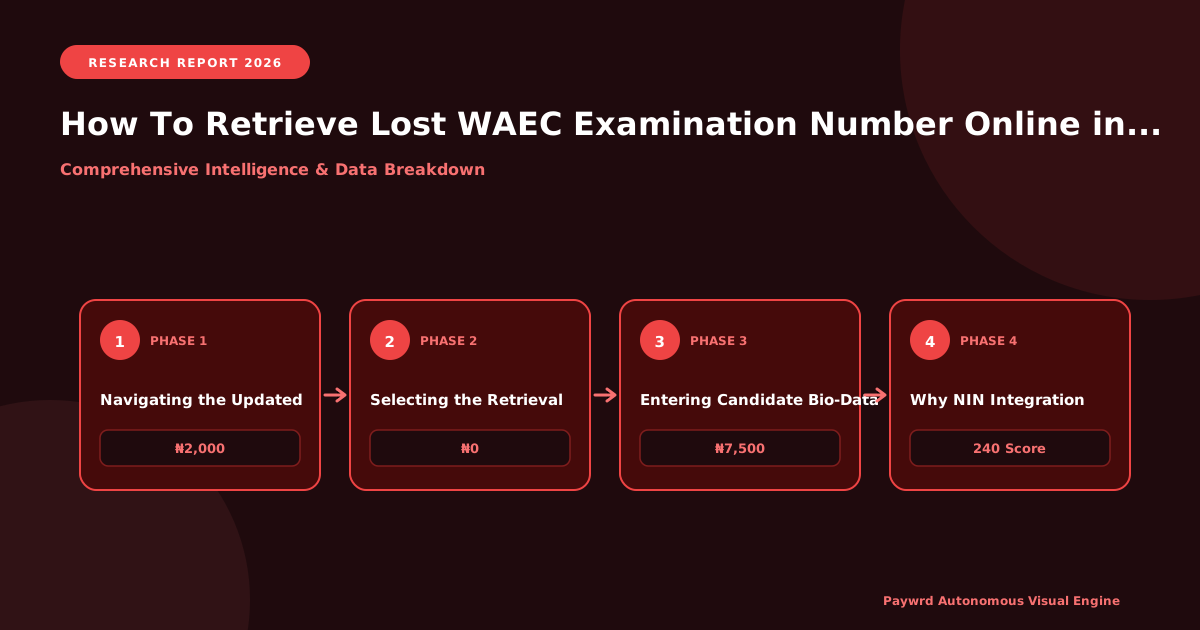
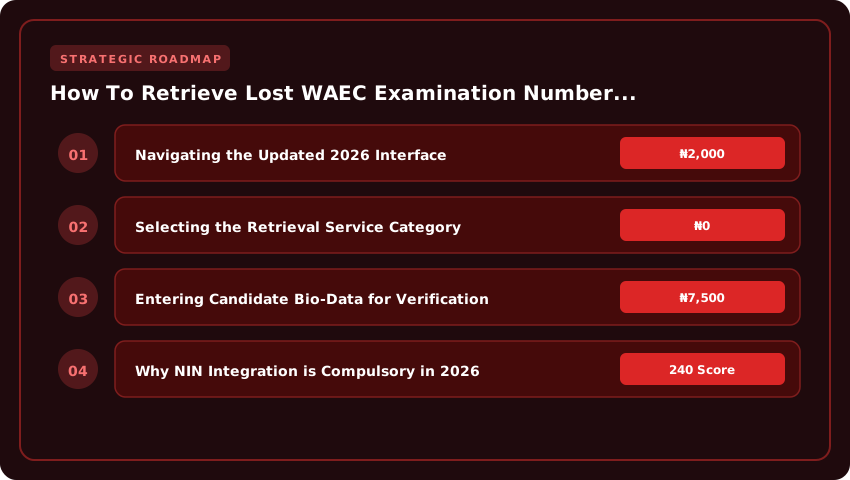
Navigating the Updated 2026 Interface
Upon landing on the official portal, you will notice a cleaner, more responsive layout compared to previous versions. The dashboard is now categorized by service types to prevent user confusion. To begin, ensure you are on the secure HTTPS version of the site to protect your personal information. Look for the primary navigation menu or the “Apply for Services” button on the homepage to enter the request pipeline.
Selecting the Retrieval Service Category
Once inside the service menu, you will see several options ranging from “Attestation of Results” to “Correction of Data.” To recover a lost number, you must specifically select the ‘Examination Number Retrieval’ category. Selecting the wrong category may lead to a payment prompt for a service you do not need, so double-check your selection before clicking ‘Proceed’.
Entering Candidate Bio-Data for Verification
The portal uses a strict verification algorithm to ensure that examination numbers are only released to the rightful owners. You will be required to fill out a digital form with precision. Ensure the following details match your original registration records exactly:
- Full Name: Enter your name exactly as it appeared on your registration slip (Surname first).
- Date of Birth: Use the standard DD/MM/YYYY format.
- Examination Year: Select the specific year you sat for the exam (e.g., 2026, 2026, or 2026).
- Centre Number: This is the unique code assigned to the school where you wrote the exam. If you have forgotten this, check your old school records or contact your former principal.
After submitting these details, the system will cross-reference your data with the WAEC database. If a match is found, you will receive instructions on the processing fee and the timeline for the delivery of your examination number via your registered email address.
Mandatory Verification Requirements: NIN & Phone Number Linking
For the 2026 retrieval cycle, WAEC Nigeria has transitioned from simple bio-data entry to a strict identity-linked verification system. You can no longer recover a lost examination number by simply providing your name and school. To combat identity theft and the proliferation of fraudulent result claims, the West African Examinations Council has integrated the National Identification Number (NIN) as a primary authentication key. If your NIN is not linked to your candidate profile, the portal will automatically reject your request during the verification stage.
Why NIN Integration is Compulsory in 2026
The shift to NIN-based verification is a directive aligned with the Federal Government’s push for a unified digital identity. By requiring a valid NIN, WAEC ensures that the person requesting the examination number is the actual candidate who sat for the exams. This prevents “third-party retrieval,” where unauthorized individuals attempt to access student data for malicious purposes. Without a verified NIN, you cannot bypass the security firewall of the 2026 Request Management Portal.
Linking and Updating Your Registered Phone Number
Your phone number serves as the secondary verification layer via Two-Factor Authentication (2FA). To ensure you receive your retrieved number via SMS, follow these steps to update your contact details:
- Log into the WAEC Request Management Portal using your email and password.
- Navigate to the “Profile Settings” or “Identity Update” tab.
- Enter your current active Nigerian mobile number (must be registered with your NIN).
- Click “Verify Number” to receive a 6-digit One-Time Password (OTP).
- Input the OTP and save changes to synchronize your phone number with your candidate record.
Troubleshooting ‘NIN Not Found’ or ‘Mismatch’ Errors
Many candidates encounter the “NIN not found” or “Data Mismatch” error during the retrieval process. This typically occurs when the name on your WAEC registration does not exactly match the name on your NIMC database. To resolve this:
- Check for Spelling Discrepancies: Ensure there are no typos in your name or date of birth. Even a missing middle name can trigger a mismatch.
- NIMC Synchronization: If your NIN was recently issued or updated, it may take 48 to 72 hours to sync with the WAEC API. Wait and try again.
- Official Correction: If the error persists, you must visit a NIMC enrollment center to rectify your bio-data or submit a formal correction request via the WAEC zonal office to align your academic records with your national identity.
Cost Breakdown & Payment Channels: Remita vs. Bank USSD
To avoid the common trap of paying exorbitant fees to “cyber cafe agents” or third-party middlemen, you must understand the official 2026 pricing structure. Retrieving your lost examination number is not free, but it is affordable. For the 2026 academic session, the official service charge for examination number retrieval is ₦2,500. Please note that this amount excludes standard bank transaction charges, which typically range from ₦50 to ₦100 depending on your financial institution.
The WAEC Request Management Portal does not accept direct card payments on the landing page. Instead, it utilizes the Remita platform—the federal government’s standardized payment gateway. Once you submit your bio-data and request for retrieval, the system will automatically generate a Remita Retrieval Reference (RRR). This RRR is a unique 12-digit alphanumeric code that serves as your digital invoice; without it, you cannot complete the payment or trigger the retrieval process.
Fast-Track Payment Methods
You do not need a physical ATM card or a trip to a bank branch to settle this fee. In 2026, the most efficient ways to pay your RRR are through USSD codes and mobile banking apps, ensuring your request is processed in real-time.
- Bank USSD Method: This is the fastest option for those without stable internet. Simply dial your bank’s designated Remita string. For many major Nigerian banks, the format is *777*RRR# (or the specific Remita shortcode provided by your bank), followed by your transaction PIN.
- Mobile Banking Apps: Log into your bank app, navigate to “Payments,” select “Remita,” and input your 12-digit RRR. The system will automatically pull up the WAEC service charge of ₦2,500 for your confirmation.
- Remita Web Portal: You can visit remita.net, select “Pay,” enter your RRR, and choose your preferred payment method (Card, Bank Transfer, or Account Debit).
Once the payment is confirmed, the Remita system sends an instant notification to the WAEC portal. Your request status will change from “Pending” to “Paid,” and the council will begin the verification process to release your examination number to your registered email address.
Retrieving Numbers for Pre-2026 Exams (GCE & May/June)
While the 2026 WAEC Request Management Portal is highly efficient for recent candidates, those who sat for their West African Senior School Certificate Examination (WASSCE) or GCE several years ago may encounter “Record Not Found” errors. This occurs because not all legacy data from the early 2000s or pre-digitization eras has been fully migrated to the self-service cloud. If your exam year falls outside the current digital window, you cannot rely solely on the online portal.
When to Escalate to WAEC Zonal Offices
If the online retrieval tool fails to locate your bio-data, you must transition from a digital request to a physical application. You should visit the WAEC Zonal Office nearest to the center where you sat for the exam. For candidates in the South-West, the Lagos or Ibadan offices are the primary hubs, while those in the North should head to the Abuja or Kaduna zonal offices. Physical escalation is mandatory when:
- Your examination was taken before the full implementation of the digital archival system.
- There is a discrepancy in the spelling of your name between your current ID and the school records.
- You are requesting a certified true copy of a result from a decade or more ago.
Requirements for Manual Record Search
A manual search is a rigorous process because it involves searching through physical ledgers and microfilm. To prevent delays or rejection, you must present a comprehensive “Retrieval Dossier.” WAEC officials will not initiate a manual search without legal proof of identity to prevent credential theft.
Ensure you have the following documents ready:
- Court Affidavit: A sworn affidavit from a High Court stating that you have lost your examination number and providing the approximate year and location of the exam.
- Police Report: An official report from the Nigerian Police Force confirming the loss of your credentials.
- Passport Photographs: Two recent passport-sized photographs with a white background. Ensure these are clear, high-resolution prints, as they are often attached to the manual retrieval form.
- Valid Government ID: A NIN slip, International Passport, or Voter’s Card to verify your identity against the archival records.
Be prepared to pay a processing fee at the zonal office. Avoid paying any “facilitation fees” to individuals claiming to be insiders; all official payments should be made through the designated bank channels or the official WAEC payment gateway provided at the office.
Common 2026 Portal Errors & Instant Fixes
Even with the 2026 upgrades to the WAEC Request Management Portal, technical glitches can occur during the retrieval process. Most of these errors are not permanent failures but temporary synchronization issues between the WAEC database and the user interface. If you encounter a roadblock, avoid the temptation to pay “cyber cafe experts” who claim they have “backdoor access”; these are scams. Use the following verified fixes instead.
Resolving ‘Invalid Centre Number’ for Private Candidates
Private candidates often encounter the “Invalid Centre Number” error when trying to recover their examination numbers. In 2026, this is typically caused by a mismatch between the candidate’s registered center and the selected regional zone on the portal. To fix this:
- Double-check that you have selected the correct state of registration. A center number valid in Lagos will be flagged as invalid if the portal is set to Kano.
- Ensure you are not adding leading zeros or spaces before the center number.
- If the error persists, verify your center number via your original registration slip or contact your accredited private coordinator.
Fixing ‘Session Expired’ During RRR Generation
The Remita Retrieval Reference (RRR) generation process is the most sensitive part of the retrieval workflow. A “Session Expired” message usually triggers when the portal detects a timeout or a duplicate request. This often happens if you refresh the page while the payment gateway is communicating with your bank.
- Clear Cache: Clear your browser cookies and cache, then restart the session.
- Avoid Back-Buttons: Never use the browser’s “Back” button during the RRR generation phase; use the portal’s internal navigation links.
- Switch Browsers: If Chrome continues to time out, switch to Microsoft Edge or Mozilla Firefox, which currently show higher stability with the 2026 Remita integration.
What to Do if SMS with Exam Number Fails to Deliver
After successful payment and verification, WAEC triggers an automated SMS containing your retrieved examination number. If the SMS does not arrive within 30 minutes, do not panic or pay again.
- Check the Dashboard: Log back into the request.waecdirect.org portal. Most retrieved numbers are now mirrored on the user dashboard under “Request History.”
- Verify Network Settings: Ensure your phone is not blocking messages from “Short Codes” or unknown senders.
- Email Alternative: Check the email address you provided during the application. WAEC now sends a duplicate confirmation email alongside the SMS for the 2026 cycle.
Using Retrieved Number for JAMB DE, NELFUND & Transcript Requests
Retrieving your WAEC examination number is only the first step. In the 2026 academic cycle, this number serves as the primary digital key required to unlock critical opportunities in Nigerian tertiary education. Whether you are upgrading your qualification or seeking financial aid, your examination number is the unique identifier that links your identity to your academic achievements.
JAMB Direct Entry (DE) 2026 Integration
For candidates applying for Direct Entry (DE) into universities, polytechnics, or colleges of education, the retrieved WAEC number is mandatory for the JAMB Central Admissions Processing System (CAPS). To ensure your admission is not stalled, follow these steps on the JAMB portal:
- Log into your JAMB profile using your email and password.
- Navigate to the “Academic Credentials” section.
- Input your recovered WAEC examination number and select the year of examination.
- Click “Verify” to sync your O’Level results directly from the WAEC database to your CAPS profile.
Failure to accurately input this number can lead to “O’Level Not Uploaded” status, which prevents admission offers regardless of your JAMB score.
NELFUND Student Loan Verification
The Nigerian Education Loan Fund (NELFUND) has tightened its verification process for the 2026/2027 session to eliminate ghost applicants. To qualify for the student loan, you must prove your academic eligibility through the NELFUND portal.
When filling out your loan application, you will be prompted to provide your WAEC examination number. The NELFUND system performs a real-time API call to WAEC to verify that you possess the required credits in English and Mathematics. Ensure the number you retrieved is entered without spaces or special characters to avoid “Verification Failed” errors, which could delay your disbursement.
Requesting Certified True Copies (CTC) via CertRequest
If you need your results for international scholarships or employment, a simple printout is often insufficient. You will require a Certified True Copy (CTC) or an official transcript. Using your retrieved examination number, you can now access the WAEC CertRequest portal.
- Visit the official WAEC CertRequest interface.
- Enter your retrieved examination number and the specific exam year.
- Pay the required processing fee via the integrated payment gateway (prices vary based on the number of copies and delivery method).
- Select “Digital Copy” for immediate email delivery or “Hard Copy” for courier delivery to your specified address.
This automated process removes the need to travel to the WAEC zonal office, providing a secure, verifiable document recognized by global institutions.
| Retrieval Method | Estimated Cost (₦) | Processing Time (2026) | Data Security | Accessibility |
|---|---|---|---|---|
| Official WAEC Request Portal (request.waecdirect.org) | ₦0 (Free) | Instant to 24 Hours | High (End-to-End Encryption) | Global (Mobile/Desktop) |
| Third-Party Agents / Cyber Cafes | ₦2,000 – ₦5,000+ | 1 – 7 Business Days | Low (Risk of Data Harvesting) | Local Physical Presence |
| WAEC Zonal/State Office Walk-in | ₦0 (Official) + Transport | Same Day – 2 Weeks | High (Official Records) | Restricted (Office Hours/Location) |
| WAEC Digital Certificate Platform | ₦7,500 (Verification Fee) | Instant (If Number Known) | High (Blockchain Secured) | Global (Requires Exam No.) |
Frequently Asked Questions
How can I retrieve my lost WAEC examination number online for free in 2026?
Visit the official WAEC Request Management Portal at request.waecdirect.org. Select 'Retrieve Examination Number', input your surname, first name, date of birth, and exam year (e.g., 2026). Submit the request; your exam number displays instantly or is sent to your registered email/phone at zero cost.
What details are required to recover a WAEC exam number on the 2026 portal?
You must provide your full legal name (as used during registration), exact date of birth, the examination year (e.g., 2026), and the examination type (WASSCE for School Candidates or Private Candidates). A valid phone number or email is needed for OTP verification.
Is it safe to use agents to find my WAEC examination number in Nigeria 2026?
No. WAEC explicitly warns against paying agents in 2026. The official portal (request.waecdirect.org) is free, secure, and instant. Agents often charge ₦2,000–₦5,000, expose your biometric data to identity theft, and may submit incorrect details causing permanent record mismatches.
Can I retrieve a WAEC exam number from 2026 or 2026 on the 2026 portal?
Yes. The 2026 WAEC Request Management Portal supports retrieval for all previous years including 2026, 2026, 2026, 2026, 2026, and 2026. Select the specific 'Examination Year' from the dropdown menu during the request process to query the historical database.
What should I do if the WAEC portal says 'Record Not Found' in 2026?
Double-check spelling of names and date of birth against your original registration slip. If details are correct, visit the nearest WAEC Zonal Office with a sworn affidavit, passport photo, and valid ID for manual biometric verification and record correction for the 2026/2027 cycle.
Strategic Final Takeaway
When evaluating How To Retrieve Lost WAEC Examination Number Online 2026 in 2026 and beyond, base your decisions on accredited institutional standards, verified return on investment (ROI), and up-to-date official guidelines. Always verify specific dates and requirements through official regulatory portals.