<div class="paywrd-highlight-box" Key Takeaway: The only legitimate gateway for your 2026 WAEC digital certificate is digitalcertificate.waec.org.ng. Bookmark it now—every other link circulating on WhatsApp or Telegram is a credential-harvesting trap.
WAEC Digital Certificate: Login, Verify & Print Your 2026 Result
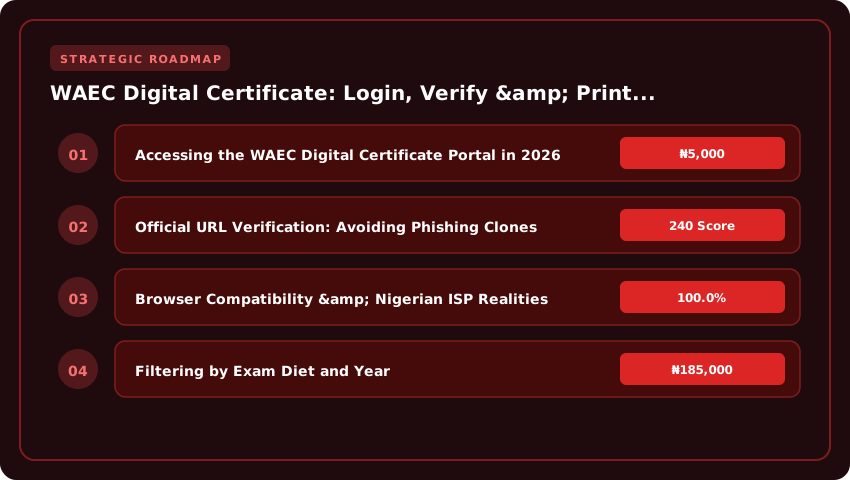
Accessing the WAEC Digital Certificate Portal in 2026
The West African Examinations Council (WAEC) has fully retired the physical “original certificate” collection ritual for school candidates. In 2026, your certificate lives exclusively on the WAEC Digital Certificate Platform (DCP). Whether you need it for JAMB Direct Entry registration, NELFUND student loan verification, or NYSC mobilization, the workflow begins and ends at one URL. Misspell it, and you hand your exam number and PIN to phishers.
Official URL Verification: Avoiding Phishing Clones
Type https://digitalcertificate.waec.org.ng directly into your address bar. Do not click search engine ads labeled “WAEC Certificate Download” or links from unofficial “past question” sites. The legitimate portal presents a valid TLS certificate issued to West African Examinations Council—check the padlock icon and confirm the organization name in the certificate details. Common 2026 clones use subdomains like waec-digital-certificate.com.ng or waecresultchecker.org; these harvest your Examination Number, PIN, and phone number for identity theft on JAMB CAPS or the NELFUND portal.
Browser Compatibility & Nigerian ISP Realities
The DCP is a progressive web app optimized for Chromium engines (Chrome, Edge, Brave) and WebKit (Safari on iOS). Firefox works but occasionally struggles with the PDF rendering engine that generates the printable certificate. On Nigerian networks—MTN, Airtel, Glo, 9mobile—enable “Desktop Site” mode on mobile browsers; the responsive layout sometimes collapses the “Verify Certificate” button on narrow viewports. If you hit a 504 Gateway Timeout during peak hours (6 PM–10 PM), switch to a 4G hotspot rather than public Wi-Fi; campus and café networks often block the WAEC CDN endpoints required for QR-code generation.

First-Time Registration vs. Returning Candidate Login Flow
- First-Time Users (2026 School Candidates): You do not “register” on the DCP. Your school uploaded your Continuous Assessment (CA) and biometric data. Click “Verify Certificate”, enter your 10-digit WAEC Examination Number, the 12-digit e-PIN from your Smart Identity Card (or the scratch card purchased at ₦3,500 from WAEC zonal offices), and your date of birth. The system binds your device fingerprint; subsequent logins only require the Examination Number and an OTP sent to your registered phone number.
- Returning Candidates (Pre-2026 or Private Candidates): Select “Login” → “Existing User”. Input your Examination Number and the password you created during your first verification. Forgotten password? Use the “Reset Password” link—WAEC sends a time-limited reset token to the email/phone on file. Private candidates (GCE) must use the specific “Private Candidate” tab; the exam number format differs (starting with
NGWAECrather than the school center code).
Once authenticated, the dashboard displays your certificate status: “Ready for Download,” “Pending Verification,” or “Withheld.” A green “Download PDF” button generates a legally binding, QR-coded document accepted by JAMB, NUC, and foreign credential evaluators like WES. Print on A4 security paper (₦500–₦800 at business centers) or save the PDF to your Google Drive for instant NELFUND uploads.
Navigating the Candidate Dashboard for Result Retrieval
Once you have successfully authenticated on the WAEC Digital Certificate portal—whether via the web platform at digitalcertificate.waecng.org or the mobile app—the landing screen drops you into the redesigned Candidate Dashboard. Since the 2026 overhaul aligned the interface with the NUC CCMAS data standards, the layout prioritizes interoperability with JAMB CAPS and the NELFUND student loan portal. Your first move is locating the My Certificates tab. It no longer sits in the top navigation bar; instead, look for the vertical sidebar on the left (or the hamburger menu on mobile) labeled Certification Records. Clicking this expands a sub-menu where My Certificates is the primary option, distinguished by a certificate icon with a digital verification badge.
Filtering by Exam Diet and Year
The 2026 dashboard introduces a granular filter engine directly above the certificate grid. This is critical because WAEC now issues distinct digital objects for the May/June (School Candidate) and Nov/Dec (Private Candidate/GCE) diets, each carrying unique metadata tags required for NYSC mobilization and Direct Entry admissions. To isolate your 2026 record:
- Click the Exam Diet dropdown and select either WASSCE for School Candidates (May/June) or WASSCE for Private Candidates (Nov/Dec).
- Immediately set the Exam Year filter to 2026. The system defaults to the most recent sitting, but if you are a repeat candidate, ensure you are not staring at a 2026 archive.
- Hit the Apply Filters button. The grid should refresh instantly, displaying a single row containing your Examination Number, Centre Number, and the Certificate Status: “Ready for Download” or “Pending Verification”.
Troubleshooting ‘No Record Found’ for 2026 Sittings
Seeing “No Record Found” after filtering for 2026 is surprisingly common in the first quarter of the release cycle. Before you panic, run through this checklist:
- Centre Validation Lag: If you sat the May/June 2026 diet, your school (Centre) must have uploaded Continuous Assessment (CA) scores to the WAEC backend. Centres that missed the July 31, 2026 CA submission deadline will have candidate results withheld. Contact your school’s Exams Officer to confirm upload completion.
- Biometric Mismatch: The 2026 portal enforces strict biometric deduplication. If your fingerprint capture during registration was poor quality, the certificate generation script stalls. You may need to visit a WAEC zonal office (Lagos, Abuja, Enugu, Kano, Port Harcourt) for a Biometric Re-capture (₦2,500 administrative fee payable via Remita).
- Private Candidate Registration Sync: For Nov/Dec 2026 candidates, ensure your registration photocard Examination Number matches exactly what you are typing. A transposed digit (e.g., 425010 vs 425100) breaks the query. Cross-reference the photocard PDF saved in your email.
- Browser Cache: The dashboard relies heavily on
localStoragefor session tokens. Hard-refresh (Ctrl+Shift+R on Windows, Cmd+Shift+R on Mac) or open an Incognito window to force a fresh API pull from WAEC’s AWS Nigeria region servers.
If the record remains invisible after 48 hours and your centre confirms compliance, log a ticket via the Support tab in the dashboard quoting your Examination Number and Centre Number. WAEC’s ICT support SLA targets a 72-hour resolution for 2026 certificate generation bottlenecks.
Executing Real-Time Certificate Verification for Third Parties
The era of waiting weeks for a university admissions office or an HR department in Lagos to physically verify your WAEC result is officially over. In 2026, the WAEC Digital Certificate platform puts the power of instant, tamper-proof verification directly in your hands. Whether you are applying for a NELFUND student loan, processing a Canadian study permit, or onboarding at a multinational in Victoria Island, you can now generate a cryptographic proof of authenticity that settles the matter in seconds.
Generating Your Unique Verification PIN and QR Code
Every digital certificate issued on the WAEC Certificates Request Portal carries a unique cryptographic fingerprint. Once you have claimed your certificate—whether it is a 2026 release or a digitized archive from 2026—navigate to the Verification tab on your dashboard. Here, the system generates a one-time Verification PIN and a dynamic QR Code tied specifically to that certificate instance. This is not a static image; the QR code embeds the candidate’s biometric hash, the exact subject grades, and the certificate serial number. You can download this as a high-resolution PNG or PDF. Treat this PIN like a banking OTP—it grants read-only access to your verified record without exposing your login credentials.
Sharing Secure Verification Links with Employers and Universities
Stop sending blurry WhatsApp screenshots. The portal provides a Share Secure Link feature that generates a time-bound, revocable URL (typically valid for 30 to 90 days, configurable by you). Copy this link and paste it into an email to the University of Ibadan admissions office, a UK NARIC evaluator, or an HR recruiter at a bank like Access Holdings. When they click the link, they land on a branded WAEC Verify page displaying your full name, passport photograph, examination year, centre number, and the complete subject breakdown—served directly from WAEC’s AWS-hosted Nigerian data centres. You receive an email notification every time the link is accessed, giving you a full audit trail of who verified your result and when.
Validating Certificate Authenticity on the WAEC Verify Portal
Third parties do not need an account to verify you. They simply visit verify.waecng.org (or the global verify.waecdirect.org for international requests) and select Verify a Certificate. They input the Verification PIN you provided or scan the QR Code using a smartphone camera. The portal instantly returns a Verified Authentic status badge in green, confirming the document matches the West African Examinations Council’s master database. Any discrepancy—wrong grades, swapped photos, or a forged centre number—triggers a red Invalid Record alert. This is the exact mechanism the NUC uses during NYSC mobilization and JAMB uses for Direct Entry reconciliation in the 2026/2027 cycle. It is free, instant, and legally binding across all Nigerian tertiary institutions and foreign missions.
- Cost: Verification is free for the verifier; the candidate bears the initial certificate access fee (approx. ₦7,500 for digital access in 2026).
- Revocation: You can kill a shared link instantly from your dashboard if you suspect misuse.
- Global Acceptance: The QR code complies with W3C Verifiable Credentials standards, accepted by UK ENIC, WES Canada, and US NACES members.
Printing High-Resolution Certificates for Official Use
You have downloaded the PDF from the WAEC Digital Certificate platform. Now comes the part where most candidates sabotage themselves: printing. A blurry, washed-out, or incorrectly sized printout will get rejected at the NYSC orientation camp gate, a university admissions office, or a visa application center in Abuja or Lagos. The digital file is cryptographically secure, but the physical artifact you hand over must visually match the security standards WAEC expects. Treat this like printing a banknote, not a term paper.
Optimal Print Settings: Non-Negotiable Specs
Do not use “Fit to Page” or “Shrink Oversized Pages.” These settings distort the micro-text and QR code alignment that verification scanners read. Set your paper size strictly to A4 (210mm x 297mm) with zero margins (borderless printing) if your printer supports it; otherwise, use the minimum printable margin your driver allows. Resolution must be 300 DPI minimum—600 DPI is preferred for the holographic strip simulation. Print in full color (CMYK) even if your certificate appears mostly monochrome. The security background pattern, the WAEC logo color fidelity, and the subtle rainbow printing on the border are deliberate anti-counterfeit features. Monochrome printing strips these layers, flagging your copy as “photocopied” rather than “original print” during manual inspection at the Federal Ministry of Education or foreign missions.
Embedding Security Watermarks and Holographic Strips via PDF
The PDF you downloaded from digitalcertificate.waec.org.ng already contains vector-based watermarks and a simulated holographic foil strip (usually running vertically on the left or horizontally across the center). Do not attempt to “add” these in Canva or Photoshop; you will break the digital signature layer embedded in the PDF metadata. Print directly from Adobe Acrobat Reader (latest version) or the native Windows/Mac print dialog using the “Print as Image” advanced setting only if your printer driver struggles with vector transparency. This rasterizes the vectors at your target DPI without flattening the security logic. Use high-quality matte or satin photo paper (180–220 GSM). Standard 80 GSM bond paper absorbs ink, bleeding the micro-text “WAEC NIGERIA” repeated in the background, which is a primary check point for NYSC verification officers.
Acceptable Formats for NYSC, JAMB DE, and Visa Applications
- NYSC Orientation Camp: They require the printed A4 color copy alongside the online verification slip. The QR code on the printout must scan instantly on their handheld scanners to the WAEC verification portal. Laminating is permitted after verification at camp, but bring the unlaminated original for the initial check.
- JAMB Direct Entry (DE) Registration: JAMB CBT centers accept the high-res A4 printout for sighting during DE registration. They cross-reference the candidate number against the JAMB CAPS portal. Ensure the “Certificate Number” and “Examination Year (2026)” are razor-sharp.
- Visa Applications (UK, Canada, US, Schengen): Embassies often require a certified true copy. Print two copies: one for submission, one for your file. Some high commissions (e.g., UKVI via TLScontact) may ask for a notarized affidavit attesting the printout matches the digital record. The color fidelity of the coat of arms and the Registrar’s signature block is scrutinized under UV light.
Bottom line: Use a professional print shop (like those in Ikeja Computer Village or Abuja Banex Plaza) if your home inkjet is low on cyan or magenta. The ₦500–₦1,000 cost for a premium print on 200 GSM paper is insurance against a rejected application or a delayed mobilization.
Resolving Common 2026 Platform Errors & Data Mismatches
Even with the upgraded WAEC Digital Certificate portal, 2026 candidates are hitting familiar friction points. The difference this year is that most “dead ends” actually have self-service fixes if you know where to look. Do not panic when a red banner pops up; the system is often stricter on validation logic than the old paper process ever was.
Correcting Name Spelling and Date of Birth Discrepancies
The portal now cross-references your submitted data against the NIN (National Identification Number) database in real-time. If your name on the WAEC registration (e.g., “Adebayo John”) conflicts with your NIN slip (“Adebayo Johnson”), the certificate preview will lock the “Print” button. You cannot edit this directly on the candidate dashboard anymore. Instead, log in, navigate to Profile > Data Correction Request, and upload a clear PDF of your NIN slip and a sworn affidavit from a Nigerian court (not a commissioner for oaths stamp alone). The turnaround in 2026 averages 72 hours. Pro tip: Ensure the affidavit explicitly states “Correction of Name on WAEC Record for Examination Number [Your Number].”
Handling ‘Invalid Examination Number’ or ‘PIN Exhausted’ Alerts
An “Invalid Examination Number” error in 2026 usually means you are typing the 10-digit format (Centre No + Candidate No) into a field expecting the new 12-digit Unique Candidate Identifier (UCI) issued with your digital registration slip. Check your 2026 photocard: the UCI starts with “NGWAEC26.” Use that string instead. For “PIN Exhausted,” remember the policy shift: one PIN/Serial Number pair now grants a maximum of five (5) successful result checks across all devices. If you shared your PIN with a cybercafé operator who checked it three times, you have two left. If you genuinely need more, you must purchase a new e-PIN voucher (₦3,500 via Remita or bank USSD) from the WAEC Request Management System—scratch cards are fully phased out.
Escalation Pathways: WAEC Zonal Offices vs. Digital Support Ticketing
Stop queuing physically at Yaba or Ikoyi for digital errors. The 2026 SLA mandates the Digital Support Ticketing System (DSTS) as the primary escalation channel. Log a ticket at support.waecdirect.org with your UCI, screenshot of the error, and NIN. You get a ticket ID (e.g., WAEC-2026-XXXXXX) tracked to resolution. Only escalate to a Zonal Office (Lagos, Abuja, Enugu, Kano, Port Harcourt) if:
- The DSTS ticket remains “Unresolved” for > 10 working days.
- The error requires biometric re-capture (fingerprint mismatch flag).
- You need a physical “Certification of Result” for visa processing (embassies still demand wet-ink stamps).
When visiting a Zonal Office, book an appointment via the portal first; walk-ins are turned away at the gate. Bring your printed ticket ID, NIN slip, and valid ID. The system works—if you follow the digital-first protocol.
Securing Your Digital Credentials Post-Printing
Printing your WAEC digital certificate is a milestone, but treating that PDF as a static file on a desktop folder is a liability in 2026. The Nigerian digital identity ecosystem—anchored by NIMC and increasingly linked to funding via NELFUND—demands a living, secured credential strategy. If you are not backing up, rotating access, and integrating, you are leaving your academic identity exposed.
Cloud Redundancy with Hardware-Grade Authentication
Do not rely solely on the WAEC portal or a single laptop. Upload the verified PDF to both Google Drive and OneDrive immediately. In 2026, “2FA” means moving beyond SMS codes, which are vulnerable to SIM swap fraud prevalent in Nigeria. Enforce FIDO2 security keys (like YubiKey) or passkeys on both Microsoft and Google accounts. Structure your folders logically: /WAEC_2026/Certificates/ and /WAEC_2026/Verification_Slips/. Enable version history so you can roll back if a file corrupts during a transfer to a JAMB CBT center or university clearance office.
Revoking Compromised PINs: The 15-Minute Rule
Your verification PIN is the master key. If you shared it with a cybercafe operator in Surulere or a “agent” processing your NELFUND application, assume it is compromised. Log into the WAEC Digital Certificate portal immediately and use the “Revoke & Regenerate PIN” function. Do this before you link the certificate to any third-party platform. The new PIN should be stored in a password manager (Bitwarden or 1Password), not WhatsApp “Saved Messages.” Treat this rotation with the same urgency you would a compromised BVN OTP.
Deep Integration: NIMC, NELFUND, and JAMB CAPS
This is where 2026 compliance separates the prepared from the stranded. Your WAEC e-certificate must speak directly to the National Identity Database.
- NIMC Harmonization: Visit an accredited NIMC enrollment center (or use the NIMC Mobile App if your biometrics are current) to link your WAEC verification code to your NIN. This creates a single source of truth for NYSC mobilization and visa applications.
- NELFUND Student Loan Portal: During the 2026/2027 application cycle, the portal auto-validates O’Level results via the WAEC API. Ensure the “Share Verification Link” feature is active on your WAEC dashboard. A broken link here delays your ₦100,000+ maintenance disbursement.
- JAMB CAPS Admission: Universities now pull O’Level grades directly from the WAEC XML feed into CAPS. If your digital certificate status reads “Awaiting Verification” on the WAEC side, your admission status will stall at “Recommended” on CAPS. Confirm the green “Verified” badge on your WAEC dashboard before accepting any admission offer.
Finally, schedule a quarterly “Credential Health Check.” Verify the PDF hash matches the portal record, confirm PIN validity, and test the NELFUND/NIMC handshake. In Nigeria’s evolving digital governance landscape, your certificate is not just a document—it is an API endpoint. Secure it like one.
| Feature/Service | Digital Certificate (2026) | Physical Certificate (Traditional) | Verification Service |
|---|---|---|---|
| Processing Time | Instant Download | 3-6 Months | 24-48 Hours |
| Cost (Estimated) | ₦2,500 – ₦5,000 | Included in Exam Fee | ₦5,000 – ₦15,000 |
| Verification Method | QR Code/Blockchain | Manual Registry Check | API/Digital Portal |
| Accessibility | Global (Cloud-based) | Physical Collection | Institutional Request |
| Validity Period | Lifetime (Digital) | Lifetime (Paper) | Per Request |
Frequently Asked Questions
How do I login to verify my 2026 WAEC digital certificate?
To verify your 2026 WAEC digital certificate, visit the official WAEC digital portal, enter your 10-digit examination number, select the 2026 examination year, and provide your registered email address. Once authenticated via OTP, you can view, download, and share your verified electronic result for university admissions.
What is the cost to print a WAEC digital certificate in 2026?
The cost to access and print a WAEC digital certificate in 2026 typically ranges between ₦2,500 and ₦5,000, depending on the chosen payment gateway and verification level. Payments are made securely through the WAEC portal using approved Nigerian banking channels or digital wallets for instant processing.
Is the 2026 WAEC digital certificate accepted by universities?
Yes, the 2026 WAEC digital certificate is fully accepted by JAMB and all accredited Nigerian universities. Because it utilizes blockchain-backed verification and QR codes, institutions can instantly validate the authenticity of the result, eliminating the need for physical certificate presentation during the initial screening process.
What should I do if my 2026 WAEC digital result is incorrect?
If your 2026 digital result contains errors, you must immediately lodge a formal complaint via the WAEC digital helpdesk or visit the nearest zonal office. Provide your examination number and a screenshot of the error. WAEC will review the digital record against the master sheet for correction.
How can I share my 2026 WAEC digital result with employers?
You can share your 2026 WAEC digital result by generating a secure, time-bound sharing link or downloading the PDF version from the portal. Employers can verify the document's authenticity by scanning the embedded QR code, which redirects them to the official WAEC verification server for real-time confirmation.
Strategic Topic Exploration
Strategic Final Takeaway
When evaluating WAEC Digital Certificate Platform Login Verification And Printing Guide in 2026 and beyond, base your decisions on accredited institutional standards, verified return on investment (ROI), and up-to-date official guidelines. Always verify specific dates and requirements through official regulatory portals.