https://digitalcertificate.waec.org.ng immediately. This is the only legitimate gateway for 2026 WAEC digital certificate access—any other URL is a phishing trap designed to harvest your examination details and payment credentials.
Direct Access: Official WAEC Digital Certificate Portal Link
The single authoritative entry point for the West African Examinations Council (WAEC) Digital Certificate platform in 2026 is https://digitalcertificate.waec.org.ng. Type this URL directly into your address bar or save it as a browser bookmark; do not rely on search engine results, sponsored links, or WhatsApp forwards. Cybercriminals frequently clone the WAEC login interface on lookalike domains (e.g., waec-digitalcert.com.ng or digitalcertificate-waec.org) to steal candidate numbers, PINs, and debit card details during the ₦7,500 certificate request process. The genuine portal uses a valid TLS 1.3 certificate issued to West African Examinations Council—always verify the padlock icon and the exact domain spelling before entering credentials.

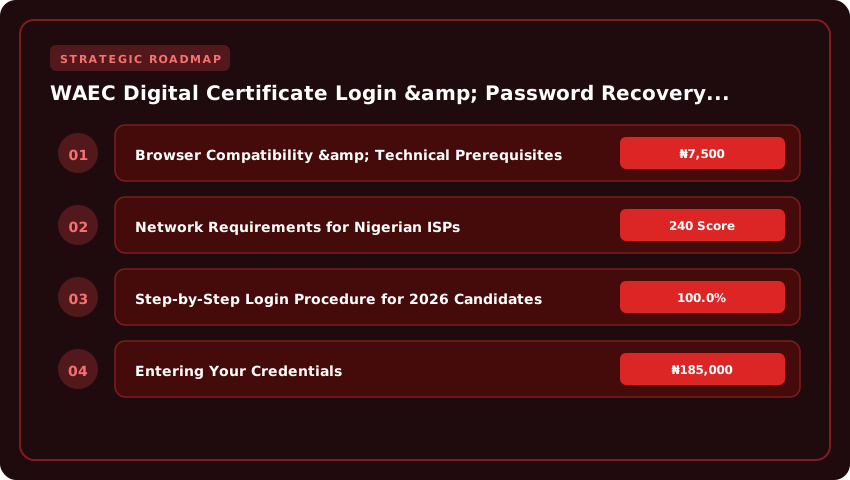
Browser Compatibility & Technical Prerequisites
The platform is engineered for modern, standards-compliant browsers. For a frictionless experience in 2026, use the latest stable release of Google Chrome (v125+), Mozilla Firefox (v126+), Microsoft Edge (v125+), or Safari (v17+) on iOS/macOS. Internet Explorer is completely unsupported. Ensure JavaScript and cookies are enabled—the portal relies on client-side rendering for the dynamic certificate preview and the NELFUND-linked identity verification widget. Disable aggressive ad-blockers or script managers (like uMatrix or NoScript) for the waec.org.ng domain, as they frequently block the PDF generation library responsible for rendering your digital certificate watermark.
Network Requirements for Nigerian ISPs
Connectivity stability is critical during the payment and PDF download phases. The portal hosts static assets on a West African CDN node, but the transaction gateway communicates with Remita and Paystack endpoints requiring low-latency routes. For candidates on major Nigerian ISPs—MTN, Airtel, Glo, 9mobile, Spectranet, or FibreOne—a minimum sustained throughput of 1.5 Mbps with latency under 120ms to Lagos IXP is recommended. Avoid initiating the certificate request on congested public Wi-Fi (e.g., cyber cafés or university hotspots) during peak hours (7 PM–10 PM WAT); packet loss often corrupts the ₦7,500 Remita Retrieval Reference (RRR) generation, forcing a restart. If you encounter a 502 Bad Gateway or infinite spinner on the “Verify Identity” step, switch to a 4G LTE tether or a wired fibre connection and clear the browser cache (Ctrl+Shift+Delete) before retrying.

- Official URL: https://digitalcertificate.waec.org.ng
- Supported Browsers: Chrome 125+, Firefox 126+, Edge 125+, Safari 17+.
- Required Settings: JavaScript ON, Cookies ON, TLS 1.2+.
- Minimum Bandwidth: 1.5 Mbps stable; Latency < 120ms to Lagos.
- Payment Gateway: Remita / Paystack (₦7,500 per certificate).
Step-by-Step Login Procedure for 2026 Candidates
Once you land on https://digitalcertificate.waec.org.ng, the interface is deliberately sparse—no marketing fluff, just a login gate. For 2026, WAEC has standardized the credential matrix across both the May/June (School Candidate/SC) and Nov/Dec (Private Candidate/GCE) diets. You need three exact data points: your Examination Number (10 digits), the Examination Year (select 2026 from the dropdown), and the Examination Type (choose SC for School Candidates or GCE for Private Candidates). Do not guess the “Type” field; selecting SC when you sat for GCE will return an “Invalid Credentials” error even if the number and year are correct.
Entering Your Credentials
Type your 10-digit Examination Number carefully—transposing a single digit is the number one reason candidates get locked out. The portal does not ask for your name, date of birth, or centre number at the login stage. After selecting the Year and Type, click the Login button. If your 2026 results have been officially released and digitized—and you have no outstanding financial holds with WAEC—the system authenticates instantly and drops you into the Candidate Dashboard. If you see a “Record Not Found” message, wait 24 hours and retry; backend synchronization between the marking centres and the digital certificate server occasionally lags by a day during peak release weeks.
Navigating the Candidate Dashboard
The dashboard is a single-page view. At the top, you’ll see your bio-data: Candidate Name, Examination Number, Year, Type, and Centre Name. Verify the spelling of your name immediately; this is exactly how it will appear on the digital certificate PDF. Below the bio-data sits the Certificate Status panel. For 2026, statuses render as:
- Available: Your certificate is minted and ready for download.
- Processing: WAEC is finalizing the cryptographic seal; check back in 48 hours.
- Withheld/Outstanding: Indicates a malpractice flag or unpaid centre fees. You must resolve this at the WAEC zonal office before the digital asset releases.
When the status reads Available, a bright Download Certificate button appears on the right. Click it once. The browser will prompt a save dialog for a .pdf file named WAEC_Digital_Certificate_[ExamNo]_2026.pdf. Save it to a secure local folder and immediately back it up to cloud storage (Google Drive, iCloud, or OneDrive). The PDF is digitally signed with WAEC’s public key infrastructure (PKI); any third-party verification—whether by JAMB CAPS, NELFUND, or an employer—validates against that signature. Do not print to PDF again or edit the file; doing so breaks the cryptographic hash and renders the certificate “Unverified” on the WAEC verification portal.
Password Recovery & Account Unlock Workflow
Losing access to your WAEC digital certificate portal in 2026 is frustrating, but the recovery architecture is straightforward if you follow the official chain of command. The system prioritizes automated self-service, but it has hard escalation paths for edge cases where two-factor authentication (2FA) breaks down or contact details are stale.
Initiating Automated Reset via Registered Credentials
Start at the login screen of https://digitalcertificate.waec.org.ng and click the Forgot Password link. The portal will prompt for the email address or phone number tied to your candidate profile. Critically, this must match the data captured during your original registration or the last successful profile update. If you registered with a school email you no longer access, the automated flow stops here—do not keep requesting resets; it triggers a temporary IP lockout. Enter the valid identifier, submit, and check your inbox or SMS for a time-sensitive reset token. The link expires in 15 minutes. Set a new password meeting the complexity rules: minimum 12 characters, mixed case, numbers, and a special symbol.
Resolving ‘Invalid Token’ or ‘Expired Link’ Errors
This is the most common friction point in 2026. It usually stems from three causes: clicking the link after the 15-minute window, opening the link in a different browser/device than the request originated from, or requesting multiple resets rapidly (only the last token is valid). If you hit Invalid Token, clear your browser cache or open an incognito window, then request a single fresh reset email. Do not spam the button. Ensure your device clock is synced to network time (WAT); a significant time drift invalidates the server-side timestamp validation. If the SMS token fails, check for “Do Not Disturb” modes or third-party spam filters blocking the WAEC shortcode.
Escalating to WAEC Zonal Offices for Manual Recovery
When 2FA fails completely—lost SIM, dead email, or corrupted profile data—you must escalate physically. Automated support tickets via the portal helpdesk often stall without a verified login session. Visit the WAEC Zonal Office covering your examination state (e.g., Yaba for Lagos, Owerri for Imo, Kano for North-West). Bring the following non-negotiables:
- Original WAEC Result Checker Card (or Photocard/Statement of Result printout).
- Valid Government-issued ID (NIN Slip, International Passport, or Driver’s License).
- Sworn Affidavit attesting to loss of access to registered phone/email.
- ₦2,000 administrative processing fee (payable via Remita RRR generated at the office).
The Zonal ICT officer will verify your biometrics against the 2026 examination database, update your contact credentials on the backend, and issue a temporary login. This manual override is the only way to decouple a certificate profile from compromised or inaccessible contact channels. Plan for a 48-hour turnaround before the new credentials propagate to the digital certificate server.
Employer & University Verification Portal Guide
Gone are the days of waiting weeks for postal confirmations or squinting at laminated paper. In 2026, the WAEC Verifier Portal at verify.waec.org.ng is the single source of truth for every employer, university admission office, and professional body validating Nigerian credentials. If your HR department or registrar’s unit is still requesting physical originals, you are operating on borrowed time and exposing your institution to certificate fraud.
Institutional Registration on the Verifier Portal
Registration is strictly for corporate entities—universities, polytechnics, government MDAs, and registered companies. Individual verifiers cannot create standalone accounts. The process begins with the institution’s designated IT or Admin lead visiting the portal and selecting “Institutional Sign Up.” You will need your Corporate Affairs Commission (CAC) registration number (RC Number), a functional official email domain (e.g., @unilag.edu.ng or @company.com.ng—Gmail/Yahoo addresses are rejected), and the authorized signatory’s NIN. WAEC’s verification team manually vets this data against the CAC database; approval typically takes 48 to 72 hours. Once approved, the portal issues an Institutional ID and a secure API key. Treat that API key like a banking token—anyone with it can query your quota.
Bulk Verification & API Integration for High-Volume Offices
Admission offices processing 5,000+ JAMB CAPS candidates or HR teams onboarding graduate trainees cannot rely on manual single-entry checks. The portal exposes a RESTful Bulk Verification API designed for server-to-server integration. Your development team posts a JSON payload containing arrays of WAEC Examination Numbers, Exam Years, and Exam Types (SC/GCE). The endpoint returns a structured response for each record in milliseconds. Critical implementation notes for 2026:
- Rate Limits: Standard tier allows 100 requests/minute; Enterprise tier (requiring a formal MoU with WAEC Yaba HQ) unlocks 1,000 requests/minute.
- Idempotency Keys: Include a unique request ID to safely retry failed network calls without double-billing your verification wallet.
- Wallet Funding: Verification is not free. Institutions fund a digital wallet via Remita (RRR generation) on the portal. Current tariff stands at ₦200 per successful verification; failed queries (invalid exam numbers) are not charged.
- Webhook Callbacks: Configure a secure HTTPS endpoint to receive asynchronous results for massive batches, preventing gateway timeouts.
Interpreting Verification Status Codes
The API and dashboard return three definitive status codes. There is no “Pending” or “Under Review”—the ledger is immutable.
- Valid: The certificate exists on the blockchain-anchored ledger, matches the candidate’s biometrics, and has no encumbrances. This is a green light for admission or employment.
- Withheld: WAEC has placed a restriction—usually due to ongoing malpractice investigations, unresolved script audits, or administrative queries from the exam center. Do not admit or hire on a Withheld status. The candidate must resolve this directly with WAEC; third parties cannot intervene.
- Cancelled: The certificate has been nullified. This indicates confirmed malpractice, impersonation, or forgery. Treat this as a fraud alert. Log the attempt, flag the applicant in your internal risk register, and report to relevant professional regulators if applicable.
Pro tip: Always download the digitally signed Verification Receipt (PDF/JSON) for your audit trail. It carries a cryptographic hash verifiable on the WAEC public ledger, protecting your institution from future liability disputes.
Digital vs. Hardcopy Validity: Legal Standing in Nigeria
The short answer: for 2026 admissions and most recruitment exercises, the WAEC Digital Certificate carries full legal weight. The West African Examinations Council (WAEC) Nigeria, backed by the Federal Ministry of Education, gazetted the digital certificate as a legal equivalent of the physical original years ago. However, “legal equivalence” does not mean “universal automatic acceptance” in every bureaucratic corner. Knowing exactly where the digital version shines—and where the laminated hardcopy remains king—saves you wasted trips and rejected applications.
NUC and JAMB Policy for 2026 Admissions
For the 2026/2027 academic session, the National Universities Commission (NUC) and the Joint Admissions and Matriculation Board (JAMB) have fully integrated digital verification into the Central Admissions Processing System (CAPS). When you accept admission on JAMB CAPS, the system pings the WAEC verification API directly. You do not need to present a physical certificate during clearance at your institution; the “Candidate Verification Slip” printed from the digital portal (bearing the QR code and verification ID) is sufficient for registration.
- Direct Entry (DE) Candidates: JAMB DE registration for 2026 explicitly accepts the WAEC Digital Certificate Verification PIN for O’Level uploads. No physical sighting is required at CBT centres.
- UTME Candidates: O’Level results uploaded via the digital certificate portal auto-populate the JAMB profile. Ensure your “Exam Number” and “Exam Year” match the JAMB registration data exactly to avoid “No Result Found” errors.
- NUC Accreditation: During resource verification visits, universities now present digital verification logs to NUC panels. The regulator accepts these logs as valid proof of student qualification.
Public Sector Employment: Circulars and Verification
The Head of the Civil Service of the Federation (HCSF) Circular Ref. No. HCSF/CSO/ODD/VOL.II/102 (re-issued for the 2026–2026 service years) mandates Ministries, Departments, and Agencies (MDAs) to accept WAEC Digital Certificates for recruitment and promotion exercises. The Office of the Accountant-General of the Federation (OAGF) also accepts the digital verification printout for IPPIS enrollment.
- Federal Civil Service Commission (FCSC): Online applications for 2026 graduate entry roles require the WAEC Verification ID. Physical certificates are only requested at the final physical screening stage for “sighting,” not submission.
- State Civil Services: Lagos, Kaduna, and Rivers State service commissions have digitized their verification portals. They cross-reference the WAEC database directly. However, some Northern states still request the physical original for “archival photocopying” during documentation—verify the specific state circular before deployment.
- Uniformed Services (Police, Army, NSCDC): Recruitment portals accept the digital printout for application, but the final medical/credential screening board physically inspects the original hardcopy. This is a security protocol, not a validity dispute.
Scenarios Where Physical Original Collection Remains Mandatory
Despite the digital push, three hard constraints force you to collect the physical certificate from WAEC offices (usually at a cost of ₦3,500–₦5,000 for processing/handling, plus courier fees if applicable):
- International Admissions & Visa Processing: Foreign universities (UK, Canada, US, Europe) and their credential evaluators (WES, ICAS, UK ENIC) require the physical certificate sealed in a WAEC envelope or a direct secure electronic transcript sent by WAEC, not a candidate-printed PDF. The QR code on your printout is not a substitute for an official transcript.
- Professional Body Induction (ICAN, COREN, NMCN, PCN): While ICAN accepts digital verification for registration, the final induction ceremony for Chartered Accountants often requires physical sighting. COREN (Engineering) and MDCN (Medical/Dental) still mandate the original certificate for the oath-taking register signing.
- Legal Proceedings & Affidavits: If you lose your certificate and need a Court Affidavit or Police Report for a “Lost Certificate” declaration, the court registry asks for the physical original to certify a true copy. A printout from the portal is treated as a “computer printout” (secondary evidence) requiring a Certificate of Compliance under the Evidence Act 2026, adding legal friction.
Bottom Line: Keep the digital portal bookmarked for 95% of local transactions—JAMB, NELFUND loan applications, NYSC mobilization, and federal jobs. Budget for physical collection only if you are traveling abroad, joining a strict professional body, or facing a legal requirement for primary documentary evidence.
Troubleshooting Common 2026 Platform Errors
Fixing the “Record Not Found” Error for 2026 Diets
This is the single most reported issue for the May/June and Nov/Dec 2026 diets. It usually means the WAEC database has not yet fully synced your specific centre’s results to the digital certificate portal, or you are inputting the examination number format incorrectly. For 2026, the standard format remains Centre Number + Candidate Number (e.g., 42518010015) with no spaces or slashes. If you sat for the May/June 2026 diet, wait at least 72 hours after the official result release SMS before attempting access. For Nov/Dec 2026 (GCE), the lag can stretch to five working days. If the error persists beyond that window, do not keep refreshing; instead, use the “Verify Result” link on the main WAEC Nigeria homepage (waecnigeria.org) to confirm your result is actually in the central repository. If it shows there but not on the digital portal, raise a ticket via the Support > Data Correction tab inside your dashboard, attaching a screenshot of the verification page.
Resolving Payment Gateway Failures (₦7,500 Access Fee)
The 2026 mandatory access fee is ₦7,500 per certificate request. Payment failures typically stem from three sources: insufficient funds on the card/USSD channel, network latency on the Remita/Interswitch rails, or attempting payment via a VPN which flags the transaction as suspicious. Always pay in Naira using a local Nigerian bank card (Verve, Mastercard, Visa) or the USSD code generated on the checkout page—do not select “International Card” unless you are genuinely domiciled abroad. If the portal shows “Payment Pending” for more than 15 minutes, do not click “Pay Again.” Close the browser, clear cache (see below), log back in, and check Transaction History. If the status reads “Success” but the certificate remains locked, copy the RRR (Remita Retrieval Reference) and email support@waecnigeria.org with your Exam Number and “Digital Cert Access – Payment Reconciliation” as the subject line.
Clearing Browser Cache & Cookies for Legacy Session Conflicts
The 2026 platform uses aggressive session cookies that frequently clash with 2026/2027 cached data, causing infinite loading spinners or “Invalid Token” errors on the password reset page. You must perform a hard clear before every new login attempt if you have accessed the portal in previous years.
- Chrome/Edge (Desktop): Press Ctrl + Shift + Delete > Time Range: “All Time” > Check “Cookies and other site data” and “Cached images and files” > Clear Data.
- Chrome (Android): Three dots > History > Clear browsing data > Advanced tab > All Time > Select Cookies & Cache > Clear Data.
- Safari (iOS): Settings > Safari > Clear History and Website Data.
After clearing, open a fresh Incognito/Private window for the first login. This isolates the session from any lingering extensions (especially ad-blockers or password managers) that inject scripts into the WAEC DOM and break the 2FA/OPT input fields. If you are on a shared cybercafé system, use the browser’s “Guest Mode” instead of a standard profile.
Data Privacy & Security Best Practices for Users
Your WAEC digital certificate is a high-value identity asset—treat it like your BVN or international passport. In 2026, credential theft targeting Nigerian students has evolved beyond simple phishing; syndicates now deploy cloned portals, SMS spoofing, and social engineering via WhatsApp “agents” promising faster processing for ₦5,000–₦15,000 “express fees.” WAEC charges zero naira for certificate access beyond the standard ₦7,500 verification fee paid strictly on the portal. Any request for extra “processing,” “upgrade,” or “delivery” money is fraud.
Securing Your PDF Certificate with Personal Encryption
The moment you download the PDF from digitalcertificate.waec.org.ng, apply a second layer of protection. Open the file in Adobe Acrobat Reader (free on Android, iOS, Windows) and use File → Protect Using Password. Set a strong passphrase—minimum 12 characters, mixing upper/lower case, numbers, and symbols (e.g., W@Ec2026!Cert#Secure). Do not reuse your JAMB profile or email password. Store the encrypted file in a password-protected folder or encrypted cloud vault (Google Drive with 2-Step Verification, Microsoft OneDrive Personal Vault). Never leave the unencrypted PDF in your Downloads folder or share it via unencrypted WhatsApp/Telegram; screenshots of the certificate circulating in family groups are a primary leak vector.
Identifying Official WAEC Channels vs. Scam Phishing Links
- Only URL:
https://digitalcertificate.waec.org.ng— bookmark it; never click links from SMS, email, or social media. - Official SMS Sender IDs: “WAEC-NG” or “WAEC HQ” — never a generic 11-digit phone number.
- Email Domain:
@waec.org.ngonly. Reject@waec-certificate.com,@waec-services.net, or Gmail/Yahoo addresses claiming to be support. - Social Media: Verified handles are
@waecnigeria(X/Twitter),WAEC Nigeria(Facebook blue badge), andwaec_nigeria(Instagram). DMs from unverified accounts offering “backend access” are scams. - Payment: Only Remita RRR generated on the portal. No POS transfers to personal accounts, no Palmpay/Opay “agents.”
Managing Shared Access for Family Members Applying on Your Behalf
If a parent, sibling, or cybercafé operator must log in for you, use a temporary password strategy. Log in yourself first, go to Account Settings → Change Password, set a one-time passphrase (e.g., TempAccess#Nov2026!), share only that via voice call—not text—and have them download the certificate immediately. Once done, log back in and reset to your permanent strong password. Enable Two-Factor Authentication (2FA) on the portal (email or authenticator app) so every login triggers a code you control. If you used a cybercafé, clear browser history, cookies, and saved passwords (Ctrl+Shift+Delete) before leaving. For JAMB CAPS admission processing or NELFUND loan applications requiring the certificate, upload the encrypted PDF directly to those portals yourself; do not forward the file through intermediaries.
Bottom line: your certificate unlocks university admission, NYSC mobilization, and future employment verification. Guard the digital file with the same rigor you would a physical original—because in 2026, the digital version is the legal original.
| Criteria | Official WAEC Portal | Phishing / Fake Portals |
|---|---|---|
| Official URL (2026) | https://digitalcertificate.waec.org.ng | Variations (e.g., waec-digitalcert.com.ng, digitalcertificate-waec.org) |
| SSL Certificate | Valid HTTPS, Organization: West African Examinations Council | Often missing or self-signed; browser warns “Not Secure” |
| Certificate Request Fee | ₦7,500 (Seven Thousand Five Hundred Naira) | Often inflated (₦10,000+) or requests “processing fees” via personal accounts |
| Payment Gateway | Integrated Remita / Interswitch / Paystack on portal | Redirects to external links, WhatsApp numbers, or personal OPay/PalmPay accounts |
| Login Credentials Required | Examination Number, PIN, Exam Year, Exam Type | Asks for BVN, NIN, Full Card PAN, CVV, OTP upfront |
| Password Recovery | “Forgot Password” link sends reset to registered email/phone | No recovery option; demands payment to “unlock” account |
| Support Channels | Official WAEC helpdesk emails & phone numbers listed on footer | Only WhatsApp/Telegram contacts; no verifiable corporate address |
Frequently Asked Questions
What is the official WAEC digital certificate portal link for 2026?
The only official WAEC digital certificate portal for 2026 is https://digitalcertificate.waec.org.ng. Candidates must type this URL directly into the browser address bar or use a saved bookmark. Avoid search engine ads or WhatsApp links, as cybercriminals clone the login page on similar domains to steal examination numbers, PINs, and the ₦7,500 payment details.
How much does a WAEC digital certificate cost in Nigeria in 2026?
The official fee for a WAEC digital certificate request in 2026 is ₦7,500 (Seven Thousand Five Hundred Naira). Payment is processed securely via integrated gateways like Remita or Paystack on the official portal. Any platform demanding higher amounts, "express fees," or payment into personal bank accounts is a fraudulent phishing site.
How do I recover my WAEC digital certificate portal password in 2026?
To recover your password, visit https://digitalcertificate.waec.org.ng and click the "Forgot Password" link on the login page. Enter your registered email address or phone number to receive a reset link. The official portal never asks for your PIN, examination number, or payment to reset credentials; such requests indicate a phishing attempt.
What details are needed to log in to the WAEC digital certificate portal?
Logging into the official WAEC digital certificate portal requires your 10-digit WAEC Examination Number, the PIN from your WAEC Result Checker card (or e-PIN voucher), the Examination Year (e.g., 2026), and Examination Type (e.g., SSCE). The portal does not require BVN, NIN, or full debit card details for login authentication.
How can I identify a fake WAEC digital certificate website in 2026?
Fake WAEC sites often use deceptive URLs like waec-digitalcert.com.ng or http (not https). They lack valid SSL certificates, request payment into personal OPay/PalmPay accounts, ask for BVN or full card details upfront, and only offer WhatsApp support. The genuine site uses https://digitalcertificate.waec.org.ng with verified organizational SSL and official Remita payment integration.
Strategic Final Takeaway
When evaluating WAEC Digital Certificate Platform Login And Password Recovery Guide in 2026 and beyond, base your decisions on accredited institutional standards, verified return on investment (ROI), and up-to-date official guidelines. Always verify specific dates and requirements through official regulatory portals.