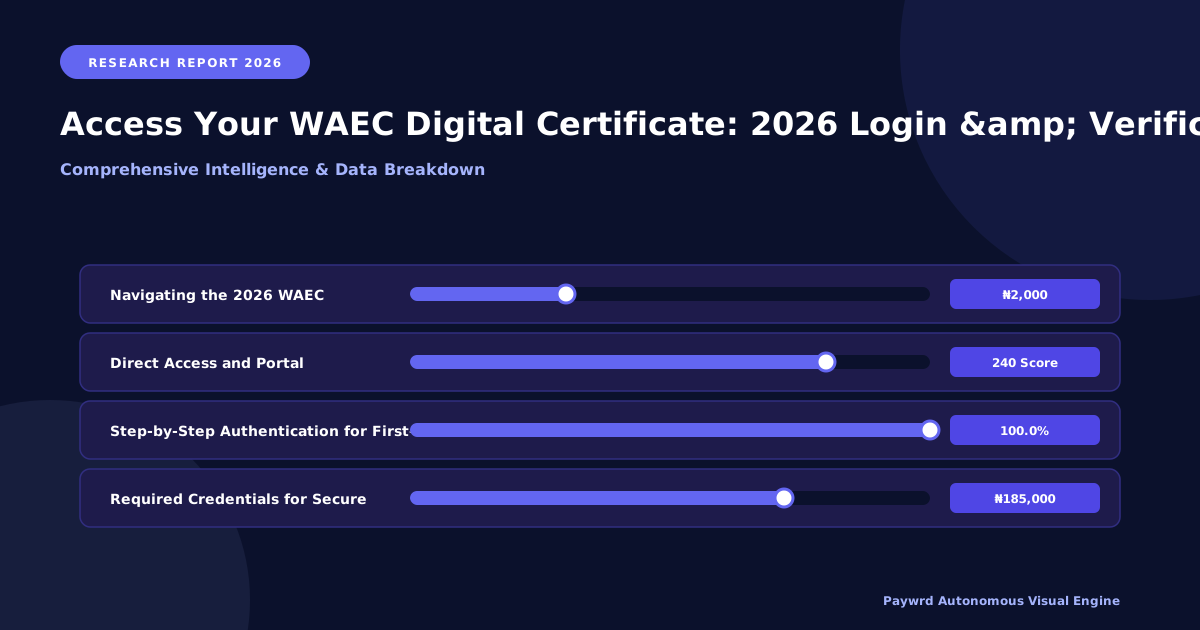
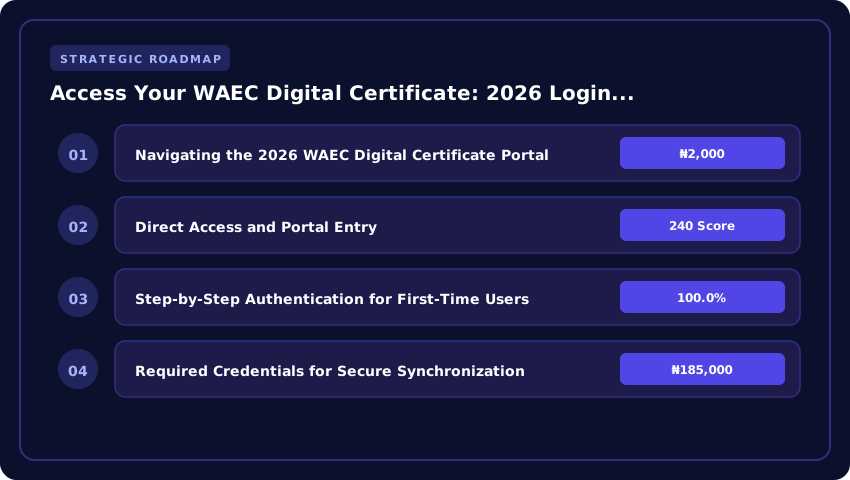
Navigating the 2026 WAEC Digital Certificate Portal
The transition to a fully digitized certification system in 2026 has eliminated the long queues and bureaucratic delays previously associated with result verification. The WAEC Digital Certificate Portal now serves as the single source of truth for candidates, employers, and tertiary institutions. Whether you are uploading your results to the JAMB CAPS portal for 2027 admissions or applying for a scholarship via NELFUND, your digital certificate is the primary document required for instant validation.
Direct Access and Portal Entry
To begin, candidates must navigate exclusively to the official WAEC Nigeria Digital Portal. Avoid third-party “result checker” sites that charge unauthorized fees. The official portal is secured with end-to-end encryption to protect your academic records from tampering. Once on the landing page, select the “Digital Certificate Access” tab to initiate the synchronization process.
Step-by-Step Authentication for First-Time Users
For those accessing the digital vault for the first time in 2026, the authentication process is designed to be rigorous yet intuitive. Follow these steps to activate your digital profile:
- Initial Login: Enter your 10-digit Examination Number and the specific year of the examination.
- Identity Verification: The system will prompt you to input your National Identification Number (NIN). This is a mandatory security layer to prevent identity theft.
- Email Synchronization: Provide the email address used during your WAEC e-Registration. A one-time password (OTP) will be sent to this address for verification.
- Password Creation: Once the OTP is verified, you will be prompted to create a secure alphanumeric password for future logins.
Required Credentials for Secure Synchronization
To ensure a seamless experience without account lockouts, have the following credentials ready before attempting to sync your account. Missing any of these may result in a “Verification Failed” error, requiring a manual reset via a WAEC zonal office.
- Examination Number: The unique identifier assigned to you during the 2026 (or prior) exam cycle.
- NIN (National Identification Number): Essential for linking your academic record to your legal identity.
- Registered Email Address: The active email linked to your profile; ensure you have access to this inbox for OTP delivery.
- Phone Number: The mobile number registered with your SIM, used for two-factor authentication (2FA) during high-security downloads.
Solving Login Failures and Nigerian IP Connection Errors
Despite the 2026 upgrades to the WAEC Digital Portal, many candidates encounter technical friction due to local network instability or restrictive ISP configurations. If you are seeing an “Access Denied” or “403 Forbidden” error while attempting to retrieve your certificate, the issue is rarely with your credentials and more often with how your Nigerian IP address is being routed through local gateways.
Troubleshooting ‘Access Denied’ and Network Errors
Local network congestion or outdated DNS settings on providers like MTN, Airtel, or Glo can occasionally trigger security flags on the WAEC server. To bypass these connection hurdles, follow these steps:
- Switch Network Interfaces: If you are on Wi-Fi, switch to mobile data (or vice versa). This assigns you a new IP address, which often clears “Access Denied” flags.
- Disable Active VPNs: The WAEC verification interface is optimized for Nigerian IP ranges. Using a foreign VPN can trigger a security lockout, as the system may flag the login attempt as a fraudulent access request from outside the region.
- DNS Flush: On Windows, use the command prompt (cmd) to run
ipconfig /flushdnsto clear cached network paths that may be directing you to an old server node.
Browser Cache Optimization for the Verification Interface
The 2026 portal utilizes heavy encryption to protect digital certificates, which can clash with stored browser cookies. If the login page loops or fails to load the “Verify” button, your browser cache is likely the culprit. For a seamless experience, use Google Chrome or Microsoft Edge in Incognito/Private Mode. This ensures that no legacy data from previous WAEC result checks interferes with the current session. Alternatively, clear your “Cached images and files” from the last 24 hours in your browser settings to force the portal to load the most recent security scripts.
Password Recovery and Account Key Protocols
Because the 2026 system is strictly linked to your National Identification Number (NIN), password recovery is now automated but rigid. If your account key has expired or you have forgotten your password, do not attempt multiple failed logins, as this will lock your Examination Number for 24 hours.
- NIN-Linked Recovery: Navigate to the “Forgot Password” section and enter your NIN and registered email. The system will send a one-time recovery token.
- Email Verification: Ensure you are checking the exact email address used during your 2026 registration. Check your “Spam” or “Promotions” folder if the reset link does not arrive within five minutes.
- Support Tickets: If the automated recovery fails, submit a ticket via the official WAEC helpdesk with a scanned copy of your valid ID to manually reset your access keys.
Digital vs. Hard Copy Certificates for 2026 Admissions
For the 2026 academic session, the tension between “digital” and “hard copy” credentials has largely vanished. The National Universities Commission (NUC) and the Joint Admissions and Matriculation Board (JAMB) have fully integrated digital verification into the admission pipeline. Whether you are applying to a Federal University, a State institution, or a private college, your digital WAEC certificate now carries the same legal and academic weight as the traditional embossed paper version.
Acceptance by Nigerian Universities
All Nigerian tertiary institutions now recognize the WAEC Digital Certificate as a primary document for admission. Under the current 2026 guidelines, Federal and State universities have transitioned to a “Digital First” policy. This means that during your physical screening, presenting a verified digital copy—accessible via the official portal or a secure PDF with a verifiable QR code—is sufficient for initial clearance. While some legacy institutions may still request a hard copy for their permanent archives during final registration, the digital version is what secures your spot during the competitive admission window.
Verification Speed: Digital API vs. Manual Submission
The most significant advantage of the 2026 system is the speed of verification. In previous years, manual hard copy submission required university officials to send physical letters or emails to WAEC regional offices, a process that could take weeks. Today, universities use a Direct API (Application Programming Interface) link to the WAEC database.
- Digital API Verification: Happens in real-time. The institution confirms your grades instantly via your Examination Number and NIN, reducing screening time from days to seconds.
- Manual Hard Copy: Prone to human error, physical damage, and bureaucratic delays, often requiring the student to personally follow up at the registrar’s office.
Integration with JAMB UTME and Post-UTME Screening
Your digital certificate is now the engine driving your 2026 admission journey. Through the JAMB CAPS (Central Admissions Processing System), your WAEC results are automatically synced. This eliminates the need to upload scanned images of certificates that are often rejected due to poor resolution.
During Post-UTME screening, the digital certificate allows for seamless “One-Click Verification.” As long as your NIN-linked email is active and your results are uploaded to the WAEC Digital Portal, the university can validate your O’Level requirements instantly, ensuring you don’t lose your admission slot due to “missing results” or delayed paperwork.
Step-by-Step Online Verification for Employers and Institutions
For HR managers, university admissions officers, and corporate recruiters, the 2026 WAEC digital ecosystem transforms verification from a weeks-long bureaucratic hurdle into a real-time security check. The shift toward a centralized digital ledger means institutions no longer need to send physical letters to WAEC regional offices or wait for manual confirmation of candidate credentials.
Utilizing the Digital Verification Key for Third-Party Validation
Every 2026 digital certificate is issued with a unique, alphanumeric Verification Key (VK). This key acts as a secure bridge between the candidate’s document and the WAEC central database. To validate a candidate’s result, follow these steps:
- Log into the official WAEC Institutional Verification Portal using your organization’s registered credentials.
- Input the candidate’s Examination Number and the specific Verification Key found on their digital certificate.
- Click “Validate” to trigger an instant API call to the central server, which will return a “Verified” or “Invalid” status.
Validating 2026 Results Against the Central Database
To ensure absolute authenticity, institutions should avoid relying solely on PDF uploads provided by candidates. Instead, use the direct database query method. By cross-referencing the candidate’s National Identification Number (NIN) and Examination Number, the portal retrieves the original record directly from the WAEC server. This eliminates the risk of “doctored” PDFs or altered grades, as the data displayed on the institutional portal is the immutable record of the candidate’s performance in the 2026 examination cycle.
Identifying Fraudulent Certificates via Digital Watermarks
Despite the security of the portal, some candidates may present forged digital copies. The 2026 certificates employ advanced cryptographic watermarking. To identify a fraudulent document, look for the following red flags:
- Static Watermarks: Genuine 2026 certificates feature dynamic, encrypted watermarks that shift or reveal a QR code when viewed through the official WAEC Validator App.
- Broken Hash Links: Every legitimate digital certificate contains a hash string at the footer. If this string does not match the record on the central database, the document is a forgery.
- Inconsistent Metadata: Fraudulent files often show editing software signatures (e.g., Adobe Photoshop or Canva) in the file metadata, whereas official certificates are generated via the secure WAEC PDF engine.
By integrating these verification protocols, Nigerian institutions can significantly reduce the risk of credential fraud and streamline their onboarding and admission processes for the 2026/2027 academic and corporate sessions.
Integrating Digital Credentials with NELFUND and Scholarship Portals
The shift to digital certification in 2026 is not merely about convenience; it is about financial accessibility. For the current 2026/2027 academic session, the Nigerian Education Loan Fund (NELFUND) and various federal scholarship boards have integrated their API systems with the WAEC Digital Portal. This means your digital certificate now serves as a live verification token, eliminating the need for physical notarization or the submission of scanned photocopies that are often prone to rejection.
Linking WAEC Digital Certificates to NELFUND Loan Applications
When applying for student loans via the NELFUND portal, applicants are now required to link their National Identification Number (NIN) and their WAEC digital credentials. Instead of uploading a JPEG of a result slip, you can now use the “Verify Academic Credentials” button, which triggers a secure handshake between NELFUND and WAEC. This instant verification ensures that your eligibility—based on your O-level grades—is confirmed in real-time, significantly accelerating the disbursement of tuition loans to your institution’s account.
Automating Academic Proof for 2026/2027 Scholarship Cycles
The 2026/2027 scholarship cycle marks the end of manual transcript requests for entry-level grants. Most major scholarship portals now support “One-Click Verification.” By granting temporary access to your digital credential vault, you can automate the proof of academic merit. This system ensures that your grades are transmitted directly from the source, removing the possibility of certificate forgery and reducing the processing time for scholarship awards from months to a few business days.
Exporting Verified PDFs for Secure Digital Uploads
While API integration is the gold standard, some private foundations and international universities still require document uploads. The 2026 WAEC portal allows you to export a “Verified Digital PDF.” Unlike a standard scan, these PDFs contain an embedded cryptographic hash and a QR code for instant authentication. To ensure a successful upload, follow these guidelines:
- Use the ‘Export for Official Use’ option: This generates a password-protected PDF that maintains the integrity of the digital signature.
- Verify the File Size: Ensure the exported file meets the 2MB limit typically required by Nigerian institutional portals.
- Check the QR Validity: Before uploading to a scholarship portal, scan the QR code on your exported PDF to ensure it redirects to the official WAEC verification server.
| Feature | Physical Certificate (Traditional) | WAEC Digital Certificate (2026/2027) |
|---|---|---|
| Processing Time | Weeks to Months | Instantaneous Access |
| Verification Method | Manual Office Visit | NIN-Linked Digital Portal |
| Cost (Verification) | ₦5,000 – ₦15,000 | ₦2,000 – ₦5,000 (Digital Fee) |
| JAMB CAPS Integration | Manual Upload/Verification | Direct API Sync for 2027 Admissions |
| Accessibility | Physical Storage Required | Cloud-Based / Mobile Access |
Frequently Asked Questions
How do I access my 2026 WAEC digital certificate online?
To access your 2026 WAEC digital certificate, visit the official WAEC Digital Portal. You must provide your unique Examination Number and a verified email address linked to your National Identification Number (NIN). Once authenticated, you can download your verified digital credential for immediate use in 2027 university admissions.
Is the WAEC digital certificate valid for 2027 JAMB admissions?
Yes, the 2026 WAEC digital certificate is the primary document required for 2027 JAMB CAPS uploads. The digitized system allows for instant validation by tertiary institutions, eliminating the need for physical result verification and speeding up the admission process for all Nigerian candidates.
What are the requirements for WAEC digital certificate verification in 2026?
For successful verification in 2026, candidates must possess a valid Examination Number and a NIN-linked email account. This integration ensures security and prevents identity theft, allowing employers and NELFUND scholarship boards to verify academic credentials instantly through the secure WAEC Digital Portal.
How much does it cost to verify a WAEC digital certificate in 2026?
Digital verification fees for 2026 are significantly lower than traditional methods, typically ranging between ₦2,000 and ₦5,000 depending on the specific service requested. Payments are made securely via the portal using integrated payment gateways, providing an instant digital receipt and verified certificate access.
Can I use the WAEC digital portal for NELFUND scholarship applications?
Yes, the 2026 WAEC Digital Portal is fully integrated with the NELFUND application system. Applicants can link their digital certificates directly to their scholarship profiles, ensuring that academic eligibility is verified automatically without the need to submit physical photocopies of results.
Strategic Final Takeaway
When evaluating WAEC Digital Certificate Platform Login And Online Verification Guide in 2026 and beyond, base your decisions on accredited institutional standards, verified return on investment (ROI), and up-to-date official guidelines. Always verify specific dates and requirements through official regulatory portals.