Live Access: NECO GCE 2026 Registration Portal Walkthrough
The NECO GCE 2026 registration window is now active, and candidates who move decisively will secure their examination slots without stress. This walkthrough covers every critical step — from account creation through biometric capture to successful payment — so you can complete your registration error-free and on your own terms.

Step 1: Account Creation on the Official NECO e-Registration Platform
Navigate to the official NECO e-registration portal at neco.org.ng. Do not rely on third-party links or social media redirects, as phishing sites spike during registration season. On the landing page, click “New Registration” and provide your valid email address, active Nigerian phone number, and your WAEC or previous NECO registration number. Create a strong password and store your login credentials in a secure place. Your registration number serves as your primary identifier across all NECO systems, so verify it carefully before proceeding.
Step 2: Biometric Capture and Approved Cyber Cafe Verification
NECO requires biometric data — fingerprint and passport photograph — as a fraud prevention measure. You can complete this at home using a working webcam and fingerprint scanner, or visit an NECO-accredited cyber cafe. Accredited centers display their approval certificate visibly and are listed on the official NECO website. During capture, ensure your face is clearly visible with no headgear or heavy shadows. The system validates your biometrics against your national records in real time. If your capture fails twice, visit an accredited center for manual verification rather than attempting repeated home captures.

Step 3: Payment via Remita and NIBSS Instant Transfer
The NECO GCE 2026 registration fee is ₦3,500. After selecting your subject combinations and examination category, you will be redirected to the payment page. NECO integrates two seamless channels:
- Remita: Select this option to generate a Remita Retrieval Reference (RRR). Pay via your bank’s Remita page, mobile banking app, or at any Remita-enabled point. You will receive instant confirmation.
- NIBSS Instant Transfer (NIP): Choose this for direct interbank transfer from your Nigerian bank account. Enter your bank details, confirm the ₦3,500 debit, and your payment reflects on NECO’s portal within seconds.
After payment, return to the portal and click “Verify Payment.” Your registration is only complete when you see a confirmation page with your examination schedule. Download and print this immediately. Do not share your Remita RRR or NIBSS PIN with any agent — NECO never requests these outside the official portal.
Official NECO GCE 2026 Examination Timetable Breakdown
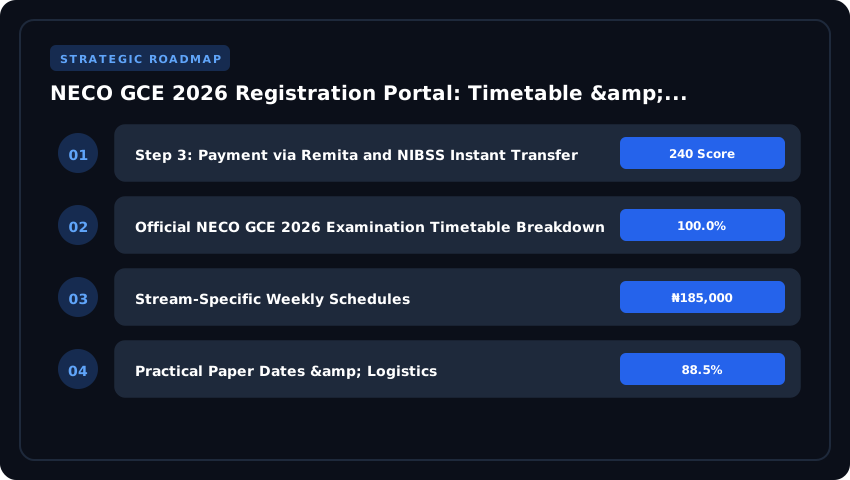
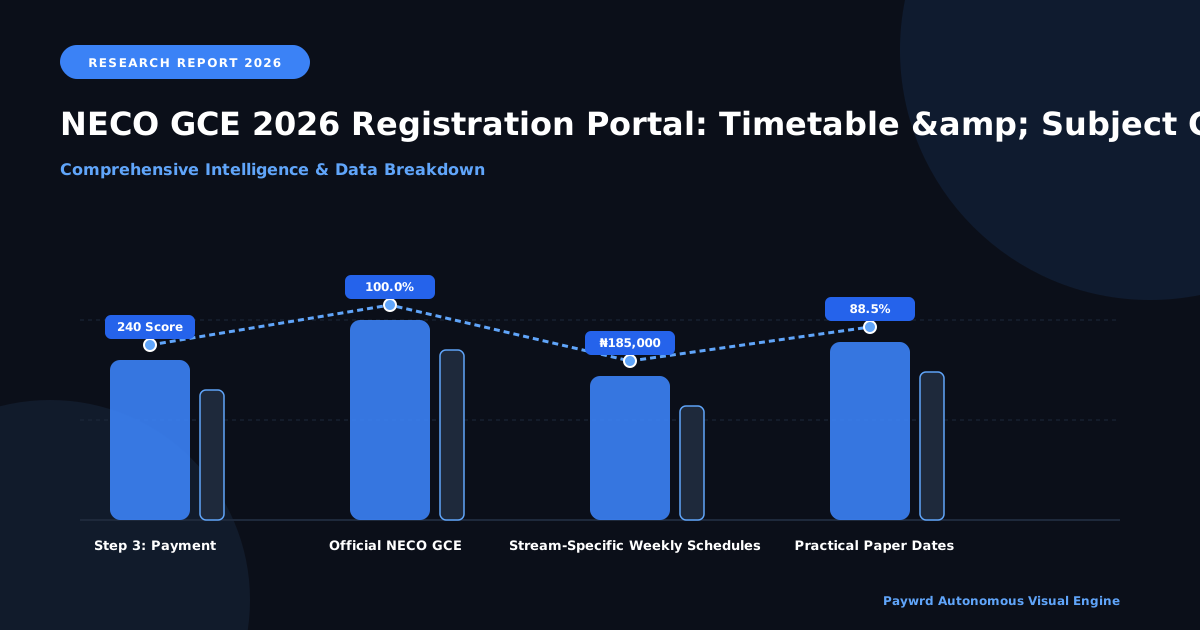
For external candidates, the NECO GCE 2026 timetable is the blueprint for academic success. Unlike the internal SSCE, the GCE schedule is condensed, requiring a strategic revision cycle. The 2026 calendar is structured to separate core literacy and numeracy papers from specialized stream subjects to minimize cognitive fatigue.
Stream-Specific Weekly Schedules
The examination is spread across four intensive weeks, categorized by academic streams to ensure a balanced distribution of papers:
- Week 1: Core Fundamentals. This week focuses on English Language and General Mathematics. These are mandatory for all candidates regardless of their stream, as they are critical for JAMB CAPS admission processing.
- Week 2: Science & Technical Stream. Focus shifts to the “heavy lifters.” Candidates will sit for Physics, Chemistry, and Further Mathematics. This week is designed for high-concentration subjects.
- Week 3: Arts & Commercial Stream. This window covers Government, Literature-in-English, Economics, and Financial Accounting. Commercial students should prioritize their Accounting and Commerce papers here.
- Week 4: Electives & Vocational Studies. The final stretch includes Civic Education, Geography, and various trade subjects, concluding the 2026 examination cycle.
Practical Paper Dates & Logistics
Science candidates must pay close attention to the practical windows. For 2026, NECO has synchronized practicals to prevent overlap with theory papers. The schedule for practicals is as follows:
- Biology & Agricultural Science: Scheduled for the mid-point of Week 2. Candidates are expected to be at their approved centers by 8:00 AM for specimen collection.
- Chemistry & Physics: These practicals occur in the latter half of Week 2. Ensure your center has the required reagents and apparatus as per the 2026 NUC-aligned syllabus.
Clash Resolution Protocol
While the National Examinations Council (NECO) optimizes the timetable to avoid conflicts, occasional overlaps may occur for candidates taking an unusual combination of subjects across different streams. If you encounter a “paper clash” (two exams scheduled for the same time slot), follow this official protocol:
- Immediate Notification: Report the clash to your center coordinator at least 14 days before the exam date.
- Alternative Slotting: NECO typically provides a “clash paper” window, allowing the candidate to sit for the second subject immediately after the first, often in a supervised separate room.
- Verification: Ensure your clash resolution is documented on your official 2026 photo card to avoid being flagged for irregularity by the invigilators.
Validated Subject Combinations for 2026 University Admission
Choosing the right subject combination during your NECO GCE 2026 registration is not just a formality — it is the foundation of every admission pathway you will pursue. Whether you are targeting 2026 UTME or planning a 2027 Direct Entry, your GCE subject choices must align precisely with JAMB requirements and the evolving standards set by the National Universities Commission through its CCMAS framework.
JAMB-Aligned Combinations for Core Programmes
Each competitive programme has non-negotiable subject demands. Picking loosely during registration can close doors before you even sit for the examination. Here are the validated combos:
- Medicine and Surgery: Use Biology, Chemistry, Physics, and either Mathematics or English Language. These four subjects satisfy the JAMB UTME requirement and are also the exact subjects most sponsoring bodies — including NELFUND — expect to see on your result slip before approving tuition support.
- Engineering: Pair Mathematics, Physics, and Chemistry with one other science or technical subject. JAMB caps the relevant subjects at three out of four, but a strong fourth subject strengthens your profile during post-UTME screening.
- Law: English Language is mandatory, paired with Government or Literature-in-English and two additional arts or social science subjects. Law candidates should note that many universities now require a minimum of a credit pass in English and Government at the O-Level stage.
- Social Sciences (Economics, Political Science, Sociology): Combine English, Government, Economics, and one further subject. Economics is increasingly treated as a gateway subject, so do not overlook it.
WAEC/NECO Crossover Rules for 2027 Direct Entry
Here is what many candidates miss: NECO GCE results obtained during the 2026 registration cycle are fully acceptable for 2027 Direct Entry applications into JAMB. The Joint Admissions and Matriculation Board recognises NECO GCE O-Level results alongside WAEC SSCE results when candidates apply through JAMB CAPS. This means you can register for GCE now, sit the examination, and use the outcome to bypass the UTME route entirely next year — provided you meet the institution-specific Direct Entry criteria.
However, verify that your target university explicitly accepts NECO GCE on its admissions page. While the national policy supports crossover recognition, individual institutions occasionally impose additional conditions on non-WAEC results.
NUC CCMAS and Emerging Subject Requirements
The NUC’s Continuous Curriculum Monitoring and Assessment System (CCMAS) is reshaping what departments actually require at the point of admission. Under CCMAS, new programmes — particularly in technology, environmental studies, and applied sciences — may introduce supplementary subject prerequisites beyond the traditional JAMB combo. Candidates registering for NECO GCE 2026 should monitor the NUC CCMAS portal for updated curriculum bulletins, because a subject you consider optional today may become mandatory for your preferred programme by the time you apply.
Stay ahead. Register early, choose deliberately, and keep checking official channels so your 2026 GCE results carry maximum weight for admission cycles in 2026 and beyond.
Registration Fees, Deadlines & NELFUND Loan Eligibility
Getting your NECO GCE 2026 registration right is about more than just sitting for an exam — it is about positioning yourself for federal funding access ahead of the 2027 admission cycle. Here is everything you need to know about fees, deadlines, and how your certification connects to NELFUND loan eligibility.
Fee Structure: Standard vs. Late Registration
NECO operates a two-window registration model for the 2026 GCE examination. The standard registration fee is ₦10,500, which covers basic examination processing, subject registration, and biometric enrollment. This window typically opens in July and closes around late September 2026, though exact dates are confirmed on the official NECO GCE portal.
Candidates who miss the standard deadline will enter the late registration window, where the fee increases to ₦15,500. That ₦5,000 surcharge is not optional — it is NECO’s penalty for late entry, and it does not guarantee better slot availability. All payments must be processed through Remita or NIBSS channels. Avoid unapproved cyber cafes that may overcharge or use unreliable payment gateways. Your OTP is yours alone; never share it with anyone.
How NECO GCE Results Unlock NELFUND Loans
This is where the registration becomes strategically critical. NELFUND, administered through the NELFUND portal and verified via NUC CCMAS, requires candidates to demonstrate strong academic credentials before accessing student loans for tertiary education. Specifically, applicants need a minimum of five credit passes including English Language and Mathematics at NECO GCE or equivalent O’Level examinations.
Your NECO GCE 2026 result serves as primary eligibility documentation for the 2027/2028 NELFUND loan disbursement cycle. Candidates who register now and perform well will have a head start when the NELFUND application portal opens, as the verification process pulls directly from NECO’s result database.
Refund Policy & Subject Amendment Window
NECO allows candidates to correct erroneous subject entries within a defined amendment window, usually two to three weeks after the standard registration closes. During this period, you can request corrections through the NECO GCE portal, provided the error is verifiable and processed before the examination timetable is finalized.
Refunds are available only under specific conditions: duplicate payments, system errors confirmed by NECO, or cases where a candidate was registered without consent. To initiate a refund, visit the official NECO portal and submit a formal request with your registration number and proof of payment. Processing typically takes four to six weeks through Remita reconciliation.
- Standard fee: ₦10,500 | Late fee: ₦15,500
- Amendment window: Opens after standard registration closes
- NELFUND eligibility: Minimum 5 credit passes including English and Maths
- Payment channels: Remita or NIBSS only
Post-Registration: Result Checking, Verification & Admission Processing
Once your NECO GCE 2026 registration is complete and your biometric data is captured, the real race begins — converting your exam effort into a confirmed admission offer for the 2027 academic session. This phase is where many candidates stumble, not because they failed the exam, but because they misunderstood the post-exam workflow. Here is exactly how to navigate it.
Using the NECO Token System for Instant 2026 Result Access
NECO moved away from SMS-based result delivery years ago, and the only reliable way to pull your 2026 GCE results is through the official token system. After your examination, purchase a NECO result checker token — typically priced around ₦1,500 to ₦2,000 — from any authorized NECO sales point or the official NECO website. You will receive an access code and a unique token serial number. Visit the NECO result checking portal, enter your examination registration number, the token serial number, and your access code. Your results load instantly on screen. Do not buy tokens from third-party sellers on WhatsApp or Telegram; counterfeit tokens are rampant and will leave you locked out of your own results. Screenshot your results immediately and download a PDF copy. You will need this document for every subsequent step — JAMB CAPS upload, university screening, and NELFUND application.
JAMB CAPS Integration: Uploading GCE Results for 2027 Admission Cycle
For candidates targeting the 2027 UTME admission cycle, JAMB CAPS is the central hub where your academic credentials are validated. After releasing your NECO GCE 2026 results, log into your JAMB CAPS profile using your JAMB registration number and password. Navigate to the “Upload Documents” section and submit a clear scan or photo of your NECO result. This step is non-negotiable — institutions use JAMB CAPS as the primary verification gateway before issuing admission offers. Your GCE Ordinary Level results serve as the O’Level qualification that complements your UTME score. Candidates who skip or delay this upload often face processing delays that can stretch weeks, costing them precious time during the 2027 admission cycle. Ensure your upload meets JAMB’s document specifications: passport-style clarity, full result visible, and no watermarks added by unauthorized editing tools.
Institutional Verification Portal for Federal/State University Screening
Beyond JAMB, individual universities run their own verification systems. Federal and State Universities increasingly use the NUC CCMAS (Core Curriculum Management and Accreditation System) framework to standardize candidate screening. After JAMB confirms your CAPS upload, visit your target institution’s admissions portal — most Federal Universities now run post-UTME screening entirely online. You will upload your NECO GCE result, JAMB score, O’Level certificates, and sometimes your birth certificate for age verification. Some institutions charge a screening fee between ₦2,000 and ₦5,000, payable through their approved Remita or NIBSS payment gateway. Always cross-check that the portal URL is officially listed on the university’s website or the NUC portal to avoid phishing sites.
The entire post-registration chain — token purchase, result checking, JAMB CAPS upload, and institutional verification — should be treated as a single project. Stay ahead of deadlines, keep digital copies of every document, and never share your passwords or OTPs with anyone claiming to “help” you process admission. Your 2027 admission starts with the discipline you apply right now.
Common 2026 Registration Errors & Technical Troubleshooting
Even with a smooth plan, the NECO GCE 2026 registration portal can throw curveballs — especially during peak traffic windows. The good news is that most of these errors are fixable in real time if you know exactly what to do. Below are the three most frequent issues candidates face and how to resolve them before they cost you your examination slot.
Resolving the ‘Invalid Scratch Card’ Error
This is the single most common blocker in 2026. Candidates purchase scratch cards — typically priced around ₦2,500 to ₦3,500 for the standard registration — and enter the serial and PIN only to receive an “Invalid” response. The cause is usually one of three things: a counterfeit card bought from an unauthorised dealer, a card already redeemed to another profile, or a typo during manual entry.
- Only purchase scratch cards directly from NECO-authorized vendors or the official NECO GCE 2026 portal. If the price looks suspiciously low, walk away.
- Double-check every digit before submitting. Copy-paste the PIN rather than typing it manually to avoid transposition errors.
- If the card is genuinely valid but still rejected, log a support ticket immediately through the official NECO portal rather than re-entering the PIN multiple times, which can lock the card entirely.
Handling Portal Timeouts During Peak Hours
NECO’s registration servers experience heavy congestion between 8:00 AM and 12:00 PM daily, particularly on weekdays. A session timeout does not mean your data is lost — but leaving the page idle for more than 15 minutes can forfeit your progress.
- Register early in the morning or late evening to avoid traffic surges.
- Keep your session active by periodically interacting with the page. Do not leave your browser minimized for extended periods.
- If the portal crashes mid-submission, do not create a new account. Simply log back into your existing profile and continue from where the system saved your progress.
- Use a stable internet connection — preferably a wired broadband or strong Wi-Fi — rather than fluctuating mobile data.
Correcting Name and Date of Birth Discrepancies
This is where disqualification risk is highest. If your name or date of birth on the registration form does not exactly match your WAEC or SSCE certificate, NECO will reject your result during result compilation. The validation window is strict, and corrections are not entertained after it closes.
- Cross-reference every character of your name and your exact date of birth against your original examination certificate before final submission.
- Do not use nicknames or abbreviated names. Enter your full legal name exactly as it appears on your primary school leaving certificate or WAEC result.
- If you discover a discrepancy after submission but before the validation deadline, visit your nearest NECO Zonal Office with your original documents for an immediate correction. Alternatively, raise a formal ticket through the Official Support Ticketing System on the NECO portal, attaching scanned copies of your identification and certificate.
NECO Zonal Offices vs. Official Support Ticketing System
Both channels are legitimate, but they serve different needs. Zonal offices handle physical document verification and in-person corrections — ideal for complex name changes or biometric issues. The Official Support Ticketing System, accessible from the NECO GCE 2026 portal dashboard, is better suited for technical errors like invalid cards, payment confirmations, and portal timeouts. Always keep your registration reference number handy when contacting either channel, as it accelerates resolution significantly.
| Criteria | Official Self-Service (Recommended) | Unapproved Cyber Cafe |
|---|---|---|
| Registration Fee (2026) | ₦18,000 (Fixed NECO Fee) | ₦22,000 – ₦35,000 (Inflated Service Charges) |
| Payment Gateway | Remita / NIBSS (Direct Bank Transfer/Card) | POS / Cash / Unverified Wallets (High Fraud Risk) |
| Time to Complete | 20–30 Minutes | 1–3 Hours (Queues, Network Errors) |
| Biometric Capture | Candidate Present (Mandatory Live Capture) | Often Skipped or Faked (Leads to Exam Disqualification) |
| OTP Security | Candidate Controls Phone/Email (Zero Exposure) | Cafe Staff Request OTP (Account Takeover Risk) |
| Error Rectification | Immediate Self-Correction on Portal | Dependent on Cafe Availability; Extra Charges Apply |
| Admission Cutoff Impact | Clean Data = Smooth Verification | Data Mismatches = Withheld Results / JAMB Issues |
Frequently Asked Questions
How much is NECO GCE 2026 registration fee in Nigeria?
The official NECO GCE 2026 registration fee is ₦18,000. This mandatory fee is paid directly via Remita or NIBSS on the official portal (neco.org.ng). Avoid cyber cafes charging ₦22,000–₦35,000 as they inflate costs and compromise biometric data integrity.
When does NECO GCE 2026 registration close for external candidates?
NECO GCE 2026 registration typically closes in late September 2026, approximately 4–6 weeks before the October/November exam diet. Candidates must complete biometric capture and payment before the portal auto-locks; late registration is not permitted by the council.
What is the official NECO GCE 2026 registration portal website?
The only authorized NECO GCE 2026 registration portal is neco.org.ng. Do not use third-party links, WhatsApp forwards, or search ads. The site hosts account creation, subject selection, biometric scheduling, and Remita/NIBSS payment gateway for the 2026/2027 session.
How do I pay for NECO GCE 2026 using Remita safely?
On the NECO portal, select 'Pay via Remita', generate an RRR code, and pay via bank transfer, USSD, card, or bank branch. Never share the RRR or OTP with cafe operators. Confirm payment status on your dashboard before logging out to secure your 2026 exam slot.
What are the compulsory subject combinations for NECO GCE 2026?
NECO GCE 2026 requires a minimum of 8 subjects: English Language and Mathematics are compulsory for all candidates. Science students must add Biology, Chemistry, Physics; Art/Commercial students add Literature, Government, Economics, CRS/IRS. Maximum entry is 9 subjects.
Strategic Final Takeaway
When evaluating NECO GCE Registration Portal Timetable And Subject Combinations 2026 in 2026 and beyond, base your decisions on accredited institutional standards, verified return on investment (ROI), and up-to-date official guidelines. Always verify specific dates and requirements through official regulatory portals.