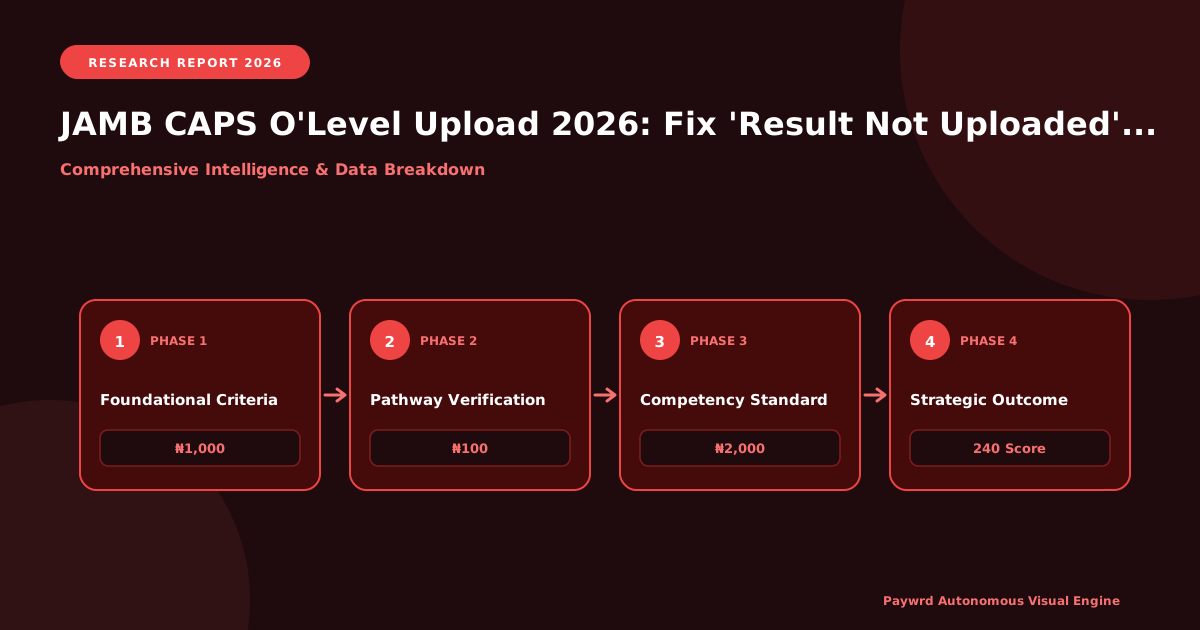
Why Your JAMB CAPS Dashboard Still Shows ‘O’Level Result Not Uploaded’ in 2026
It is incredibly frustrating to log into your JAMB CAPS dashboard, fully prepared to secure your admission, only to be met with the dreaded “O’Level Result Not Uploaded” status. If you are a 2026 UTME candidate staring at this screen, take a deep breath. You are not alone, and more importantly, this is not a reflection of your academic competence. The root cause lies in the complex backend synchronization delay between the examination bodies—such as WAEC, NECO, and NABTEB—and the Joint Admissions and Matriculation Board’s Integrated Records and Examination Management System (IREMS) database.
Think of these databases as two massive filing cabinets in different rooms. When WAEC releases results, they update their cabinet. JAMB, however, relies on a secure API bridge to fetch and verify these results into the IREMS cabinet. During peak admission seasons, this bridge experiences severe traffic congestion. For 2026 UTME candidates who initially registered with awaiting results, the system does not automatically update once your WAEC or NECO scores are released. You must actively intervene and trigger a manual verification code to force the IREMS database to fetch your specific grades from the examination body’s server. Without this manual trigger, your JAMB CAPS profile remains in limbo, potentially jeopardizing your Post-UTME screening and your eligibility for the NELFUND student loan, which requires a fully verified admission status.
To initiate this manual synchronization, you will need to purchase an O’Level verification ePIN. Across Nigeria, the cost of this ePIN ranges strictly between ₦1,500 and ₦2,000, depending on the authorized vendor and the specific examination body. It is crucial to only patronize approved platforms to avoid being scammed or overcharged. You can securely generate and pay for this ePIN through authorized sellers like Remita, the official WAECPIN portal, or trusted fintech platforms such as Jumia Pay. Once purchased, this PIN is what bridges the gap, allowing JAMB to officially verify and upload your results to your CAPS profile.
- Verify Your Index Number: Ensure the examination number on your JAMB profile exactly matches the one on your WAEC or NECO physical printout. A single typo breaks the backend API sync.
- Purchase the ePIN Securely: Budget between ₦1,500 and ₦2,000 and stick to approved channels like Remita, WAECPIN, or Jumia Pay to avoid exorbitant hidden charges.
- Trigger the Manual Upload: Log into the JAMB portal, navigate to the O’Level verification section, and input your newly purchased ePIN to force the IREMS
The 9-Digit Profile Code and ePIN Purchase Roadmap for Nigerian Candidates
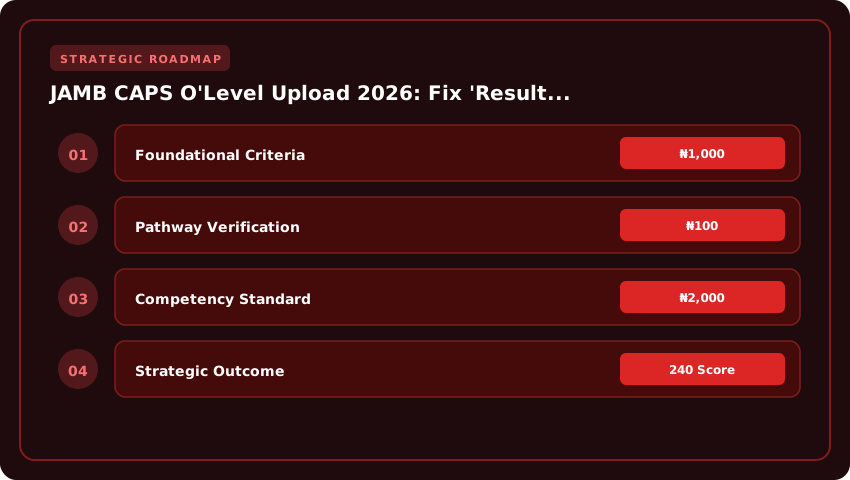
Before any O’Level verification code can be generated on the JAMB CAPS portal, every Nigerian candidate must successfully obtain a valid 9-digit profile code through the official Joint Admissions and Matriculation Board shortcode system. This unique identifier acts as your digital handshake with the board, linking your National Identification Number (NIN), registered phone line, and biometric data to your upcoming UTME or Direct Entry application. Think of it as the master key that unlocks every subsequent transaction, from purchasing your ePIN to accepting admission on the Central Admissions Processing System (CAPS).
Generating this profile code costs a modest ₦100 service fee, which is automatically deducted from your mobile airtime balance. The process is straightforward, but precision matters because a single typo in your NIN could result in a mismatch that takes days to resolve at a JAMB office or accredited CBT centre. Below is the verified step-by-step roadmap for retrieving your 2026 profile code using either the NIN or O’Level option.
- Option 1 — Using your NIN: Compose a new SMS on your registered line with exactly the word NIN followed by a single space, then type your 11-digit National Identification Number. Send the message to 55019 or 66019. Within seconds, you will receive an auto-reply containing your 9-digit profile code and a confirmation that your NIN has been successfully linked.
- Option 2 — Using your O’Level details: If you have not yet enrolled for NIN or wish to use your WAEC, NECO, or NABTEB result instead, type OLEVEL, followed by a space, then carefully input your examination year, examination body, and 10-digit examination number. Send this to 55019 or 66019. You will receive your profile code alongside a verification link to confirm the accuracy of your details.
Once your profile code is delivered via SMS, store it securely on your device and write it down in a dedicated notebook. This same code will be reused for subsequent JAMB exercises, so losing it means you will have to pay another ₦100 to retrieve it. Candidates are strongly advised against sending the SMS from a borrowed or third-party phone number, because JAMB uses the line holder’s identity to validate the request.
Now that you possess your profile code, the next critical step is purchasing your 2026 ePIN, which grants you access to the registration portal. Historically, Nigerian candidates relied on legacy scratch cards purchased from cybercafés, banks, and JAMB offices for fees ranging between ₦4,700 and ₦6,200 depending on the examination type. While this option is still functional in 2026, the board has aggressively promoted seamless digital wallet payments, which offer faster confirmation and eliminate the risk of scratched or illegible PIN digits.
If you prefer the modern route, you can purchase your ePIN directly from your smartphone using telco USSD codes. MTN users can dial *737*5700*PIN# or simply buy through the MTN MoMo platform, while Airtel subscribers can leverage the Airtel Money wallet by dialing *432*1# or using the MyAirtel app. Glo customers can utilize the Glo Café USSD menu or the Gloworld app to complete payment in under two minutes, with the ePIN delivered automatically to the registered phone line.
For candidates who remain comfortable with physical vouchers, accredited vendors remain operational in major cities across Lagos, Abuja, Port Harcourt, Kano, Ibadan, and Enugu. Expect to pay between ₦100 and ₦500 service charge above the official JAMB fee depending on the vendor. Always verify that the scratch card is sealed and that the vendor is officially recognized, because counterfeit ePINs remain a persistent threat in tertiary town markets. Whichever method you choose, safeguard your ePIN and profile code carefully because they represent the gateway to your 2026 JAMB registration, CAPS upload, and eventual admission into your preferred Nigerian tertiary institution.
How to Upload WAEC, NECO, and NABTEB Results to JAMB CAPS Without Rejection
Getting your O’Level results uploaded to the JAMB CAPS portal is one of the most critical steps for admission in Nigeria, yet thousands of candidates across Lagos, Abuja, Port Harcourt, and Benin City face the dreaded “Result Not Uploaded” error every admission cycle. The good news? Almost every rejection is preventable once you understand exactly how the system reads your details. The official upload portal lives at portal.jamb.gov.ng, and it accepts WAEC, NECO, and NABTEB results for any exam year from 2009 onward, including the latest 2025 SSCE sitting.
Before you begin, arm yourself with three things: your JAMB registration number, your O’Level examination number (the exact one printed on your statement of result), and a valid unused ePIN scratch card purchased from any JAMB-approved vendor, including banks, accredited cyber cafés, and the JAMB ePIN vending portal. The scratch card contains both a serial number and a PIN, and confusing these two is the number-one reason candidates get instant rejections.
Once logged in, navigate to Check UTME/DE Registration and click Upload O’Level Result. The portal will request your exam type (WAEC, NECO, or NABTEB), the exam year (for 2026 admission, select 2025 SSCE or your most recent sitting), and your candidate details. Here is where precision matters: type your surname and first name exactly as printed on your JAMB slip and your O’Level certificate. The JAMB server uses character-by-character string matching, meaning “Adaeze” will not match “Adaeze,” and “Mohammed” will not match “Muhammad.” Even a stray space, an extra dot, or an inverted apostrophe triggers an automatic rejection that can take up to 72 hours to clear from the dashboard cache.
- Character Limit Watch: Surname fields are capped at 30 characters; first name fields at 30 characters. Anything longer is silently truncated by the system.
- Exam Year Format: Always enter the year as four digits (e.g., 2025), never “25” or “’25.”
- Scratch Card PIN Entry: Enter all digits in one continuous block without dashes or spaces, then double-check the serial number length matches the 12-13 digits printed on your card.
- Spelling Mismatch Traps: If your JAMB registration reads “Okechukwu” but your WAEC reads “Okekwu,” the upload will fail. Resolve this first by visiting a JAMB office for a name correction before retrying.
- Save Confirmation: After clicking Save, wait for the green “Upload Successful” toast. Do not close the browser tab early, or your ₦1,500 ePIN value will be consumed without saving the data.
For Nigerian students managing tight budgets especially those relying on the new NELFUND student loan scheme to cover tuition, losing an ePIN to a preventable typo means an extra ₦1,500 expense that could have been avoided. Take a breath, cross-check every character against your WAEC scratch card or NECO result printout, and only then hit save. This five-minute discipline is the difference between a clean CAPS dashboard and weeks of frustrating follow-up visits to the nearest JAMB state office in your zone.
Understanding the 2026 JAMB Verification Code and the 24-Hour Sync Window
One of the most common sources of confusion for Nigerian candidates in 2026 is the difference between the scratch card PIN they purchase from a JAMB accredited outlet and the actual institutional verification code required to push their O’Level results to the CAPS dashboard. Many first-time UTME candidates and even some Direct Entry applicants assume that the moment they pay the ₦2,500 e-fee and scratch their card, their WAEC, NECO, or NABTEB results instantly become visible to JAMB and to their chosen institution. In reality, the scratch card only gives you access to the verification portal — it is the subsequent institutional verification process, handled between JAMB’s servers and the awarding body’s database, that determines whether your result is accepted as authentic. This is why JAMB insists on a mandatory synchronization window, typically between 24 and 48 hours, before your O’Level clearance is officially reflected on CAPS. Understanding this technical handshake is essential if you want to avoid the dreaded “Result Not Uploaded” status that blocks millions of admission offers across Nigeria every year.
The verification code itself is a unique alphanumeric string that is generated only after JAMB successfully cross-references your details against the awarding body’s records. When you enter your scratch card PIN, your surname, date of birth, and examination number on the CAPS portal at caps.jamb.gov.ng, the system sends an encrypted verification request. The awarding body — whether WAEC, NECO, or NABTEB — then confirms or rejects the result. Until that handshake is complete, the CAPS dashboard will continue to show a pending or not uploaded status, even if you have done everything correctly on your end. During peak admission periods, especially between August and October, this sync window can extend closer to 48 hours because of high server traffic and the volume of candidates attempting verification simultaneously.
- Wait the full 24 to 48 hours before panicking — this is the standard institutional sync window for 2026, especially during the Post-UTME season when CAPS traffic spikes across Lagos, Abuja, Kano, and Port Harcourt.
- Double-check your scratch card PIN — the ₦2,500 card purchased from a JAMB office, CBT centre, or approved vendor must be entered exactly as printed. Even one misplaced character will cause a silent rejection that mimics a pending upload.
- Confirm your exam number format — WAEC candidates must use a 10-digit number, while NECO candidates must include the dashes in the correct positions. An incorrect format is the leading cause of sync failure in 2026.
- Clear your browser cache or use a different device — the CAPS portal often serves cached dashboard data, so logging out, switching to incognito mode, or using a different phone or laptop frequently forces the system to pull a fresh verification status.
- If still pending after three full working days, escalate the issue physically. Visit the nearest JAMB state office in Lagos (along Bode Thomas Street, Surulere), Abuja (the national headquarters in Bwari), or Kano (along Independence Road). Carry your printed JAMB registration slip, scratch card receipt, and a valid means of ID like your NIN slip or international passport.
For candidates in West Africa who completed their O’Level examinations outside Nigeria, particularly those from Ghana, Cameroon, or the Republic of Benin, the verification window can stretch to 72 hours or longer because the sync involves international awarding bodies routing through JAMB’s foreign affairs desk. If you fall into this category, plan your verification at least one week before your preferred institution’s Post-UTME screening deadline. Remember that JAMB’s official policy for the 2026/2027 admission cycle is clear: no institutional verification equals no admission offer, regardless of how high your UTME score is. Taking the time to understand this 24-to-48-hour sync window — and escalating promptly at a state office if it stalls — protects your spot in the race for admission and keeps your NELFUND student loan application on track once it opens for disbursement.
Can Candidates With Awaiting 2026 SSCE Results Still Secure Post-UTME Admission?
If you sat for the 2026 WAEC May/June examination and your result has not yet been released — or perhaps you wrote some papers and are waiting for a remarking or missing score resolution — you are likely feeling a deep knot of anxiety in your stomach. The fear is real and deeply shared: “I scored 280 in JAMB, but my O’Level is still pending. Will a university like UNILAG, UI, or OAU still give me a chance at Post-UTME screening?” Take a deep breath. The honest answer is nuanced, and understanding it could save your 2026 admission cycle from a costly, irreversible mistake.
First, let us address the official JAMB policy. The Joint Admissions and Matriculation Board explicitly permits candidates to upload awaiting results during registration and even on the CAPS portal. This policy was designed precisely to accommodate candidates whose SSCE results are delayed — a common situation in Nigeria due to WAEC and NECO logistical bottlenecks. In principle, JAMB will allow you to register, sit for the UTME, and proceed with institutional considerations while your 2026 result is being processed. However — and this is critical — JAMB’s leniency at the federal level does not automatically translate to admission at the institutional level. Every university sets its own admission matrix under the NUC CCMAS framework, and most have adopted stricter rules that work against candidates with awaiting results.
Here is the hard truth that many candidates only discover after losing their admission: the majority of top Nigerian universities — including UNILAG, UI, OAU, UNIBEN, UNIJOS, and UNN — now require final O’Level results before Post-UTME screening. Why? Because the Post-UTME screening exercise typically involves the digital verification of your O’Level credentials on the CAPS portal at the point of screening, and the institution will not accept a “pending” status as meeting the requirements for the required five credits (including English Language and Mathematics) in one sitting. Some institutions even specify that the credits must be obtained at one sitting — meaning combining 2025 and 2026 results may disqualify you from competitive courses like Medicine, Law, Engineering, and Nursing at first-tier schools. You must read each institution’s specific Post-UTME brochure with surgical precision.
Now, here is the strategic lifeline many candidates overlook: your 2025 SSCE result can serve as a backup to meet the cutoff marks while your 2026 result is being awaited. If you wrote WAEC in 2025 and obtained credits in the relevant subjects — even if you are now re-sitting specific papers in 2026 to upgrade a D7 or C5 — the 2025 result already stands as a valid, recognized O’Level credential that can be uploaded to JAMB CAPS and presented at screening. Many successful candidates in previous years combined a strong 2025 result with a fresh 2026 attempt to boost their aggregate beyond the departmental threshold. The aggregate formula typically used is: JAMB Score ÷ 8 × 60% + Post-UTME Score × 40% + O’Level weighting, and that O’Level weighting is only triggered when your final, complete result is in the system.
However, if you are a first-time candidate who sat WAEC for the very first time in May/June 2026 and have absolutely no O’Level result to upload — not even from 2025 — then your realistic options narrow significantly. In this scenario, you should:
- Target polytechnics, Colleges of Education, or less competitive universities that traditionally accept awaiting results candidates and have more flexible screening windows.
- Apply for IJMB, JUPEB, or A’Level programmes** if you have the financial strength (typically ₦350,000 to ₦650,000 depending on the institution), as these pathways allow you to gain Direct Entry admission using your eventual 2026 WAEC result combined with the A’Level certificate.
- Monitor WAEC’s official portal daily for the release of your result, and the moment it is released, immediately upload it to JAMB CAPS using your verification code — and then chase institutional screening dates aggressively.
- Avoid desperation admission scams offering “awaiting result admission for ₦150,000” — they are fraudulent. Legitimate awaiting-result admission exists, but it comes through the proper channels, not through backdoor payments.
- Secure NELFUND student loan eligibility early by ensuring your admission letter — once issued — is genuine, because NELFUND will not disburse tuition funds based on fraudulent offers.
Finally, do not let panic override patience. Many Nigerian universities extend their Post-UTME screening into October or even November to give awaiting-result candidates a fair window. Your job right now is threefold: ensure your 2025 O’Level (if you have one) is uploaded to CAPS with the correct verification code, monitor your 2026 result release date obsessively, and prepare your Post-UTME study materials so that when the screening date arrives — with or without your full result — you perform at the highest possible level. Admission in Nigeria rewards the prepared, not the panicking. Stay informed, stay proactive, and you will secure your place.
Troubleshooting 2026 JAMB CAPS Errors: Wrong Bio, Duplicate Profiles, and NIN Mismatches
Even after you have painstakingly followed every step to upload your WAEC or NECO result, you might still walk into a stubborn red flag on your JAMB CAPS dashboard. When a notification like “O’Level Result Not Uploaded” refuses to budge, the root cause is rarely a network glitch. In the vast majority of 2026 UTME cases, the system is actually doing exactly what it was designed to do: protecting your admission by refusing to verify a record that contains a deep biometric or identity conflict. Before you spend any money or panic about losing your Post-UTME eligibility, you need to understand that JAMB operates a strict Inter-Board Verification (IBV) engine. This engine cross-references the name, date of birth, and gender on your 2026 UTME registration slip with the data stored on your National Identification Number (NIN) slip and the records held by WAEC, NECO, or NABTEB.
Think of the IBV system as a strict gatekeeper. If the spelling of your name differs by even a single vowel, if your date of birth is off by one day, or if you accidentally created two JAMB profiles using two different email addresses over the years, the system will flag you and refuse to push your O’Level verification code into the university admission portal. This is why the “Result Not Uploaded” error is so common. It is not that you failed to upload the result; it is that JAMB cannot legally verify that the result belongs to the person sitting in the examination hall.
The good news is that every one of these red flags is fixable through JAMB’s official correction portal, though it requires a modest financial commitment and a bit of bureaucratic patience. Let’s walk through the three most common dashboard errors Nigerian candidates face in 2026, how to diagnose them, and exactly what it costs and requires to set them right.
-
Diagnosing Wrong Date of Birth and Name Mismatches
Your date of birth is the single most sensitive data point on your JAMB profile because it is mathematically tied to your NIN and your WAEC biometric fingerprint. If your CAPS dashboard shows a red error like “O’Level verification pending due to biometric mismatch”, the first step is to print your 2026 UTME registration slip and compare it line-by-line against your NIN slip and your O’Level statement of result. Pay special attention to the arrangement of your names. A mismatch like Abubakar on JAMB versus Abu bakar on NIN is enough to halt the verification process. To correct this, you must visit the JAMB Inter-Board Verification portal at portal.jamb.gov.ng, log in with your email, and click on the “Correction of Data” tab. You will be prompted to select the specific field you wish to correct (Date of Birth, Name Order, or Spelling). The correction attracts a standard fee of ₦3,500, payable via Remita or your debit card. After payment, you will be required to upload clear, legible scanned copies of your supporting documents, which typically include your birth certificate or an affidavit of correction, your NIN slip, and your O’Level result. Once submitted, allow 48 to 72 hours for the new data to sync across the IBV network. -
Resolving Duplicate Profile Errors
A duplicate profile error happens when JAMB’s database detects that the same phone number, email, or NIN is linked to two different registration numbers. This usually occurs if a candidate registered for JAMB in a previous year under a different email address, forgot about it, and then created a fresh profile in 2026. The IBV system will instantly flag this as a fraud risk and lock your CAPS upload. To fix a duplicate profile in 2026, you must visit any accredited JAMB Professional Test Centre (PTC) or the JAMB state office in your zone. Do not try to resolve this online, as the merging of two UTME identities requires physical identity verification. Carry your NIN slip, both old and new JAMB registration slips (if available), and a valid means of ID. The JAMB officer will manually merge the profiles, consolidate your UTME attempts, and ensure your NIN is tied to your active 2026 registration number. There is no separate fee for this service at the state office, but you should expect to pay a nominal administrative or verification fee of roughly ₦1,000 to ₦2,500 depending on the centre. Once merged, log back into your CAPS portal, re-upload your O’Level verification code, and the “Not Uploaded” red flag should disappear within a few hours. -
Clearing NIN Validation Errors
If your dashboard specifically states “NIN not validated” or “Biometric capture incomplete,” the problem lies with the National Identity Management Commission (NIMC) database, not JAMB. This happens frequently for candidates who registered for their NIN very recently or whose fingerprints were not properly captured at the NIMC enrolment centre. To resolve this, you must return to the NIMC enrolment centre where you registered and request a Data Regularisation or Biometric Re-capture update. Once NIMC updates your record in their central database, you must then trigger a re-validation on the JAMB side. Log into your JAMB profile, navigate to “NIN Validation,” and click “Validate NIN” again. The system will pull the fresh data from NIMC. This process is free on the JAMB portal, but NIMC may charge a small token at the enrolment centre. After successful validation, your O’Level upload will finally clear the IBV checkpoint, and your university will be able to see your full result on CAPS.
Taking these proactive steps ensures you stay eligible for the 2026 Post-UTME screening, secure your admission on the NUC CCMAS compliant academic calendar, and avoid the nightmare of being denied a NELFUND student loan simply because of a minor data typo. Always keep both soft and hard copies of every receipt and correction slip, as you may need to present them to your university admission office during the final clearance phase.
| JAMB CAPS Service | Official Cost (₦) | Verification Cut-off | Processing Timeline | Career ROI Impact |
|---|---|---|---|---|
| Standard O’Level Upload (1 Sitting) | ₦1,500 – ₦2,500 | Institutional CAPS Deadline (July 2026) | 24 – 72 Hours | Mandatory for Admission Letter |
| Standard O’Level Upload (2 Sittings) | ₦2,000 – ₦3,500 | Institutional CAPS Deadline (July 2026) | 48 – 96 Hours | Broadens Polytechnic & University Eligibility |
| Lost/Forgotten Profile Code Reset | ₦1,000 (SMS) / ₦1,500 (E-PIN) | Pre-Upload Requirement | Instant (SMS) / 2 Hours (E-PIN) | Restores Access to Upload Portal |
| JAMB e-Facility Convenience Fee | ₦100 (Bank) / ₦150 (Card) | Per Transaction | Immediate | Enables Secure Portal Access |
| Direct Entry (DE) O’Level Verification | ₦2,000 – ₦4,000 | DE Screening Period (2026) | 3 – 5 Working Days | Required for 200-Level Placement |
Frequently Asked Questions
Why is my JAMB CAPS showing 'O'Level Result Not Uploaded' in 2026?
This status typically appears when JAMB has not received your WAEC, NECO, or NABTEB verification code from your school. It also occurs if your profile code was used for a different exam body. Log in to efacility.jamb.gov.ng, navigate to 'Upload O'Level', and verify your details.
How much does it cost to upload O'Level results on JAMB CAPS in 2026?
JAMB charges a nominal fee ranging from ₦1,500 to ₦3,500 per upload, depending on your institution and the number of sittings. Additionally, a ₦100 to ₦150 e-facility convenience fee applies. These costs are strictly regulated by the Joint Admissions and Matriculation Board for 2026 candidates.
What is the fastest way to fix O'Level upload errors before 2026 admission?
The fastest fix involves generating a new profile code via the official JAMB portal, paying the upload fee, and visiting an accredited CBT center. Ensure your names, registration numbers, and exam year match your UTME registration exactly to prevent further verification delays and secure your admission.
Can I upload my O'Level result on JAMB CAPS myself in 2026?
No, 2026 candidates cannot upload O'Level results independently. The Joint Admissions and Matriculation Board requires all uploads to be processed through an accredited JAMB CBT center. This ensures the authenticity of your academic credentials and prevents fraudulent admission processing across Nigerian tertiary institutions.
Strategic Final Takeaway
Success in evaluating JAMB CAPS O'Level Upload 2026: Fix 'Result Not Uploaded' Fast relies on early preparation, adherence to verified accredited requirements, and cross-referencing official portals. Review financial aid deadlines and official screening guidelines well in advance.