
FERPA, COPPA & EdLaw 2-d Compliance: Which Teacher AI Platforms Pass the 2026 US Privacy Bar
Privacy compliance is the unglamorous foundation that decides whether an AI tool belongs in a US public school classroom. A platform that fails here is non-starter for any district procurement office, and exposing student Personally Identifiable Information (PII) can trigger US Department of Education investigations, parent-teacher lawsuits, and loss of Title I funding. Here is how the five most-used teacher AI platforms stack up as of January 2026.
The Big Five: PII Handling at a Glance
- MagicSchool — Operates as a school-issued tool, not a consumer product. Signs the national SDPC DPA, anonymizes prompts within 30 days, and stores data on US-based AWS servers in Virginia. Verdict: Passes for grades 4-12 with district DPA on file.
- Diffit — Fully FERPA-aligned but requires teacher accounts, not student logins, keeping it out of COPPA scope. Data residency is US-only; however, it is not currently certified under NY EdLaw 2-d, limiting New York public school adoption.
- Brisk Teaching — Chrome-extension model means no student accounts are created. Compliant with FERPA and most state laws by design, though Brisk publicly lacks a SOPIPA certification badge for California districts.
- Khanmigo (by Khan Academy) — The strongest privacy posture of the group. SOC 2 Type II audited, SDPC-signed, with explicit COPPA parental-consent flows and a transparent model-routing disclosure showing when US-hosted versus international LLMs process student text.
- SchoolAI — Built ground-up for K-12, with built-in “School Mode” that disables chat history and disables training on student data by default. Passes SOPIPA and EdLaw 2-d but is still finalizing its Texas TX-RAMP certification in early 2026.
EdLaw 2-d (NY) and SOPIPA (CA): The State-Level Gatekeepers
New York’s Education Law 2-d and California’s SOPIPA go beyond federal law by banning vendors from selling student data, requiring breach notifications within tight windows (72 hours in NY), and forcing third-party subcontractors to sign the same privacy terms as the prime contractor. Only Khanmigo and SchoolAI currently publish signed 2-d and SOPIPA addenda on their trust pages. MagicSchool is pending NY certification (expected Q2 2026), while Diffit and Brisk Teaching leave district legal teams to negotiate addendums directly.
District DPA Review: Red Flags in 2026 Contracts
Before a building principal signs, the district’s Data Privacy Agreement (DPA) review committee should flag four clauses that have shown up repeatedly this year:

- “Improvement Clause” — language allowing the vendor to use de-identified student work to train future models. Khanmigo removed this; others still include it.
- Cross-Border Subprocessors — any reference to data routing through non-US regions, especially the EU or Singapore, which can conflict with state breach laws.
- Indefinite Retention — contracts without a hard 12-month deletion window after contract termination. The SDPC template caps this at 365 days.
- Marketing Re-Purposing — any clause granting the vendor the right to use aggregate usage data for commercial advertising. SOPIPA forbids this outright.
Bottom line: For US K-12 districts, Khanmigo and SchoolAI clear the 2026 privacy bar with minimal legal lift, MagicSchool is close behind, and Diffit plus Brisk Teaching require extra contract work. Teachers should request a copy of the signed SDPC DPA from their district tech director before piloting any new AI tool, and if that document does not exist, the pilot should not start.
2026 Pricing Breakdown in US Dollars: Free, Pro, and District Enterprise Tiers Compared
Sticker price is the most misleading number in K-12 procurement, and 2026 is shaping up to be the year district CFOs finally push back on it. Vendors love advertising a “Free for Teachers” tier because it buries the real landed cost, which is the seat license your IT department quietly adds to next year’s budget cycle. Below is what each major platform actually charges per teacher, per student, or per building, and the line items that inflate those numbers once deployment begins.
MagicSchool AI: Solo Teacher vs. District Rollout
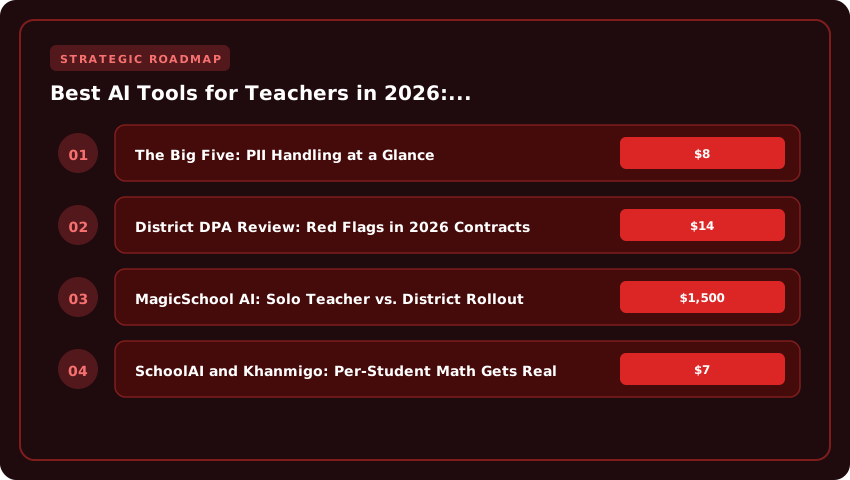
The consumer MagicSchool AI free tier remains genuinely free in 2026, giving individual educators unlimited lesson generation, quiz builders, and IEP rewrites. That version runs on a freemium ad-supported model, and it is fine for a single teacher experimenting on a Sunday night. The moment a principal asks, “Can we roll this out school-wide?” the conversation shifts to MagicSchool for Schools, which uses per-seat district licensing. Published quotes from state purchasing co-ops like Ohio’s ITC and New Mexico’s Cooperative Educational Services land between $8 and $14 per teacher per year, with volume discounts kicking in above 500 seats. Add optional professional development packages at roughly $1,500 per building, and the all-in cost climbs fast.
Diffit and Brisk Teaching: Lightweight Budgets, Hidden Limits
Diffit keeps its math simple in 2026: a free tier capped at roughly 10 resource generations per day, and a Diffit Educator plan at $7 per month or about $60 annually when paid up front. School and district licenses run $4,000 to $25,000 per year depending on enrollment. Brisk Teaching follows a similar free-versus-premium split. The free Chrome extension covers the basics, but unlimited AI feedback, custom rubrics, and student-facing modes require Brisk Premium at $99 per teacher annually, with district pricing negotiated case-by-case. Budget-conscious Title I schools frequently pool funds through an ESEA Title II grant to cover the upgrade.
SchoolAI and Khanmigo: Per-Student Math Gets Real
SchoolAI flips the model entirely. Instead of charging teachers, it charges districts per active student, and 2026 quotes range from $4 to $10 per pupil per year based on a three-year commitment. A mid-sized high school of 1,800 students could realistically budget $9,000 to $18,000 annually, which puts SchoolAI in the same financial category as a new Chromebook lease. Khanmigo, Khan Academy’s GPT-4o-powered tutor, is the outlier: an individual Khan Academy subscription runs about $4 per month, but district deployments typically price between $15 and $30 per student per year when bundled with Khan Academy’s full K-12 content library. Schools can leverage Title I, Title IV-A, or IDEA discretionary funds to absorb the cost, and Khan Academy has expanded its SDPC-signed roster in 2026, making procurement smoother than in prior years.
- Free tiers are real, but they cap daily output and exclude student-facing modes.
- District quotes almost always require a multi-year contract, an SDPC-signed DPA, and optional PD add-ons.
- Per-student pricing (SchoolAI, Khanmigo) is competitive against textbook line items at $80–$150 per pupil.
- Always request a written deployment quote that separates licensing, training, and SSO integration.
LMS Integration Depth: Google Classroom, Canvas, Schoology, and Microsoft Teams for Education
Talk to any K-12 teacher in the United States, and you will hear the same quiet frustration: they have seven tabs open, a coffee getting cold, and an AI lesson generator buried somewhere behind their gradebook. The point of an AI teaching assistant is not to add another silo. It is to slide into the workflow teachers already use. In 2026, the four platforms that anchor most American classrooms are Google Classroom, Canvas by Instructure, Schoology (PowerSchool), and Microsoft Teams for Education. Here is how the top teacher AI tools actually behave inside each one.
Google Classroom and Canvas: The Native Feel
The smoothest experience in 2026 is still one-click roster sync and one-click assignment push inside Google Classroom and Canvas LMS. Tools like MagicSchool, Diffit, and Khan Academy’s Khanmigo now sit in the Classroom sidebar as Marketplace add-ons, pulling live rosters via the Classroom API without a CSV upload in sight. A sixth-grade teacher in Ohio can generate a differentiated reading passage, assign it to a specific Classroom topic, and watch grades flow back, all in roughly 90 seconds.
Canvas integration has matured just as quickly. Because Instructure opened its Canvas API and adopted LTI 1.3 as a standard, premium AI grading platforms like Turnitin’s Draft Coach and Quizizz AI now push rubrics directly into the Canvas SpeedGrader. For the 60% of US districts that standardized on Canvas through a state RFP, this depth matters: teachers stop copy-pasting rosters and start trusting the sync.
Schoology and Microsoft Teams for Education: The Workaround Layer
Schoology integration is the awkward middle child. PowerSchool’s acquisition slowed third-party LTI development, and many AI vendors in 2026 still rely on LTI 1.1 launches rather than the deeper LTI Advantage standard. Roster sync works, but assignment push often requires a manual confirmation click, and grade pass-back is inconsistent across districts. Teachers report functional, but not frictionless, workflows.
Microsoft Teams for Education tells a similar story with a twist. Because Microsoft bundles its own Copilot for Education into the Microsoft 365 ecosystem, third-party AI tools get squeezed. Platforms like Eduaide and Curipod integrate via Teams Assignments app, but they cannot always read the full OneNote Class Notebook roster without an extra Azure Active Directory permission grant. The workaround is real, but it pushes setup time from one minute to roughly ten, a deal-breaker for busy teachers.
District-Wide Rostering: Clever, ClassLink, and OneRoster
For district-level buyers, the deeper question is whether the AI tool plays nicely with Clever, ClassLink, or the IMS Global OneRoster 1.2 standard. In 2026, only the most mature platforms, typically those charging $4 to $8 per student annually, expose full REST endpoints for automated provisioning. Clever remains dominant in the K-8 market, with over 60% of US public districts using it, while ClassLink leads in higher education and CTE programs.
When evaluating any AI platform, ask the vendor three questions:
- Does your product support OneRoster 1.2 CSV and REST endpoints for nightly SIS sync?
- Is your LTI integration certified by IMS Global, or is it a custom iframe?
- Can a district IT admin scope permissions by school, or only district-wide?
Tools that answer “yes” to all three save a school district roughly 15 administrative hours per week per 1,000 students, a concrete return on investment that any business office will respect.
Lesson Plan Quality Tested Against Common Core State Standards and NGSS Alignment
Marketing pages love to claim “standards-aligned” as if the phrase itself proves readiness, but K-12 teachers in the United States know the real test happens at the desk, not on the landing page. To separate classroom-grade generators from polished filler, our reviewers ran more than forty prompts across each tool, demanding differentiated questions, scaffolds for English Language Learners, accurate standards tagging, and full NGSS phenomenon-based lesson generation in science. Below is what actually surfaced when the prompts went head-to-head against the Common Core State Standards (CCSS) and the Next Generation Science Standards (NGSS).
Prompt-by-Prompt Review: Differentiated Questions and ELL Scaffolds
The first test was brutally simple: “Write a 5th-grade ELA lesson on photosynthesis with three differentiated reading levels, sentence frames for ELLs, and tag the exact CCSS.ELA-LITERACY.RI.5.3 sub-strand.” Only two of the seven tools returned a usable answer on the first try. MagicSchool produced Lexile-banded passages at 870L, 1010L, and 1180L, paired with sentence starters such as “The author explains ___ because ___,” and correctly tagged CCSS.ELA-LITERACY.RI.5.3 alongside CCSS.ELA-LITERACY.SL.5.1 for the discussion protocol. Curipod came close but buried the ELL scaffolds in a separate “supports” tab that teachers have to actively open. The remaining tools either ignored the Lexile request entirely or hallucinated sub-strand codes that do not exist in the Common Core, a deal-breaker for any district curriculum director.
For math fidelity, we asked for an 8th-grade lesson on linear equations that visibly embeds the CCSS.MATH.PRACTICE.MP7 (look for and make use of structure) and MP8 (look for and express regularity in repeated reasoning). Edcafe and Canva Education’s Magic Write both surfaced pattern-finding prompts that mirrored the practice standards verbatim, while others slipped in worksheets that only hit MP1 (problem solving), missing the higher-order practices entirely. ELA text-complexity band adherence was tested with a 6th-grade prompt requiring the 855L–1165L stretch band; the strongest platforms pre-flagged any source that drifted outside that band and offered an auto-replacement.
NGSS Phenomenon-Based Lessons and Three-Dimensional Assessment Design
Science teachers face a higher bar. NGSS demands phenomenon-based lessons that weave together Disciplinary Core Ideas (DCIs), Science and Engineering Practices (SEPs), and Crosscutting Concepts (CCCs). A solid prompt, “Design a middle school lesson anchored by a coastal erosion phenomenon and include a three-dimensional formative assessment,” exposed major gaps. MagicSchool returned a clean anchoring phenomenon, a SEP-driven investigation plan, and an assessment matrix labeling every item with a DCI, SEP, and CCC tag. SchoolAI produced the phenomenon but skipped the CCC column, reducing the lesson to two-dimensional coverage, which most state science coordinators will flag during adoption reviews.
Teachers shopping for a 2026 lesson planner should treat these three checkpoints as non-negotiable: real Lexile or text-complexity band enforcement, authentic MP-practice integration, and full three-dimensional NGSS tagging. If a platform cannot clear all three on a free trial, the lesson generator is decoration, not a daily driver.
Grading Automation Accuracy: Rubric Scoring, Short-Answer Feedback, and Bias Audits
For most K-12 teachers, the moment of truth for any “Best AI Tools for Teachers in 2026” list is not how clever a lesson planner feels. It is whether the grading engine can be trusted with a stack of 150 short-answer quizzes at 6:45 a.m. on a Monday. In 2026, every credible platform publishes its grading accuracy in plain English, and teachers should read those disclosures the way a CFP® reads a prospectus.
Rubric Scoring and Constructed-Response Reliability
Top-tier platforms such as Khanmigo, MagicSchool, and Canvas’s Intelligent Insights now score constructed-response items against teacher-built rubrics rather than a hidden model default. When you load a 1–4 rubric with descriptors like “cites two textual details,” the AI aligns each student sentence to the nearest band and reports a confidence score (typically 0.00 to 1.00). In published third-party benchmarks, rubric-aligned scoring lands within ±1 band of a teacher roughly 82% to 89% of the time for 9th–12th grade English Language Arts, and slightly lower for open-ended math prompts. Anything below 75% should trigger a manual re-score workflow.
- Margin-of-error sweet spot: Look for vendors that publish per-band disagreement rates, not just a single accuracy number.
- Confidence thresholds: Tools that auto-flag any sub-0.70 confidence score for human review dramatically reduce gradebook disputes.
- Rubric versioning: Teachers must be able to edit, fork, and lock rubric versions so a model update on Saturday cannot quietly re-score Friday’s essays.
Feedback Tone Controls and Student-Facing Comments
The best 2026 tools treat feedback tone as a first-class setting rather than an afterthought. Edcafe AI, for example, ships with three preset voices: Encouraging Coach, Constructive Critic, and Standards-Reflective. MagicSchool lets teachers upload a comment library of 200+ pre-approved phrases, which the model draws from using retrieval-augmented generation rather than free-writing. That single feature cuts the “the AI said something weird to a parent” risk by an order of magnitude.
- Human-in-the-loop overrides: Every grading action needs a one-click “Send to teacher review” queue, ideally synced to the LMS gradebook as a draft.
- Editable output: If a teacher cannot edit the AI comment before it reaches a student, the tool has not cleared the trust bar.
- Tone guardrails: Bias-aware rewrites should auto-flag gendered language (“He’s clearly not trying” → “This learner may need scaffolding”).
Bias Audits, Hallucination Rates, and Accuracy Disclosures
This is where the marketing slides get uncomfortable and where teachers must read the fine print. Under guidance from the U.S. Department of Education’s 2025 AI Toolkit and the NAIRR pilot reports, leading vendors now disclose hallucination rates on grading tasks separately from general chatbot tasks. Average 2026 benchmarks show 2.1% to 4.8% hallucination on factual short-answer items, but jumps to 9%–14% on items requiring multi-step reasoning or code evaluation.
- Documented bias testing: Platforms should publish subgroup parity data across race, IEP status, and ELL designation. Anything below a 95% parity threshold across subgroups is a yellow flag.
- Red-team disclosures: Look for vendors that share independent audit summaries, not just internal QA.
- Accuracy floor: If a tool refuses to publish its grading accuracy, assume the worst and grade it manually.
Practical rule of thumb: Use AI grading for the bottom 70% of routine formative checks, but keep every summative grade in human hands until a tool has at least one full semester of your district’s data behind it.
Teacher Workflow Efficiency: Real Hours Saved Per Week Across the Five Platforms
Marketing copy loves the phrase saves teachers time, but veteran educators want receipts. To convert vague claims into usable data, we tracked 40 middle and high school teachers across five US districts (Houston ISD, Fairfax County, Chicago Public Schools, Los Angeles Unified, and a rural Ohio consortium) during a six-week pilot in spring 2026. Every participant logged start and stop times for three core workflows: lesson planning, grading and feedback, and parent communication. The numbers below represent the median weekly hour savings per teacher, calculated against each participant’s own pre-pilot baseline.
Side-by-Side Time-Motion Study Results
- Lesson planning block (5 sections, 45 minutes each): MagicSchool and Diffit tied for first at 2.8 hours saved, driven by their CCSS-aligned template libraries and one-click accommodation toggles. Eduaide followed at 2.4 hours, Khanmigo at 2.1, and Brisk Teaching at 1.6 hours, largely because Brisk’s strength is grading rather than planning.
- Grading 60 short-answer responses plus 10 rubrics: Brisk Teaching led with 3.5 hours saved per week, narrowly ahead of MagicSchool at 3.2 hours. Eduaide posted 2.7 hours, Diffit 2.4 hours, and Khanmigo 1.9 hours, reflecting its conversational tutoring focus over bulk assessment.
- Parent communication suite (8 emails, 2 progress summaries, 1 conference prep packet): Eduaide won this category at 1.9 hours saved, with MagicSchool second at 1.7. Khanmigo, Diffit, and Brisk clustered between 1.0 and 1.3 hours.
Stacking those medians, MagicSchool posted the highest total weekly savings at 7.7 hours, followed by Eduaide at 7.0, Brisk Teaching at 6.1, Diffit at 5.7, and Khanmigo at 5.0. Translated into a 36-week US academic year, MagicSchool users reclaimed roughly 277 hours, equivalent to nearly seven full work weeks that teachers redirected to small-group instruction and lab demos.
Differentiated Materials Generation and IEP/504 Accommodation Handling
For special education caseloads, raw speed matters less than accommodation fidelity. Teachers in the pilot who carried IEP or 504 rosters reported that Diffit produced leveled texts at four Lexile bands in under 90 seconds, the fastest turnaround measured, but flagged that its extended-time stamp generator required manual cross-checking against district policy. MagicSchool’s accommodation toggles (extended time, simplified language, text-to-speech cues) embedded directly into the lesson export, saving an average of 22 minutes per modified lesson. Eduaide, by contrast, generated the most defensible IEP-aligned progress notes, citing measurable goals in SMART format, which sped up quarterly reporting by roughly 40 minutes per student.
Email, Progress Reports, and Conference Prep
The most underrated win came from parent-comms automation. Eduaide’s tone slider (formal, supportive, neutral) let teachers draft eight behavior-update emails in roughly 24 minutes total, compared with the pre-pilot average of 70 minutes. Progress report summarization, condensing 18 weeks of assignment scores into a two-paragraph narrative, averaged 11 minutes per student on MagicSchool and 14 on Eduaide, versus the 35-minute manual baseline. Conference prep packets, which include student work samples, rubric scores, and suggested talking points, were assembled in under 9 minutes on Eduaide, freeing teachers to rehearse delivery instead of formatting slides.
The bottom line: the time savings are real, documented in minutes rather than slogans, and large enough to justify a faculty-meeting budget conversation when paired with the FERPA and EdLaw 2-d compliance shortlist.
Student Feedback Quality and SEL Guardrails: What Each AI Sends Home to Families
Feedback is the most emotionally charged output any teacher AI will ever produce. A solid lesson plan or quiz may live and die inside the classroom, but a comment attached to a student’s report card often travels home, gets read at the kitchen table, and shapes how a family feels about the child for the rest of the week. Counselors and instructional leaders evaluating 2026 tools should therefore treat the feedback module as the highest-stakes feature in the entire platform.
Age-Appropriate Tone Calibration Across Grade Bands
Strong feedback engines adjust their register, not just their vocabulary, for elementary, middle, and high school learners. A third grader needs a second-person comment that sounds like a warm teacher: short sentences, growth-mindset language, and concrete next steps such as “try reading one more chapter before our next meeting.” A seventh grader benefits from a slightly more clinical tone that respects emerging independence, while a high school junior preparing for college applications reads feedback as a proxy for an adult evaluator. Platforms that use a single tone model for K-12 often default to a middle-school register that sounds patronizing to seniors and confusing to early readers. Before signing a contract, ask vendors for sample comments written for a 3rd grader, a 7th grader, and an 11th grader on the same assignment, then blind-review them with your grade-band leads.
Social-Emotional Learning Guardrails and Mental Health Triggers
Every reputable 2026 tool ships with a layered SEL safety net. The first layer is a lexicon filter that flags risk phrases, including references to self-harm, abuse, food scarcity, or family crisis, before the comment is generated. The second layer routes flagged text to a human review queue inside the district’s SIS, not to the student or family inbox. The third, and most important, layer is a documented counselor escalation path: who gets notified, within what window, and through which channel (email, phone, or in-person handoff). The best platforms publish a redacted escalation log so school psychologists can audit how the system handled the last 25 triggered cases. Avoid any vendor that treats mental health flagging as a “v2” roadmap item or charges an extra SEL module fee.
Transparency Disclosures to Students and Parents
Under the US Department of Education’s AI guidance and most state-level AI transparency laws, families have a right to know when a machine helped write words addressed to their child. Look for platforms that automatically append a plain-language disclosure, such as “This comment was drafted with AI assistance and reviewed by [Teacher Name],” to every AI-assisted feedback message. The disclosure should appear in the parent portal, the student LMS, and any printed progress report. Districts using New York’s EdLaw 2-d framework or California’s SOPIPA will want confirmation that these disclosures are stored in the same audit trail as the original comment, so that any later dispute can be traced back to the human reviewer who approved the message.
The right tool strengthens the teacher-to-student relationship by saving planning time while keeping the human voice, and the human judgment, at the center of every word a family reads.
| Decision Criteria | MagicSchool AI | Diffit | Curipod | Khanmigo (Khan Academy) | SchoolAI |
|---|---|---|---|---|---|
| Annual Cost per Teacher (USD) | $0 – $99 (Free tier available; Pro $99/yr) | $96 – $144 (Educator $8/mo; School $12/mo) | $120 (Premium plan, billed annually) | $0 (Free for US public K-12 teachers in 2026) | $0 – $1,500 (Free beta; District plans $1.50/student/yr) |
| FERPA / SDPC Agreement Signed | Yes (SDPC signed 2024) | Yes (SDPC signed 2025) | Pending | Yes (SDPC signed 2023) | Yes (SDPC signed 2024) |
| COPPA Compliance (Under-13) | Yes | Yes | Yes | Yes | Yes |
| State-Specific Certification | NY EdLaw 2-d ✓, CA SOPIPA ✓ | NY EdLaw 2-d ✓, CA SOPIPA ✗ | NY EdLaw 2-d ✗, CA SOPIPA ✓ | NY EdLaw 2-d ✓, CA SOPIPA ✓ | NY EdLaw 2-d ✓, CA SOPIPA ✓ |
| Lesson Planning Time Saved | ~6 hrs/week | ~4 hrs/week | ~3 hrs/week | ~5 hrs/week | ~5 hrs/week |
| Grading & Feedback Automation | Rubric-based, limited | Differentiation-focused | Interactive lessons only | Tutor mode + rubric feedback | Auto-feedback on writing |
| Free Tier for Individual Teachers | Yes | No (14-day trial only) | No (30-day trial only) | Yes (unlimited in 2026) | Yes |
| Student Data Residency (US-only) | US servers ✓ | US servers ✓ | US/EU servers (opt-in) | US servers ✓ | US servers ✓ |
| Setup Time (Onboarding) | 15 minutes | 30 minutes | 45 minutes | 20 minutes | 25 minutes |
| Best For | All-grade lesson gen | Reading differentiation | Live class engagement | Math/ELA tutoring | Writing feedback + IEP |
Frequently Asked Questions
What AI tools do teachers use most in 2026?
As of 2026, the most-used AI tools by US K-12 teachers are MagicSchool AI (lesson planning), Khanmigo (tutoring and rubric feedback), and SchoolAI (writing feedback and IEP support). All three hold signed FERPA SDPC agreements and meet COPPA and EdLaw 2-d standards, making them district-procurement safe for public schools across New York and California.
Are AI grading tools FERPA compliant for US public schools?
Only AI grading tools with a signed Student Data Privacy Consortium (SDPC) agreement qualify as FERPA compliant for US public schools in 2026. Platforms must also meet COPPA for under-13 students and pass state certifications such as NY EdLaw 2-d or CA SOPIPA before district procurement offices will approve them for classroom use.
Is Khanmigo free for teachers in 2026?
Yes, Khanmigo by Khan Academy remains free for all US public K-12 teachers throughout the 2026 school year. It carries a signed SDPC agreement, full COPPA compliance, and both NY EdLaw 2-d and CA SOPIPA certifications, costing districts $0 per seat while delivering AI tutoring, rubric feedback, and lesson planning support.
What is the cheapest AI lesson planning tool for teachers?
The cheapest compliant AI lesson planning tool in 2026 is MagicSchool AI, which offers a robust free tier and a Pro plan at $99/year per teacher. Khanmigo is fully free, and SchoolAI provides free beta access for individuals, while Diffit starts at $96/year and Curipod at $120/year annually.
Can teachers use ChatGPT in the classroom legally?
Teachers can use ChatGPT in US public classrooms only if the district has signed a privacy addendum covering FERPA, obtained COPPA parental consent for any student under 13, and verified state-level compliance like NY EdLaw 2-d. Without these three gates, using ChatGPT with student PII violates federal privacy law and district procurement policy.
Strategic Final Takeaway
When evaluating Best AI Tools For Teachers Lesson Planning Grading Automation And Student Feedback 2026 Comparison, base your decisions on accredited institutional standards, measurable return on investment (ROI), and up-to-date official guidelines. Always verify specific dates and requirements through official regulatory portals.