
How Regional Accreditation Defines Legitimacy in Online Kindergarten
Walk into any conversation about virtual kindergarten and you will hear the word “accredited” tossed around like confetti. The problem is that nearly every provider claims it, and almost none explain what the term actually means. For parents evaluating a five- or six-year-old’s first formal learning environment, understanding regional accreditation is the difference between enrolling a child in a credentialed digital classroom and handing over tuition to an unaccountable vendor with a colorful logo.

Regional accreditation refers to the rigorous, peer-reviewed certification granted by one of seven U.S. regional bodies, most notably the Western Association of Schools and Colleges (WASC), the parent organization of Cognia (formerly AdvancED). These accreditors evaluate online K-12 schools on the same standards applied to brick-and-mortar campuses: governance stability, financial health, certified teacher credentials, curriculum alignment to state standards, and measurable student outcomes. When Cognia awards its “seal of approval,” it signals that independent reviewers have audited the program and found it operating at a recognized level of quality.
Why Parents Must Verify Before Clicking “Enroll Now”
The virtual kindergarten marketplace is crowded with platforms that market themselves as “accredited” but hold only a private or international credential with no standing inside the U.S. K-12 system. Before committing a child to a year of screen-based instruction, parents should follow a simple verification checklist:

- Confirm the accrediting body’s name and accreditation status directly on the accreditor’s public directory (for example, Cognia’s Institution Finder or WASC’s school list).
- Check that the program holds state-specific approval from the department of education in the state where the child resides—accreditation alone does not override state authorization laws.
- Ask whether the digital literacy standards (such as ISTE or state-adopted frameworks) are embedded into the kindergarten curriculum, not just an afterthought in older grades.
- Verify teacher credentials: legitimate online kindergartens employ state-certified early childhood educators, not anonymous “learning coaches.”
Cross-State Reciprocity Versus State-Specific Seals
Here is where many families get tripped up. A virtual kindergarten accredited by Cognia may operate legally in one state but be blocked in another. Cross-state reciprocity—where one state accepts another’s approval—is uneven across the country. Some states maintain formal reciprocity agreements through the National Council for State Authorization Reciprocity Agreements (NC-SARA) for higher education, but K-12 virtual schooling often requires a separate state-issued authorization seal. The result: a program fully accredited by a regional body can still be illegal to enroll in depending on where the child lives.
The practical move for parents is to demand two documents from any prospective online kindergarten: the regional accreditation certificate and the state authorization letter for the child’s home state. Districts evaluating vendors for bulk enrollment should request the same. Filtering on these two credentials alone eliminates the vast majority of fraudulent or unapproved operators, leaving only programs with the structural integrity to deliver kindergarten literacy, numeracy, and digital citizenship outcomes at a recognized standard.
State Funding Eligibility Rules That Unlock Free Virtual Kindergarten
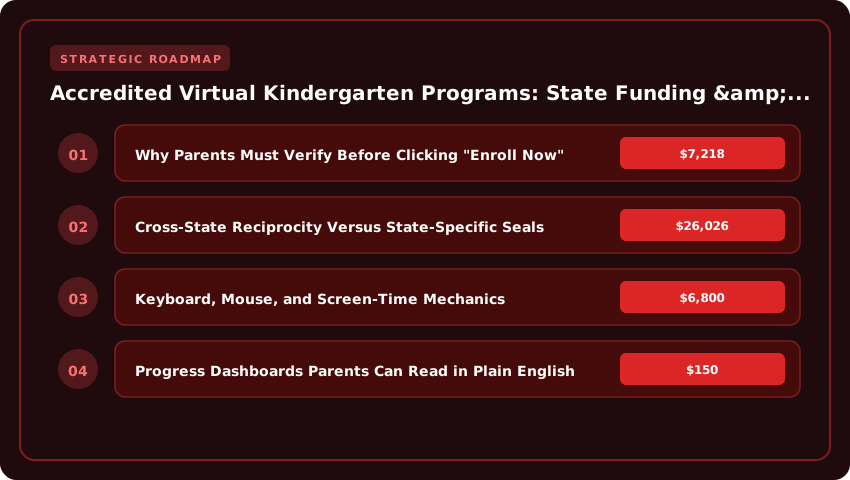
Public funding for online kindergarten flows through a surprisingly narrow pipeline: state-approved cyber charters, district-run virtual academies, and a small handful of state virtual schools. Once a child counts on a public school’s roster, per-pupil funding follows. In the 2024-25 school year, states allocated between $7,218 and $26,026 per pupil depending on the district, according to the U.S. Census Bureau’s Annual Survey of School System Finances. That money travels with the student, which is why an enrolled kindergartner in a free, public online program generates real revenue for the operating school—rather than a bill for the family.
Eligibility rules vary sharply by state, but three documentation requirements show up almost everywhere. Parents should expect to provide proof of residency (a utility bill, lease, or mortgage statement tied to the enrolling address), age verification (a birth certificate or passport confirming the child meets the state’s compulsory attendance age), and—if the child previously received special education services—prior IEP records. State departments of education publish enrollment checklists, and the U.S. Department of Education’s Parent Information Resource Center maintains state-by-state guidance for families navigating these forms.
- Residency: A current utility bill, lease, mortgage statement, or government-issued mail at the family’s physical address.
- Age Verification: A certified birth certificate, passport, or adoption records; some states also accept a notarized affidavit from a physician.
- Prior IEP Records: Required for any child who received special education services, including speech-only IEPs, to ensure the virtual program can deliver comparable services under IDEA.
- Immunization Records: Many states—Florida, Pennsylvania, and Texas among them—still require medical exemption documentation even for fully online learners.
Five States With the Broadest Online K-12 Funding Access in 2025
According to the Digital Learning Collaborative’s 2025 Snapshot of State Policy, five states stand out for making taxpayer-funded online kindergarten broadly accessible:
- Florida: The Florida Virtual School (FLVS) and district franchises accept kindergarteners statewide, with no prior public-school attendance required.
- Ohio: E-schools funded at roughly $6,800 per pupil offer full-time kindergarten enrollment to any Ohio resident, ages 5-6.
- Pennsylvania: Cyber charter schools accept kindergarteners with no academic screening, funded by the resident district.
- Texas: The Texas Virtual School Network (TXVSN) partners with districts to fund full-time online seats.
- California: Non-classroom-based charters authorized by authorizers like the State Board of Education receive ADA funding for kindergarteners.
The practical takeaway: families who want a free seat should start with their state’s department of education website, search for “cyber charter” or “virtual academy enrollment,” and follow the documented steps exactly. Missteps on residency or age verification are the top reasons enrollment packets get bounced—and lost funding follows.
Digital Literacy Standards Every Online Kindergarten Must Hit
Picture a five-year-old perched at the kitchen table, pinky finger hovering over the shift key, proudly logging into her first learning dashboard. That tiny moment captures exactly what digital literacy means at the kindergarten tier: not coding, not typing 60 words per minute, but the confident, curious ability to use a device as a tool for learning. When you evaluate an accredited virtual kindergarten, the curriculum should map every tech lesson back to a measurable outcome you can actually verify on a screen-share with the teacher.
Start with the ISTE Standards for Students. Most online kindergarten programs will say they are “ISTE-aligned,” but ask specifically how. Strong programs translate the ISTE Empowered Learner and Digital Citizen strands into early-childhood benchmarks, such as: logging in with a personal username and password, opening a specific learning app without adult help, identifying when a website looks “sketchy,” and recognizing that a real person—not a pop-up—should be asked for personal information. If a vendor hands you a glossy PDF without grade-band translations, that is a red flag.
Keyboard, Mouse, and Screen-Time Mechanics
Hardware fluency sounds boring until you realize it is the bottleneck for everything else. A kindergarten-ready student should be able to:
- Grip a mouse correctly, click the left button intentionally, and double-click to open a folder or game.
- Locate the letters of their first name on a QWERTY keyboard and use two hands rather than a single-pointer-finger hunt-and-peck approach.
- Identify the spacebar, enter/return, and backspace keys and use them during a typing activity.
- Sit roughly arm’s length from the screen, with feet flat and wrists neutral—ergonomic habits that prevent the neck and shoulder strain we are already documenting in older online learners.
Equally important are the breaks. The American Academy of Pediatrics recommends no more than one hour of high-quality screen time per day for children ages 2 to 5, so any program demanding three hours of synchronous Zoom instruction is working against pediatric guidance and against your child’s attention span.
Curriculum Alignment with State ELA and Math Frameworks
Digital literacy does not float above academics—it should reinforce them. Before signing an enrollment contract, request the program’s scope-and-sequence document and compare it to your state’s kindergarten ELA and math standards (Common Core in 39 states, plus state-specific frameworks in places like Texas TEKS, Virginia SOLs, and Florida B.E.S.T.). Look for evidence that students will:
- Use a drawing or writing app to compose a simple sentence with a capital letter and period.
- Manipulate digital counters or base-ten blocks to model addition and subtraction within 10.
- Record themselves reading a short passage and replay the audio to self-correct—a powerful metacognitive loop unique to online learning.
- Participate in a virtual “morning meeting” that mirrors the social-emotional routines of a brick-and-mortar classroom.
Bottom line: a credible virtual kindergarten weaves ISTE standards, ergonomic screen-time habits, and state-mapped academics into a single, parent-visible rubric. If the school cannot show you that rubric—and the data behind it—keep shopping. The right program will welcome the question.
Comparing Synchronous, Asynchronous, and Hybrid Online K Models
Choosing between live instruction and self-guided lessons is the single biggest decision a family makes when enrolling in an online kindergarten program. There is no universally “best” model because five-year-olds learn in dramatically different ways, and parental availability varies wildly from household to household. Understanding how synchronous, asynchronous, and hybrid models actually function in practice is the only way to make a confident match.
Live Teacher-Led Circles Versus Self-Paced Lesson Platforms
Synchronous kindergarten runs on scheduled class meetings hosted via Zoom, Microsoft Teams, or district-licensed equivalents. Students log in at fixed times for phonics circles, math talks, and read-alouds led by a state-certified teacher. This model works beautifully for children who crave real-time feedback, struggle to focus without adult prompting, or simply miss the rhythm of a traditional classroom. The trade-off is rigidity. If a child is sick on Tuesday or the family travels over spring break, attendance becomes a stress point rather than a learning opportunity.
Asynchronous kindergarten flips the structure. Lessons are pre-recorded or delivered through interactive learning management systems such as Canvas or Seesaw, and students work through them whenever the day allows. Parents typically act as the “learning coach,” reviewing concepts, supervising offline practice, and uploading evidence of completed work. This format rewards independence and accommodates unconventional schedules, but it demands substantially more parental bandwidth. A 2024 RAND Corporation study on remote learning found that asynchronous learners in early elementary grades lost roughly 6 to 8 weeks of literacy progress when adult support averaged under two hours daily, underscoring how hands-on the parent role truly becomes.
Hybrid online kindergarten sits in the middle, blending a shorter live block (often 60 to 90 minutes each morning) with self-paced afternoon work. This structure gives children a teacher anchor while preserving family flexibility for the rest of the day.
Sample Daily Schedules From K12 Inc., Calvert, and Connections Academy
- K12 Inc. (Stride): Roughly 3 to 4 hours of synchronous live lessons scheduled by the teacher, followed by offline assignments in reading, writing, and math. Kindergarteners typically log off by early afternoon.
- Calvert Learning (Edmentum): Predominantly asynchronous with optional teacher office hours. A daily plan card outlines 45 to 60 minutes of ELA, 30 minutes of math, and rotating science or social studies units, with parents delivering most instruction.
- Connections Academy (Pearson): Hybrid structure with 2 to 3 hours of scheduled “Class Connects,” small-group live sessions, and independent practice. The schedule includes built-in movement breaks and teacher-led social-emotional circles.
Socialization Strategies: Virtual Recess, Field Trips, and In-Person Meetups
Social development does not vanish when the classroom moves online. Top accredited programs engineer it intentionally. Virtual recess rooms pair small groups for guided games such as scavenger hunts, show-and-tell, or age-appropriate coding puzzles. Virtual field trips stream live or on-demand tours of zoos, NASA facilities, and national parks, with discussion prompts that mirror in-person debriefs. Most importantly, families are typically organized into local co-horts that arrange weekly park meetups, library visits, or maker-space classes. When evaluating any online kindergarten program, ask specifically how socialization is scheduled, who supervises it, and whether the cost of optional in-person enrichment is bundled into the published tuition or charged separately.
Hidden Costs Beyond Tuition in Virtual Kindergarten Enrollment
Sticker price on a virtual kindergarten website rarely tells the whole story, because most programs build out a fee stack that quietly inflates the annual cost of attendance by several hundred dollars. Smart families strip that stack apart line by line, then map every line item against financial-aid pathways before signing an enrollment contract. Below is the practical playbook for doing exactly that.
Device Stipends, Hotspots, and Curriculum Material Fees
Chromebook or iPad stipends typically run $150 to $400 per family, and that hardware frequently ships with a three-year warranty locked to the program. Hotspot access for households without reliable broadband adds another $60 to $120 annually, depending on whether the provider bundles cellular data through Verizon, T-Mobile, or a school-issued LTE router.
Curriculum material fees deserve close inspection. Some operators ship boxed manipulatives (counting beads, phonics cards, science kits) for a flat $200 to $350, while others levy per-module fees that can climb past $500 by year-end. Always request a materials inventory list in writing; if a vendor cannot itemize shipments, treat that as a red flag.
- Hardware stipend: $150–$400 (one-time)
- Wi-Fi/hotspot subsidy: $60–$120 (recurring)
- Curriculum kit fee: $200–$500
- Learning platform license: $50–$150 (annual)
Assessment Testing, Proctoring, and Graduation Portfolio Charges
Standardized benchmarking is a core requirement for accredited K programs, so parents should budget for diagnostic and summative testing fees. A typical schedule includes fall and spring benchmarks ($45–$90 per sitting) plus a kindergarten-readiness portfolio review that often runs $75 to $150. Some vendors also charge proctoring surcharges of $25 to $50 when live invigilation is required for state-mandated assessments.
Graduation portfolio charges catch many families off guard. Compiling work samples, administering a final literacy screener, and producing a bound or digital portfolio can add $100 to $250 in year-end fees, particularly when the school outsources the work to a third-party evaluation partner.
Scholarship Pathways and ESA Funding in Arizona, Florida, and Texas
For households earning under roughly $85,000, need-based provider scholarships typically cover 30 to 75 percent of the all-in cost, including the hardware and materials surcharges. Ask each program for a written award letter that itemizes tuition, fees, and stipend offsets.
ESA (Education Savings Account) dollars can neutralize out-of-pocket costs entirely in participating states:
- Arizona: The universal ESA awards roughly $7,000 per year and explicitly covers curriculum, hardware, and internet service for eligible K learners.
- Florida: The Family Empowerment Scholarship (FES) and PEP scholarships route funds to approved virtual providers, with kindergarteners receiving close to $8,000 in customizable spending.
- Texas: The new ESA program (2026) is expected to launch with approximately $10,000 per K student, though current families should apply through the existing publicly funded virtual options while regulations finalize.
Pairing an ESA award with a provider scholarship and federal Pell-eligible parent benefits (where income-qualified) can reduce a $4,500 enrollment to roughly $0–$500 out of pocket. Always file the FAFSA at studentaid.gov first, since some ESA administrators require a SAR on file before disbursing funds.
Measuring Academic Readiness and Kindergarten Outcomes Remotely
Parents weighing an online kindergarten deserve more than glossy marketing promises. The real test is whether the program can prove that a five-year-old is actually learning to read, write, and count at grade level, and whether that proof arrives in a format a tired parent can interpret at 9 p.m. between bath time and bedtime stories. Strong virtual kindergartens build their entire accountability model around three concrete instruments: diagnostic baseline assessments at week one, progress dashboards written in plain English, and explicit transition benchmarks that line up with first-grade promotion standards.
Diagnostic Baseline Assessments: Week One and Week Twelve
Reputable online kindergarten programs begin with a one-on-one diagnostic session within the first five school days. A credentialed teacher, not an algorithm, evaluates the child’s letter recognition, phonemic awareness, number sense to 20, fine motor control, and social-emotional readiness. The results are written into an Individualized Learning Plan (ILP) that becomes the road map for the year. Twelve weeks later, the same diagnostic is re-administered. The growth between week-one and week-twelve scores is the first hard evidence a parent should request. If a child entered reading zero sight words and is now recognizing twelve, that is measurable acceleration. If the dashboard cannot show those two data points side by side, the program is hiding its outcomes.
Progress Dashboards Parents Can Read in Plain English
A parent’s dashboard should never require a translation dictionary. Look for three features: a traffic-light indicator (red, yellow, green) on each subject strand, a quarterly narrative summary written by the homeroom teacher, and a sample of the child’s actual work rather than just a score. According to the U.S. Department of Education’s National Center for Education Statistics, parent engagement is the single strongest non-income predictor of K-12 achievement, and dashboards that invite conversation, instead of just reporting a number, are the ones that get opened every week. Programs accredited by Cognia or a regional body such as WASC or NCA CASI are required to publish these dashboards and to share raw assessment data with families on request under FERPA (Family Educational Rights and Privacy Act).
Transition Benchmarks for First-Grade Promotion in Cyber Schools
First-grade promotion in a cyber school is not automatic. Most states require that a child demonstrate proficiency on a state-approved kindergarten readiness assessment, such as the Kindergarten Readiness Assessment in Pennsylvania or the Texas Kindergarten Entry Assessment. Before enrolling, parents should ask the provider three direct questions: Which state standards does the curriculum map to? What is the cutoff score for first-grade readiness? What happens if my child does not meet it? A transparent program will publish those benchmarks, offer a summer bridge option, and share its prior-year promotion rate. If the answer is vague, the academic accountability is vague, and that is a red flag no dashboard can spin away.
Choosing the Right Accredited Virtual Kindergarten for Your Family
Selecting a virtual kindergarten is less like picking a toy and more like hiring a tutor who will shape your child’s first formal academic experience. With dozens of flashy options crowding search results, a calm, repeatable framework beats gut instinct every time. Use the decision matrix below to score each contender on the four variables that matter most, then run a quick red-flag audit before you commit a dollar or a login.
The Four-Point Decision Matrix
Print this matrix or paste it into a spreadsheet, then rate every school from 1 (poor) to 5 (excellent) on each axis. The provider with the highest aggregate score usually deserves a live demo.
- Accreditation & Standing: Confirm recognition by Cognia, WASC, NCA CASI, NEASC, or a state-approved regional body. A legitimate vendor lists the accreditor’s name, accreditation cycle, and a direct verification link on its public website.
- Funding Transparency: Ask whether the program is approved by your state’s Department of Education for public funding, ESA (Education Savings Account) reimbursement, or Title I aid. Verified funding eligibility can save families between $4,000 and $8,000 per year, depending on the district.
- Curriculum & Digital Literacy: Look for alignment to state early-learning standards plus an explicit digital-citizenship strand. Strong programs teach keyboard fluency, screen ergonomics, and online safety alongside phonics and math.
- Live Teacher Support: A genuine kindergarten includes certified, state-credentialed teachers, not just “learning coaches.” Look for daily synchronous sessions, weekly office hours, and a documented IEP/504 process.
Red Flags That Should Send You Running
Even a beautiful website can hide structural weaknesses. Treat the following as deal-breakers, not minor concerns.
- Vague or Missing Accreditation: If the site only says “nationally accredited” without naming a body recognized by the U.S. Department of Education or the Council of Chief State School Officers, assume the claim is decorative.
- Credential-Free Faculty: Teachers should hold an active state teaching certificate or a documented equivalency. “Certified facilitators” or “master educators” without specifics signal cost-cutting.
- No State Approval Letter: A vendor that cannot produce a current state approval letter or a private-school registration number is operating in a legal gray zone, which can complicate high-school transcripts later.
- Pressure Tactics & Pop-Up Marketing: Aggressive countdown timers, “limited seats” banners, and influencer-only discount codes are marketing tactics, not academic signals.
Your 7-Day Action Checklist
Move from research to enrollment with a tight, repeatable sequence.
- Day 1–2: Short-list three providers and request official transcripts from any previous schooling.
- Day 3: Schedule a live demo with each program and record the session for review.
- Day 5: Confirm funding status by contacting your district’s homeschool or virtual-school liaison, and check your state’s ESA portal if applicable.
- Day 6: Read the enrollment contract line by line, paying close attention to withdrawal refunds and curriculum-access windows.
- Day 7: Make the call, complete enrollment, and save every confirmation email in a dedicated folder for future FAFSA, ESA, or college-readiness audits.
<li Day 4: Email the school’s accreditation office and verify status directly with Cognia, WASC, or your state’s Department of Education.
Run every candidate through this matrix, audit for red flags, and execute the checklist. Within a week you will have a defensible decision backed by documents, not marketing copy.
| Accrediting Body | Recognition Scope | Average Tuition Range (USD) | Digital Literacy Curriculum Standard | State Funding Eligibility | Verification Authority |
|---|---|---|---|---|---|
| Cognia (formerly AdvancED) | Nationwide (all 50 states) | $1,200 – $4,500/year (private) | ISTE Standards for Students (aligned) | Limited (varies; some ESA funds accepted) | Cognia Global Commission |
| WASC (Western Association of Schools and Colleges) | CA, HI, Pacific Islands, and WASC-affiliated international schools | $2,500 – $6,800/year | ISTE Standards + state-specific frameworks | Strong in California; some Hawaii districts | WASC Accreditation Commission |
| State Department of Education (e.g., FL, PA) | Single state or consortium | Free (public) – $3,200/year (private) | State-specific digital literacy benchmarks | Full eligibility (public funds) | State Education Agency |
| MSA-CESS (Middle States) | NY, NJ, PA, DE, MD, DC region | $3,000 – $7,500/year | ISTE + state digital standards | Often accepted across member states | Middle States Commission |
| Unaccredited / Self-Claimed | None verified | $500 – $2,500/year | None disclosed | None (ESA/scholarship ineligible) | None |
Frequently Asked Questions
What does accreditation mean for an online kindergarten program?
Accreditation means a third-party agency—such as Cognia, WASC, or a state Department of Education—has reviewed the virtual kindergarten program's curriculum, teacher qualifications, and digital literacy standards. In the US, regionally accredited programs meet recognized K-12 benchmarks, while unaccredited providers carry no verified credentials.
How much does accredited virtual kindergarten cost in the US?
Tuition for accredited online kindergarten in the United States ranges from free (public virtual schools funded by state education dollars) to approximately $7,500 per year for private programs. Cognia-accredited schools average $1,200–$4,500, while WASC and Middle States accredited programs often charge $3,000–$7,500 annually.
Can state funding or ESA scholarships pay for virtual kindergarten?
Yes—state-funded virtual kindergarten is free through public online schools in states like Florida, Pennsylvania, and Ohio. Education Savings Account (ESA) scholarships in Arizona, Florida, and West Virginia typically cover tuition at accredited private online kindergartens, but unaccredited providers are generally ineligible for reimbursement.
Which digital literacy standards should an online kindergarten follow?
The ISTE Standards for Students are the most widely adopted digital literacy framework for US online kindergartens. WASC and Cognia require ISTE alignment, while state-accredited programs may follow state-specific standards such as California's Computer Science Standards or Florida's CPALMS digital literacy benchmarks for K-5 learners.
How can parents verify if a virtual kindergarten is genuinely accredited?
Parents should ask the provider for its accreditation certificate and then verify it directly through the accrediting agency's online directory—Cognia, WASC, or MSA-CESS. Cross-check the school's listing on your State Department of Education website. Legitimate US online kindergartens will provide this documentation immediately and without hesitation.
Strategic Final Takeaway
When evaluating Accredited Virtual Kindergarten Programs State Funding Eligibility And Digital Literacy Standards, base your decisions on accredited institutional standards, measurable return on investment (ROI), and up-to-date official guidelines. Always verify specific dates and requirements through official regulatory portals.