Key Takeaway: Your NIN is the single source of truth for 2026 admission. If the name on your NIN slip doesn’t match your NECO certificate exactly, JAMB CAPS will reject your admission offer—no exceptions, no manual overrides.
2026 Prerequisites: Aligning Your NIN, JAMB Profile & NECO Records
Before you even think about logging into the NECO correction portal or visiting a JAMB CBT centre, you must audit the “Identity Triangle”: NIMC, JAMB, and NECO. In 2026, these three databases talk to each other in real-time via the Central Admissions Processing System (CAPS). A single character discrepancy—an extra space, a missing hyphen, or a swapped middle name—triggers an automatic “Data Mismatch” flag that blocks your admission letter from generating. I have seen candidates with 300+ UTME scores lose slots because they assumed “close enough” was good enough. It isn’t.

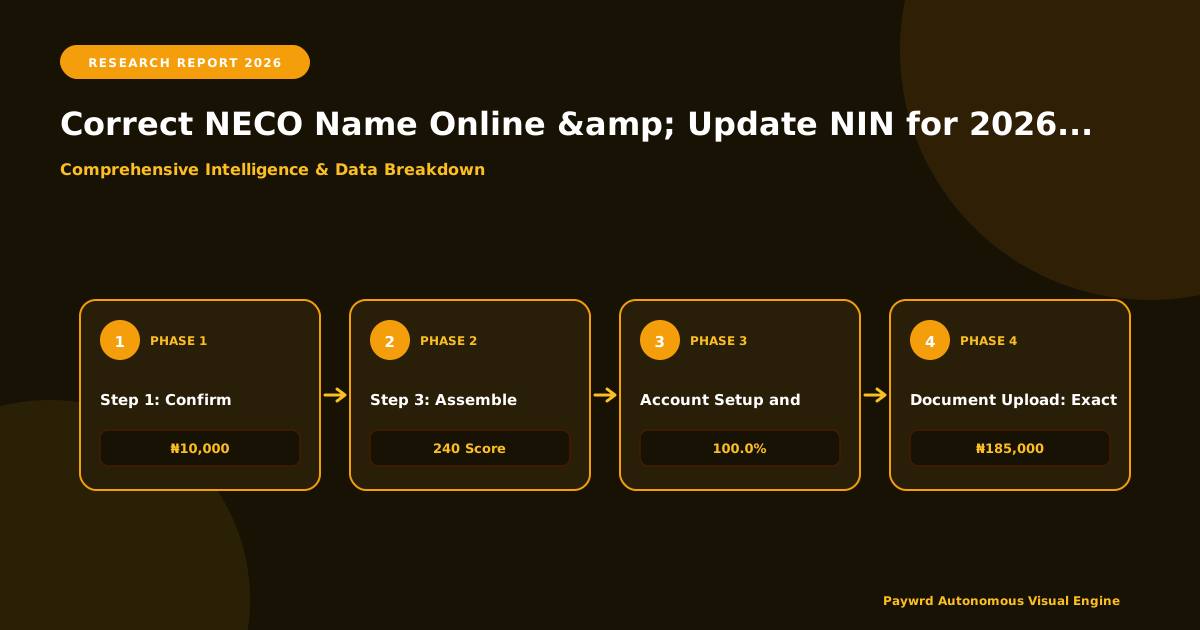
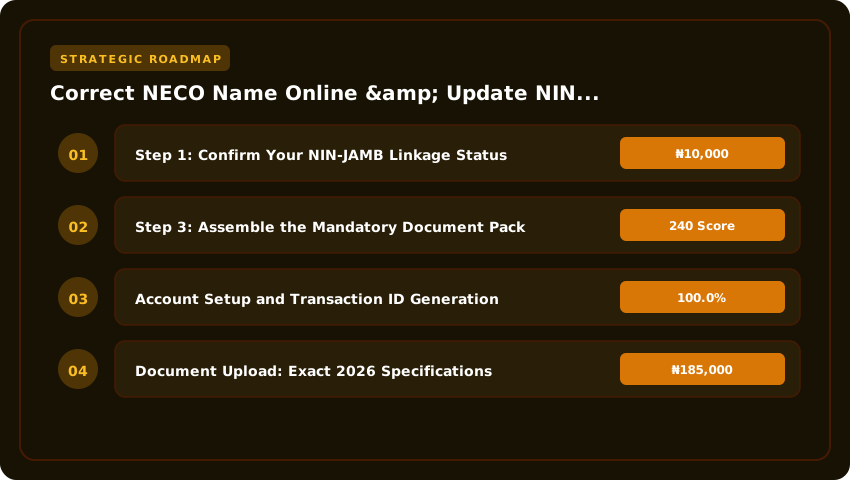
Step 1: Confirm Your NIN-JAMB Linkage Status
Do not guess. Dial *55019*1*NIN# on the phone line registered to your JAMB profile (the same line you used for 2026 registration). The USSD response must return your full JAMB registration number and the exact name string currently sitting on the NIMC database. If the USSD returns “Record not found” or a name variant, your profile is orphaned. You cannot proceed with a NECO correction until this linkage is active and the name on that USSD reply matches your target legal name perfectly.
Step 2: Cross-Reference NECO Certificate vs. NIN Biodata
Pull out your original NECO June/July or Nov/Dec certificate (not the online printout, the physical certificate). Place it side-by-side with your NIN slip. Check these four fields character-by-character:
- Surname: Spelling, capitalization, and compound names (e.g., “Oluwa-Seun” vs “Oluwaseun”).
- First Name: Watch for truncated middle names on the NECO cert.
- Date of Birth: DD/MM/YYYY format consistency.
- Gender: Male/Female alignment.
If the NECO certificate reads “Abdulrahman” and your NIN reads “Abdul Rahman,” that space is a hard stop. You must correct the NECO record to match the NIN (or update the NIN first via NIMC enrolment centre with a sworn affidavit and newspaper publication), but the final state must be identical across all three systems.
Step 3: Assemble the Mandatory Document Pack
You cannot walk into a NECO state office or JAMB centre empty-handed. For the 2026 cycle, the non-negotiable physical documents are:
- Original NECO Certificate: For sighting and verification of the candidate number.
- NIN Slip (Printed): The green slip with the QR code, not just the number on your phone.
- JAMB 2026 Registration Printout: The slip showing your registration number, profile code, and the name currently on the JAMB portal.
- Sworn Affidavit: Executed at a High Court or Magistrate Court registry, explicitly stating the exact error (e.g., “I, [Correct Name], formerly known as [Wrong Name on NECO], declare…”). Attach a passport photo.
- Newspaper Publication: One national daily (e.g., The Guardian, Punch, Vanguard) showing the change of name notice. Keep the full physical page.
Pro Tip: Make two certified true copies of everything. Submit one set; keep the other in a clear folder for the inevitable “come back tomorrow” scenario. Without this alignment, you are spinning your wheels—and in the 2026 admission calendar, wheels spinning means slots lost.
Step-by-Step: NECO Online Name Correction Portal Procedure 2026
The NECO e-Request portal (request.neco.gov.ng) is now the exclusive channel for name amendments in 2026; walk-in submissions at state offices have been phased out for standard corrections. You need a stable internet connection, a functional email address, and your examination details (year, type, and registration number) before you begin. Do not attempt this on a cybercafé computer with cached credentials—use a personal device to avoid session conflicts.
1. Account Setup and Transaction ID Generation
Land on the homepage and click “Create Account” if you are a first-time user. Input your valid email and phone number; NECO sends a time-sensitive OTP to both. Once verified, log in and select “Name Correction” from the service menu. The system auto-generates a unique Transaction ID (TXN-ID)—copy this immediately. This ID is your permanent reference for the application, payment, and tracking. Do not refresh the page until you have saved it offline.
2. Document Upload: Exact 2026 Specifications
The portal rejects files that deviate even slightly from the spec. Every document must be a single-page PDF or JPG, maximum 2MB each. Multi-page PDFs or zipped folders trigger an automatic “Invalid Format” error. You must upload three distinct files:
- Sworn Affidavit: Duly commissioned by a Notary Public or Commissioner for Oaths, stating the incorrect name, correct name, and reason for change. Ensure the stamp and signature are legible in the scan.
- Newspaper Publication: A clipping from a nationally recognized daily (e.g., The Guardian, Punch, Vanguard) published within the last 6 months. The scan must capture the masthead, date, and the full text of the change-of-name notice.
- Valid Identification: Your NIN slip (with QR code visible) is mandatory. Alternatively, a valid International Passport data page or Driver’s License is accepted, but the NIN slip is preferred for 2026 JAMB alignment.
3. Remita Payment Breakdown: Avoiding Reversals
After upload, the portal redirects you to the Remita gateway. The 2026 fee structure is non-negotiable and split into two line items:
- Correction Processing Fee: ₦10,000
- Verification & Certificate Re-issuance Fee: ₦5,000
- Total Payable: ₦15,000 (plus Remita bank charges, typically ₦150–₦300 depending on the channel).
Select “Pay with Card” or “Generate RRR” for bank branch/USSD payment. Critical: Use the exact RRR generated by the NECO portal—do not generate a fresh RRR on the Remita website independently, or the system will not auto-reconcile your payment, causing a 72-hour manual verification delay. Upon successful payment, the portal status shifts to “Awaiting Verification.” You will receive an email confirmation; save the PDF receipt. Processing takes 10–15 working days. Log in weekly using your TXN-ID to track the status; NECO does not send SMS updates for every stage.
Updating NIN Biodata via NIMC Self-Service Portal for JAMB Sync
Let’s be clear: the NIMC Self-Service Portal (MWS) at selfservice.nimc.gov.ng is now the engine room for your 2026 admission. JAMB no longer accepts manual affidavit printouts at CBT centres for profile updates. The system demands a live, verifiable NIN record crowned by a QR-coded slip. If your NIN slip doesn’t scan cleanly into the JAMB CAPS matrix, your admission letter stays in “Pending” limbo indefinitely.
Accessing the MWS Portal: Your Registered Line is the Key
You cannot use a borrowed phone or a cybercafé number. The One-Time Password (OTP) hits the exact phone number tied to your original NIN enrollment. If you’ve lost that SIM, you must visit a NIMC enrolment centre for a SIM recapture (₦500 service fee typically applies at the centre) before touching the portal. Once logged in, select “Modification of Data.” The dashboard shows your current status—Name, Date of Birth, Address, Phone. Click the pencil icon next to the field needing correction.
Document Upload Standards: No Blurry Photos Accepted
The portal rejects low-resolution uploads instantly. For a Name Change, you need a Court Sworn Affidavit (not older than 3 months), a Newspaper Publication (for major changes), and a valid ID (Driver’s License, Voter’s Card, or International Passport). For Date of Birth correction, the Birth Certificate issued by the National Population Commission (NPC) is non-negotiable; hospital “birth notifications” or baptismal cards will trigger an automatic rejection. Scan these at 300 DPI minimum, save as PDF or high-quality JPEG (under 2MB per file), and ensure all four corners of the document are visible in the frame.
Payment, Tracking & the Critical QR Code Slip
The modification fee remains ₦15,000 per field (Name or DOB) payable via Remita on the portal—card or USSD. Do not pay agents extra “processing fees.” After submission, your status moves to “Pending Verification.” NIMC backend officers now verify against the NPC database for DOB or court records for names. This takes 48 to 72 hours in 2026; the old “two weeks” narrative is dead.
- Check Status Daily: Log back into MWS. Once “Approved,” the “Print Slip” button activates.
- Generate the Updated Slip: This new slip carries a dynamic QR Code encoding your updated biodata hash.
- The JAMB Handshake: Take this slip to any JAMB CBT centre. They scan the QR code; it pushes the verified data directly into your JAMB profile via the NIMC-JAMB API. No typing, no typos, no “network error” excuses.
Without that 2026 QR-coded slip, the JAMB system treats your profile as “Unverified Identity.” Print two copies—one for your file, one for the CBT centre. That scan is the only trigger that unlocks your CAPS admission flow.
Synchronizing Corrected Data on JAMB CAPS & Institution Portal
You have successfully updated your NIN at a NIMC enrolment centre and secured the NECO correction of name. The physical slips look correct. But in the 2026 admission architecture, nothing happens automatically. The databases—NIMC, NECO, JAMB, and your institution’s portal—do not push updates in real-time. You must manually trigger the synchronization on the JAMB e-Facility portal and force a re-verification cycle on CAPS. If you skip this, your admission offer sits in “Pending” limbo until it expires.
Initiate ‘Correction of Data’ on JAMB e-Facility
Log into your JAMB e-Facility portal using your registered email and password. Do not use a cybercafé operator’s account; you need direct control. Navigate to the “Correction of Data” service. For 2026, the service fee remains ₦2,500 (payable via Remita/RRR). Select “Names” and “O’Level Result” as the correction categories. Upload the updated NIN slip (showing the corrected name) and the NECO Confirmation of Result/Attestation letter (or the corrected original certificate if already re-issued). Submit. The system generates a new RRR; pay immediately. JAMB typically processes this within 48–72 hours. Check your “Notification” tab for the approval status—do not assume it is done until you see “Approved” in green text.
Upload Corrected O’Level Details for Verification
Once the data correction is approved, you must re-run the O’Level Upload module. This is distinct from the correction service. Go to “O’Level Result Upload” on the same e-Facility dashboard. Select NECO as the exam body. Enter the exact Examination Number and Year as they appear on the corrected document. The system will ping the NECO database. Because you updated the name at NECO first, the pull should now match your NIN and JAMB profile perfectly. If the upload returns “No Record Found” or “Mismatch,” do not panic. It usually means NECO’s central server hasn’t fully propagated the correction to the API JAMB queries. Wait 24 hours and retry. Ensure you print the JAMB O’Level Verification Slip showing “Verified” status—this is your evidence for the school.
Force Re-Verification on CAPS & Monitor Institution Portal
This is the step most candidates miss. Even with a verified O’Level on e-Facility, your institution’s admission office runs a separate verification script against the JAMB CAPS (Central Admissions Processing System) backend. Log into CAPS via the e-Facility link. Check your “Admission Status” tab. If you already have an offer, it may show “Admission in Progress” or “Recommended” but the O’Level Verification Status column might still read “Awaiting Result” or “Discrepancy.”
- Click “Print Admission Letter” (₦1,000 fee). The act of generating a fresh admission letter often forces CAPS to re-poll the updated O’Level status from the e-Facility database.
- Visit your Institution’s Admission Portal (e.g., UNILAG, UNN, LASU, FUTO portals). Locate the “O’Level Verification” or “Document Upload” section. Upload the same corrected NECO result and NIN slip.
- Email the Admissions Officer with the subject: “URGENT: O’Level Data Synchronization – [JAMB Reg No] – [Name]”. Attach the JAMB Verification Slip, NECO Correction Letter, and NIN Slip. Request a manual “Refresh Verification” on their backend.
Monitor this daily. In 2026, institutions have strict deadlines for Matriculation List submission to JAMB (usually late October/November). If your verification status hasn’t flipped to “Verified” on both CAPS and the school portal by the school’s internal deadline, the offer will be withdrawn. Treat this synchronization as a live operational task, not a one-click setup.
2026 Fee Schedule & Payment Channels: Remita, NIBSS & Bank USSD Codes
Nothing derails a 2026 admission faster than a failed transaction that leaves your correction application in “Pending” limbo. Each agency—NECO, NIMC, and JAMB—operates on distinct payment rails. Mixing them up (e.g., trying to pay NECO via JAMB wallet) guarantees a rejected application. Below is the definitive 2026 cost breakdown and the exact gateway you must use for each.
NECO Name Correction: ₦15,000 Flat via Remita RRR
NECO bundles the correction fee and mandatory verification into a single ₦15,000 charge. You cannot split this. Log into the NECO Correction Portal (correction.neco.gov.ng), select “Name Correction,” and generate a Remita Retrieval Reference (RRR). This RRR is your lifeline—pay via any bank branch, your bank’s mobile app (select “Pay FGN/State TSA → Remita”), or USSD (*777*RRR# on supported networks). Do not use Quickteller or JAMB e-Facility here; the NECO portal only validates Remita RRR receipts. Keep the PDF receipt; you will upload it during the final submission step.
NIMC Data Modification: MWS Portal Only (Paystack/Remita)
Walk into any NIMC enrolment centre in 2026 and you will be turned away for data modifications—everything runs through the MWS Portal (modification.nimc.gov.ng). The fees are tiered:
- Name Change/Correction: ₦500 (requires Newspaper publication & Court Affidavit uploads).
- Date of Birth Correction: ₦15,000 (strictly requires NPC Birth Certificate or Sworn Affidavit with NIN verification).
On the MWS portal, select the service, upload docs, and choose Paystack (cards/bank transfer) or Remita (RRR generation). The system auto-generates a Transaction ID upon success. Screenshot this ID immediately; the portal session times out fast, and you need that ID to book your biometric capture appointment.
JAMB Data Correction: ₦2,500 via e-Facility Wallet or Quickteller
JAMB operates a closed wallet system. You cannot pay a vendor or cybercafé operator cash for this. Log into your JAMB e-Facility Portal (efacility.jamb.gov.ng), click “Correction of Data,” select “Name” or “DOB,” and you will see two payment buttons:
- Pay via Wallet: Fund your JAMB wallet first via Remita RRR (generated inside e-Facility) or Quickteller (ATM/Online). Then deduct the ₦2,500 internally.
- Pay via Quickteller Direct: Redirects to Interswitch; accepts Verve, Mastercard, Visa, or Bank USSD (*322*Amount# or bank-specific codes).
Pro Tip: Fund the wallet before starting the correction form. Wallet funding via Remita RRR settles faster (instant to 10 mins) than Quickteller card rails during peak 2026 registration weeks.
Quick-Reference Payment Matrix
- Agency: NECO | Amount: ₦15,000 | Gateway: Remita RRR Only | Validation: Upload PDF Receipt to Portal
- Agency: NIMC (Name) | Amount: ₦500 | Gateway: Paystack / Remita on MWS | Validation: Transaction ID + Appointment Slip
- Agency: NIMC (DOB) | Amount: ₦15,000 | Gateway: Paystack / Remita on MWS | Validation: Transaction ID + Appointment Slip
- Agency: JAMB | Amount: ₦2,500 | Gateway: e-Facility Wallet (funded via Remita/Quickteller) | Validation: Instant Portal Confirmation
Stick to these rails. Cross-wiring payments—like generating a Remita RRR for JAMB instead of funding the wallet—creates reconciliation nightmares that support tickets rarely resolve before the 2026 CAPS deadline.
Common 2026 Rejection Triggers: Mismatched Affidavits, Blurry Scans & Timeline Gaps
The 2026 portal upgrades introduced stricter OCR validation and real-time cross-agency API checks. What passed as a “minor discrepancy” in 2026 now triggers an automatic hard reject on JAMB CAPS. Here are the three specific technical tripwires catching candidates off guard this cycle.
Affidavit vs Newspaper Publication: Name Sequence Consistency Rules
NIMC and NECO now enforce strict lexical ordering via their API handshake. If your NIN slip reads “Adebayo John Oluwaseun” but your NECO certificate reads “Oluwaseun Adebayo John,” the system flags a sequence mismatch—even if the words are identical. A standard Court Affidavit is accepted for spelling corrections (e.g., “Jon” to “John”), but it is rejected for sequence reordering. To legally invert or reorder names on your NIN in 2026, you must present a Newspaper Publication (minimum two national dailies) alongside the Affidavit at the NIMC enrolment centre. NECO’s correction portal mirrors this logic: sequence changes require the publication proof; spelling fixes do not. Skip the publication step for a reorder, and your ₦1,000 NECO correction fee is wasted—the portal will return a “Data Integrity Error” code 409.
Scan Resolution Failures: The 200 DPI Minimum Trap
The 2026 NECO correction portal and NIMC self-service modals now run server-side OCR pre-validation before submission. The hard floor is 200 DPI (dots per inch) with a minimum pixel dimension of 600x800px for supporting documents. A standard “passport photo” scan from a roadside cyber café—typically 96 DPI or 150 DPI to save bandwidth—will upload visually but fail the OCR integrity check silently. You receive a “Submission Successful” toast, but the backend queues it for manual review, adding 21 days to your timeline. Actionable fix: Scan documents at 300 DPI, Greyscale, PDF/A-1b format. Use a flatbed scanner or a high-end mobile scanner app (Adobe Scan, Microsoft Lens) with “Document” mode enabled, not “Photo” mode. File size must stay under 2MB; compress via PDF optimizer if needed, but never downsample below 200 DPI.
Processing Lag: The 14-Day vs 48-Hour vs Instant Desync
This is the silent killer for 2026 admission deadlines. The three databases refresh on wildly different clocks:
- NECO Verification: 10–14 working days post-payment confirmation. The ₦1,000 Remita receipt only triggers the queue; human officers at the NECO zonal office must physically verify the original certificate against the affidavit.
- NIMC Update: 48 hours after biometric capture at the enrolment centre, provided the Network Termination Unit (NTU) syncs to the central NIDB without latency spikes.
- JAMB CAPS Sync: Near-instant once it receives the “Success” callback from both APIs.
If you update NIMC today (Friday) and NECO approves next Thursday, JAMB sees a “Partial Match” for 7 days. During that window, CAPS cannot offer admission. Fix: Initiate NECO correction first. Wait for the SMS “Correction Approved” (check spam folder). Then walk into NIMC for the data modification. This sequences the 14-day clock and the 48-hour clock to finish simultaneously, handing JAMB a clean, instant “Full Match” payload.
Final Verification Checklist: Confirming NECO-NIN-JAMB Triad Alignment
You have submitted the correction, paid the fees, and waited for the SMS confirmations. But in the 2026 admission cycle, “submitted” is not “verified.” Admission officers at UI, UNILAG, ABU, and FUTA are instructed to reject any candidate whose triad—NECO, NIN, JAMB—shows even a single character mismatch. This is your Green Light Protocol. Do not assume; confirm on these three live dashboards before the matriculation deadline.
1. NECO Online Verification: The Certificate Preview Test
Log into verify.neco.gov.ng using your examination number and year (2026 or 2026 sitting). Ignore the “Result Checker” tab; click “Verify Certificate.” Enter the candidate details exactly as they appear on your updated NIN slip. The system will render a live certificate preview. Scrutinize the surname, first name, and middle name order. If the preview shows “IBRAHIM MUSA AHMED” but your NIN reads “AHMED IBRAHIM MUSA,” the correction has not propagated to the verification engine. You must raise a ticket via the NECO support portal immediately—do not wait for a physical certificate reprint.
2. NIMC MWS Dashboard: The QR Code Reality Check
Open the NIMC Mobile Web Services (MWS) app or visit the NIMC portal and log in with your NIN and registered phone number. Navigate to “My Identity” > “View Slip.” Tap the QR code to enlarge it. Use a second phone to scan that QR code using the NIMC Verify app or any standard scanner. The decoded text must display the exact name sequence matching your NECO preview. I have seen 2026 candidates whose printed slip was correct but whose QR payload retained the old name due to a backend sync lag. If the scan fails or shows the old name, visit an NIMC enrolment centre (not a private agent) for a biometric re-validation—this forces the central ID database to push the update to the tokenization layer JAMB queries.
3. JAMB CAPS & Institution Portal: The “Verified” & “Cleared” Gates
Finally, log into your JAMB profile at efacility.jamb.gov.ng. Under “Check Admission Status” or the “O’Level Upload” section, the status must read “Verified.” “Pending” or “Awaiting Verification” means the NECO-NIN handshake failed. Cross-check this on your proposed institution’s admission portal (e.g., admissions.unilag.edu.ng or portal.ui.edu.ng). Look for “O’Level Status: Cleared” or “Document Verification: Passed.” If the institution portal shows “Discrepancy Found,” your file will not move to the Senate List, regardless of what JAMB CAPS says. Screenshot all three “Green” statuses—NECO Preview, NIMC QR Scan, JAMB/Institution Cleared—and save them to cloud storage. That screenshot bundle is your evidence if a clearance officer challenges you during physical registration in October 2026.
- NECO Verify:
verify.neco.gov.ng→ Certificate Preview matches NIN exactly. - NIMC MWS: QR Code scan returns identical name string; no legacy data.
- JAMB Profile: O’Level Status = “Verified” (Green badge).
- Institution Portal: Document Verification = “Cleared” / “Passed.”
| Correction Parameter | NECO Name Correction (Online) | NIN Data Modification (NIMC) | JAMB Profile Update (CBT Centre) |
|---|---|---|---|
| Primary Authority | NECO (National Examinations Council) | NIMC (National Identity Management Commission) | JAMB (Joint Admissions and Matriculation Board) |
| 2026 Official Fee | ₦10,000 (Name Change) + ₦1,000 (Processing) | ₦500 (Demographic Update) + ₦100 (Voucher) | ₦2,500 (Profile Data Correction) |
| Processing Timeline (2026) | 4–6 Weeks for Certificate Reprint | 24–48 Hours for NIN Slip Update | Immediate on CAPS Portal Sync |
| Required Documentation | Sworn Affidavit, Newspaper Publication, Original Certificate | Original NIN Slip, Valid ID, Supporting Docs (Marriage Cert/Affidavit) | JAMB Registration Printout, NIN Slip, NECO Result Printout |
| Portal Access (2026) | portal.neco.gov.ng (Correction Menu) | selfservice.nimc.gov.ng or NIMC Office | profile.jamb.gov.ng (CBT Centre Only) |
| Impact on 2026 CAPS Admission | Must match NIN exactly before JAMB Regularization | Single Source of Truth; Must be done FIRST | Final Sync Point; Locks data for Matriculation List |
Frequently Asked Questions
How much does it cost to correct a name on NECO certificate in 2026?
The official 2026 NECO name correction fee is ₦10,000 for the amendment plus a ₦1,000 processing charge, totaling ₦11,000 payable via Remita on the NECO portal. Additional costs include a sworn affidavit (₦500–₦1,000) and mandatory newspaper publication (₦5,000–₦15,000).
Can I update my NIN name online for 2026 JAMB admission without visiting NIMC office?
Yes, use the NIMC Self-Service Portal (selfservice.nimc.gov.ng) for demographic updates like name spelling or order. Pay the ₦500 fee via Paystack/Remita, upload supporting documents (affidavit/marriage cert), and download the updated slip in 48 hours. Biometric changes require physical capture at an enrollment centre.
What happens if my NECO name has a hyphen but NIN does not for 2026 CAPS?
JAMB CAPS 2026 treats hyphens, extra spaces, and initial placements as critical mismatches. The system auto-rejects admission offers if the NECO certificate name string does not identically match the NIN slip. You must standardize the name on either the NECO portal or NIMC portal before JAMB profile registration.
How long does NECO name correction take to reflect on JAMB CAPS in 2026?
NECO processing takes 4–6 weeks for the corrected certificate reprint. After receiving the physical corrected certificate, you must visit a JAMB CBT centre for 'Data Correction' (₦2,500) to sync the new name to your JAMB profile. Only then will CAPS clear the mismatch flag for 2026 admission.
Which document is the master reference for 2026 JAMB admission: NECO, NIN, or JAMB Profile?
The National Identification Number (NIN) slip is the immutable master reference for 2026 admission. JAMB CAPS validates your profile against the NIMC database in real-time. Your NECO certificate and JAMB profile must be corrected to match the NIN data exactly; NIN data cannot be overridden by exam bodies.
Strategic Final Takeaway
When evaluating How To Correct Name On NECO Certificate Online And Update NIN Data For JAMB Admission 2026 in 2026 and beyond, base your decisions on accredited institutional standards, verified return on investment (ROI), and up-to-date official guidelines. Always verify specific dates and requirements through official regulatory portals.