Decoding the 2026 JAMB Verification Error Types & Root Causes
If your JAMB O’Level verification attempt suddenly halts on the portal, you are likely staring at one of four recurring error messages that have frustrated candidates across Nigeria for several admission cycles. Understanding exactly what each error means, why the Joint Admissions and Matriculation Board (JAMB) system throws it, and which upstream agency is responsible is the first real step toward a clean re-upload. The 2026 cycle is no different from previous years: JAMB does not store your WAEC or NECO results on its own servers. Instead, it pulls them through secure Application Programming Interface (API) tunnels linked to the examining bodies’ databases. When that handshake breaks down, you see an error — and the trick is knowing which finger to point at the problem.
Below is a granular breakdown of the four most common verification failures reported on the JAMB portal, paired with the specific root causes that drive them, including WAEC/NECO database sync delays, wrongly typed exam numbers, and expired or deactivated scratch cards.
- Invalid Verification Code — This is the single most frequent complaint on candidate forums and WhatsApp help groups. It does not always mean your scratch card is fake. In most 2026 cases, the cause is one of three things: (1) the scratch card PIN you purchased has not yet been activated by the vendor because point‑of‑of‑sale (POS) systems sometimes delay upload to the aggregator; (2) the card belongs to a different candidate sitting under a different exam body (for example, you bought a NABTEB scratch card but selected WAEC on the JAMB portal); or (3) the PIN has been exhausted because someone else used it before you. A less common but rising cause is the expired scratch card — JAMB now enforces a strict 12-month validity window on all O’Level result checker cards, after which the API key is retired even if the PIN has unused balance.
- Result Not Found — When JAMB’s portal replies that no result matches the exam number and exam year you entered, the problem lives almost entirely on the WAEC or NECO side. The leading cause is database sync delays. WAEC in particular releases results in batches, and there is usually a 48-to-72-hour propagation window before each new batch becomes reachable through JAMB’s verification endpoint. Candidates who sat for the May/June 2026 WASSCE and rushed to upload within 24 hours of release frequently trigger this error. The second cause is simply a typographical slip in the exam number — one transposed digit is enough to void the lookup. A third, more technical cause is an unmatched exam year: selecting “2026” on the JAMB portal when your actual sitting was 2025 produces a null response even when every other detail is correct.
- Mismatched Details — This error fires when JAMB successfully finds your result in the WAEC/NECO system, yet the name, date of birth, or state of origin on the result slip does not align with the biodata you submitted during UTME registration. It is not a network error; it is a data-integrity error. The most common root cause is a name variation: your JAMB profile reads “Adebola Oluwaseun” while WAEC captured “Adebola O. S.” — both are technically the same person, but automated matching rejects the string. Other causes include a change of surname after marriage without a formal data correction request at the exam body, or a swapped birth date in the UTME form. Candidates who registered at one JAMB CBT centre but sat WAEC in a different state sometimes see state-of-origin mismatches due to different capture systems.
- Server Timeout — When the JAMB portal returns a blank page, an endless spinner, or a “request failed” notice, you are dealing with a server-side capacity issue, not anything wrong with your result. The 2026 verification window has been especially prone to timeouts because of the sheer volume of candidates re-uploading after initial rejections, combined with scheduled maintenance windows on the WAEC API gateway. Timeouts are also triggered by weak candidate-side connectivity: relying on a ₦200 daily data bundle on a 2G network while attempting a secure API handshake almost guarantees a half-completed request. Finally, attempting to verify during peak hours — typically 8 PM to 11 PM WAT — multiplies the probability of hitting a throttle limit on the JAMB server.
The actionable takeaway is simple: before paying for a new scratch card or re-uploading, read the exact wording of the error message on your dashboard. Each of the four errors above points to a distinct remedy path, and treating “Result Not Found” the same as “Invalid Verification Code” is the fastest route to wasting money and losing your place in the 2026 admission race. In the next section, we will walk through the precise step-by-step fixes that match each error type, including the exact NELFUND-friendly payment amounts you should expect to spend on a replacement scratch card.
Step-by-Step: Generating Valid WAEC/NECO Verification Codes via Official Portals
Before you even think about touching your JAMB CAPS dashboard, the very first practical move is securing a fresh, authentic verification PIN directly from the examining body. Whether you sat for WAEC or NECO, the process is similar in principle but distinct in execution, and skipping even one digit triggers the dreaded “Invalid Code” error that stalls thousands of Nigerian candidates every admission cycle. In 2026, the standard price band for a single WAEC Result Checker PIN sits between ₦2,000 and ₦2,500, while NECO charges roughly ₦2,500 to ₦3,500 depending on the vendor markup and whether you buy through the official portal or an authorised scratch card retailer. Always budget for at least two PINs, because one will be consumed during your verification attempt and a spare protects you if the portal times out mid-session.
For WAEC candidates, head straight to waecdirect.org and click the “Check Result” tile. You will be prompted to purchase a e-PIN via ATM card, USSD, or bank transfer. Once payment confirms, a 10-digit PIN and a 10-digit Serial Number will be emailed to you or displayed on your dashboard. Keep both values in a secure notepad before proceeding. NECO candidates should visit neco.gov.ng, navigate to “NECO Results”, and select “Token Purchase.” NECO’s token is a 12-digit code delivered alongside a unique serial, and the price is inclusive of a ₦100 result viewing fee.
Now comes the critical input sequence on the WAEC/NECO checker, which must mirror the order JAMB’s backend algorithm cross-checks. The sequence is strictly: (1) Exam Year → (2) Examination Type → (3) Examination Number → (4) PIN → (5) Serial Number. The Exam Year must be the four-digit calendar year you sat the exam, e.g., 2024 or 2025, not the year you purchased the PIN. The Examination Type for WAEC is always WASSCE for School Candidates or WASSCE GCE (Private); selecting the wrong type is the single most common reason for a “No Result Found” response. For NECO, the type is either SSCE (June/July) or SSCE (Nov/Dec). Your Examination Number is the 10-character alphanumeric code printed on your original photo card or attestation slip, and it must include dashes where applicable.
Here is a practical checklist to lock in before you hit the submit button on the verification screen:
- Confirm the PIN has not been previously used; each WAEC PIN supports exactly five result viewings for a single candidate number.
- Cross-check the Serial Number against the original SMS or email receipt, not a forwarded screenshot that may have been cropped.
- Disable autocorrect or predictive text on your mobile keyboard if entering values on a phone, as a single mistyped digit triggers the “Invalid Code” lockout.
- Ensure stable internet connectivity; a mid-submission timeout voids the PIN attempt and forces a fresh purchase on some platforms.
- Use a modern browser (Chrome 110+, Edge, or Firefox) and clear cookies to avoid session conflicts on shared cybercafé devices.
Once your scratch card validates your academic record and the result loads successfully, screenshot the confirmation page showing your full name and grades. This screenshot, paired with the successful PIN redemption email, is what you will upload into JAMB CAPS during the re-upload stage. Remember, JAMB does not verify the PIN itself in isolation; it verifies the output state of the WAEC/NECO system, so an unused or unconfirmed PIN will always fail the handshake. Following this exact order of fields and verifying each character twice is your fastest route to a clean, error-free upload and uninterrupted 2026 admission processing.
Executing the Re-Upload Protocol on JAMB e-Facility & CBT Centres
Once you have decoded the specific error code blocking your JAMB O’Level verification, the next critical step is executing the re-upload protocol with absolute precision. The Joint Admissions and Matriculation Board has tightened its verification pipeline for the 2026 UTME cycle, making the upload process less forgiving than in previous admission years. A single misaligned file name or an oversized image can trigger another rejection, pushing your admission timeline dangerously close to the Post-UTME cutoff windows of federal, state, and private universities across Nigeria. Understanding the exact technical specifications of the profile.jamb.gov.ng portal is not just helpful advice; it is the difference between securing your admission letter and spending another academic year on the sidelines.
The first checkpoint you must pass is the file format specification. JAMB’s e-Facility only accepts two document types for O’Level results: PDF for typed WAEC or NECO scratch card printouts, and JPG or JPEG for photographed result slips. Before you even attempt the upload, compress your file to ensure it sits comfortably under the 2MB ceiling. Many Nigerian candidates lose hours because they photograph their WAEC result on a high-resolution smartphone camera, producing files exceeding 5MB. Use a free compressor like ILoveIMG or your phone’s built-in PDF compressor to bring the size down while preserving the legibility of your grades. Remember, the JAMB algorithm will reject blurry scans just as swiftly as it rejects oversized ones, so strike a balance between clarity and file weight.
Naming conventions represent the second technical hurdle. Avoid generic file names like IMG_2024.jpg or Document1.pdf. While the portal does not explicitly mandate a specific naming format, using your JAMB Registration Number as the file name dramatically reduces the risk of server-side confusion, particularly if you are uploading multiple results for candidates combining WAEC and NECO. A clean, professional naming structure such as 202610456789WAEC.pdf signals to the verification engine that you understand the process and respect the system’s integrity.
Now, navigate to the profile.jamb.gov.ng portal and locate the ‘Upload O’Level Result’ tab nested under your profile dashboard. Enter your registration credentials, click through to the upload interface, and select your properly compressed and renamed file. After uploading, the portal typically generates a preview thumbnail. Verify that every grade is visible, your centre number is legible, and your personal details align with your JAMB registration data. Click submit only after this visual confirmation, because once the system ingests the file, the portal frequently locks editing capabilities to prevent tampering and fraud.
If the portal locks your editing rights after submission, you cannot simply re-upload from home. You must escalate the process by visiting an accredited JAMB CBT centre or a Professional Test Centre (PTC) for biometric verification. This mandatory step exists because JAMB needs to confirm that the candidate uploading the result matches the biometric data captured during the original registration. At the CBT centre, you will be asked to provide your registration number, present a valid means of identification, submit your fingerprints, and sometimes complete a facial recognition scan. The centre officer will then manually push your corrected result into the verification queue on your behalf.
Before visiting any CBT centre, arm yourself with these actionable items to avoid a wasted trip:
- Your JAMB Registration Number printed clearly or saved on your phone.
- A valid ID such as your NIN slip, International Passport, or Voter’s Card.
- Two printed copies of the O’Level result you are trying to upload.
- Your UTME slip showing your exam details and venue confirmation.
- A small fee ranging between ₦1,000 and ₦3,000, though prices vary by location and centre.
- Patience, as biometric queues in Lagos, Abuja, and Port Harcourt can stretch for hours during peak admission season.
After the CBT officer completes the biometric verification and manual override, allow 24 to 72 hours for the JAMB system to reflect the change on your profile. You can monitor progress by logging into the e-Facility portal and checking the verification status indicator. Once it turns green, you are cleared to participate in Post-UTME screenings and pursue admission under the NUC-approved CCMAS curriculum standards. Do not assume silence means failure; JAMB servers process thousands of corrections daily, and your patience will be rewarded with a clean, verifiable admission profile.
Resolving ‘Awaiting Result’ & ‘No Result Found’ for 2026 WAEC/NECO/GCE Candidates
If your WAEC, NECO, or GCE result is not yet out — or has just been released but JAMB’s portal cannot recognise it — you are not alone. Every year, tens of thousands of Nigerian candidates sitting the 2026 UTME fall into this exact situation, and the difference between securing admission and losing a whole academic year often comes down to three simple decisions: how you register, how you select “Awaiting Result,” and how promptly you upload once the result is released.
The “Awaiting Result” (AR) option on the JAMB portal is a legally recognised category created by the Joint Admissions and Matriculation Board to protect candidates who are still sitting examinations or awaiting the release of their certificates. However, AR is not a “lifetime pass.” JAMB clearly states that you must return to the portal and update your O’Level profile the moment your result is officially released. Failing to do so is one of the fastest routes to automatic disqualification from Post-UTME screening in 2026.
Step-by-Step: How to Correctly Select “Awaiting Result” During 2026 UTME Registration
- Log in to your JAMB profile at www.jamb.gov.ng using the email and password you used during registration. Avoid third-party “cyber cafe” logins — they often leave cookies that trigger strange verification errors later.
- Navigate to “Profile” → “O’Level” Details on the left-hand menu. You will see a dropdown showing “Awaiting Result,” “Two Sittings,” and your previously entered subjects.
- Select “Awaiting Result” if you have not sat the exam at all, OR if you sat it but WAEC/NECO has not released the result. Selecting AR while your result is already on the CBN/JAMB database is the most common cause of the “No Result Found” error later.
- Tick the confirmation box stating that you undertake to upload the result once released. This is a binding electronic declaration — print and keep a copy for ₦200 at any cyber cafe as personal record.
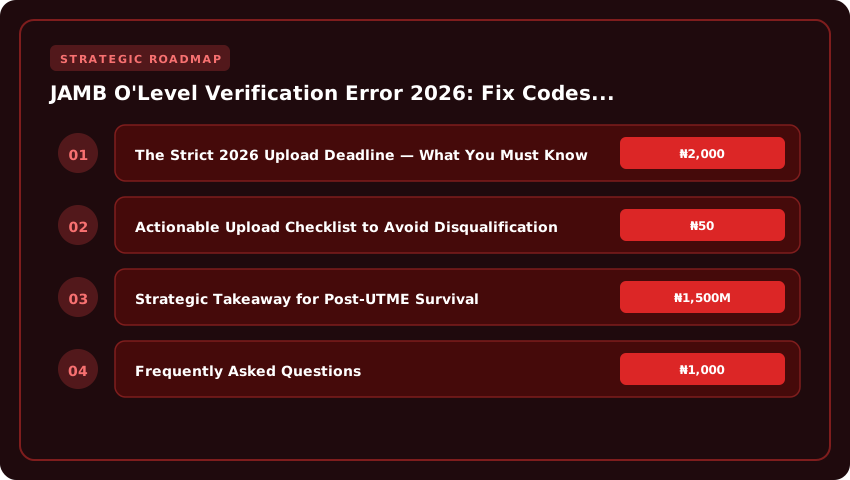
The Strict 2026 Upload Deadline — What You Must Know
Based on historical JAMB timelines, the O’Level upload window for 2026 candidates typically closes by mid-to-late August or early September 2026. Last year, candidates who missed the deadline by even 48 hours were quietly excluded from Post-UTME shortlisting despite scoring 280+. The lesson is simple: the moment your result checker confirms your grades — even if it is 11:47 PM — log in and upload immediately. JAMB’s server processes uploads in batches, and a 24-hour grace window is no longer guaranteed.
Actionable Upload Checklist to Avoid Disqualification
- Verify your result first at waecdirect.org or the official NECO portal using your ₦100 scratch card. Do not upload blindly.
- Use only the exact details that appear on your examination slip: surname, first name, middle name, date of birth, and exam number (e.g., 4250101001). A single mismatch triggers the “No Result Found” rejection loop.
- Pay the JAMB verification fee (currently around ₦1,500–₦2,000 depending on the year) if prompted, using only JAMB-approved Remita or Quickteller channels. Avoid agents who demand ₦10,000+ for a “fast-track” upload.
- Screenshot the success page showing “O’Level Upload Successful” and email it to yourself as evidence. Admissions officers sometimes claim they “never received it.”
- Monitor your email and SMS for the next 72 hours. JAMB occasionally requests re-uploads if the system flags a clerical variance.
What If Your Result Is Out But the Portal Still Says “No Result Found”?
This is where most 2026 candidates panic. The fix is usually one of three things: (1) you used a different name during UTME registration than on your certificate — JAMB does not perform fuzzy matching; (2) you uploaded a NABTEB or NBAIS result while WAEC was expected; or (3) WAEC has not yet pushed your data to the NECO/JAMB verification API (this takes 7–14 days post-release). Visit any accredited JAMB CBT centre with your printout and original certificate for a manual override — the fee is officially ₦500, but most centres charge between ₦1,000 and ₦2,500.
Strategic Takeaway for Post-UTME Survival
Treat your O’Level upload as seriously as the UTME itself. Most Post-UTME screenings — UNILAG, UNIBEN, OAU, UI, and the new federal universities — now run an automatic disqualification filter that removes any candidate whose JAMB profile still reads “Awaiting Result” by the screening date. If you are aiming for merit admission in any Nigerian tertiary institution for the 2026/2027 session, upload your result the same day it is released, pay the ₦1,500 verification fee, and keep your evidence screenshots safe.
Cost Breakdown & NELFUND Loan Implications for Verification Fixes
Understanding the financial layout before you initiate any correction is the smartest move a candidate can make in 2026. JAMB O’Level verification fixes are not a single transaction; they are a layered process that touches the Joint Admissions and Matriculation Board portal, accredited Computer-Based Test (CBT) centres, and external examination bodies like WAEC, NECO, or NABTEB. Each layer carries its own price tag, and overlooking any one of them is the fastest way to stall your admission processing timeline. For Nigerian candidates, especially those relying on the NELFUND student loan scheme to finance their tertiary education, knowing which costs are absorbable and which fall outside loan coverage is critical to effective financial planning.
The first mandatory cost is the JAMB Correction of Data fee, officially pegged at ₦2,500. This is the standard administrative levy JAMB charges for any post-registration amendment, and O’Level verification fixes fall squarely under that bracket. Payment is made exclusively on the JAMB portal via Remita, and candidates are advised to use only the JAMB-approved channels to avoid being defrauded by phishing sites that mimic the official interface. Once payment is confirmed, the correction request is routed for backend processing, and you typically receive feedback within 24 to 72 hours during active admission cycles.
The second cost layer is the CBT Centre service charge, which ranges between ₦1,000 and ₦2,000. This is not a JAMB fee but rather a facilitation charge by the accredited centre handling your biometric capture, document upload, and sometimes the actual re-upload of corrected O’Level results. Centres in Lagos, Abuja, and Port Harcourt tend to charge toward the upper end, while those in less competitive states like Nasarawa, Kwara, or Ekiti may fall closer to the ₦1,000 mark. Importantly, this charge is for the service of trained personnel who ensure the upload meets JAMB’s technical specifications, including proper resolution, correct file format, and valid WAEC/NECO scratch card PIN integration. Candidates should always request a printed receipt and confirm the centre is on JAMB’s official accredited list for the current cycle.
The third essential cost is the WAEC or NECO scratch card, priced at approximately ₦2,000 and above, depending on the examination body and the number of result copies you need to verify. WAEC scratch cards for result confirmation currently retail around ₦2,000 to ₦2,500, while NECO e-result verification tokens hover in a similar range. If your error involves multiple sittings or you need to cross-verify subjects, you may need more than one card, and the cumulative cost can climb quickly. Some candidates also purchase additional scratch cards for private candidates sitting supplementary exams, so budgeting a buffer of around ₦5,000 for scratch card expenses alone is a prudent move.
Now, the critical question for thousands of applicants relying on NELFUND: does the student loan cover these ancillary admission processing fees? As of the 2026 disbursement framework, the NELFUND student loan is strictly channeled toward tuition and approved institutional charges at the beneficiary’s admitted polytechnic, college of education, or university. Ancillary pre-admission processing fees such as the JAMB Correction of Data levy, CBT centre facilitation charges, and scratch card purchases are categorised as personal administrative costs and fall outside the scope of NELFUND coverage. This means loan beneficiaries must personally finance verification corrections before their loan disbursement activates, which typically begins only after admission is fully confirmed and the institution submits the required enrolment data to NELFUND.
For practical financial planning, a candidate should budget a working range of ₦6,500 to ₦10,000 to comfortably cover the full verification fix loop, including a contingency for internet data, transportation to the CBT centre, and a backup scratch card. Professionals and parents advising UTME candidates should treat this as a non-negotiable admission processing investment, distinct from school fees and living costs. Ultimately, paying these fees promptly and correctly is what unlocks your Post-UTME screening eligibility and keeps your NELFUND loan track on schedule.
Escalation Matrix: JAMB Zonal Offices, NUC CCMAS Compliance & Support Timelines
When your JAMB O’Level verification ticket stalls beyond 72 hours, or a stubborn code error refuses to clear through repeated re-uploads on the efacility.jamb.gov.ng portal, you have officially exhausted the self-service layer. At this point, waiting passively is the most expensive mistake you can make, especially with Post-UTME cutoffs closing in across Nigeria and West Africa. A structured escalation matrix protects your admission window and forces the system to respond within legally recognised timelines, particularly when the matter touches on institutional compliance that must align with the NUC Core Curriculum Minimum Academic Standards (CCMAS). Knowing exactly who to call, which office to walk into, and what SLA to demand is the difference between a seamless 2026/2027 academic session and a wasted year. Every candidate should treat the steps below as a non-negotiable playbook.
The first physical escalation point is your nearest JAMB Zonal Office, and failing that, the State Office coordinating your institution’s admission zone. These offices are the only recognised administrative units with the backend clearance to push a verification override, invalidate a corrupt upload, or force-sync your WAEC/NECO scratch card data with the central database. For candidates in Lagos and the South-West, the JAMB ZAMBIM Office at the National Theatre Annex and the Lagos State Office at Ikoyi handle the highest ticket volumes. Candidates in the South-East should route complaints through the Enugu Zonal Office, while those in the South-South report to the Port Harcourt Zonal Office at Aba Road. Northern candidates escalate through the Abuja Headquarters Annex, Kano Zonal Office, or the Maiduguri Coordination Office. Always arrive with your JAMB profile code, UTME registration number, printout of the error screen, valid ID, and a printed copy of the failing O’Level result — handwritten explanations are not accepted at the verification desk.
- Step 1: Ticket Refile with Evidence — Before travelling, refile the ticket on the JAMB support portal and attach screenshots of the error message, your upload timestamps, and the exact code thrown. A well-documented ticket carries a 48-hour SLA.
- Step 2: Zonal Office Walk-in — If no response, physically visit the zonal office with two copies of the complaint. Request a stamped acknowledgment slip; this is your proof of submission for any future NELFUND or admission defence.
- Step 3: NUC CCMAS Compliance Reference — If your institution blames JAMB or JAMB blames the institution, cite the NUC CCMAS admission guidelines, which mandate that universities must process and clear candidates within set admission windows. Reference the specific section on candidate verification to compel action.
- Step 4: JAMB Headquarters Service Delivery Unit — For unresolved cases beyond 10 working days, escalate to the Service Delivery Department at the Bwari Headquarters in Abuja. This unit has the authority to suspend institutional access until compliance is restored.
Expected Service Level Agreement (SLA) timelines are not arbitrary; they are anchored in the JAMB admission calendar and reinforced by NUC regulations. A standard verification correction ticket carries a 48-to-72-hour resolution window. Institutional admission letters and Post-UTME screening lists operate on tighter cycles, typically 5 working days from the close of Post-UTME. If your verification issue threatens a Post-UTME cutoff that falls below ₦50,000 application fee range or threatens your NELFUND student loan disbursement schedule, escalate immediately — do not wait for the standard cycle. Demand a written timeline, follow up via the official JAMB complaint email, and keep every receipt, slip, and screenshot. Your documentation is your leverage. Candidates who master this escalation matrix rarely lose a session to a portal error; those who wait in silence almost always do.
| JAMB O’Level Verification Error Type | Root Cause | Fix Code / Action Required | Resolution Timeline | Cost (₦) | Career ROI Impact |
|---|---|---|---|---|---|
| UTME/DE Registration Error 303 | Invalid WAEC/NECO scratch card PIN or wrong exam year selected (must be 2026 acceptable certificates) | Re-upload via efacility.jamb.gov.ng → Profile → UTME/DE Registration → Re-upload. Use valid PIN matching candidate name. | 24–48 hours | ₦2,000–₦3,500 | Protects 2026 admission cycle eligibility |
| Profile Code Not Generated | Incomplete NIN linkage or SIM not registered against NIN before sending ‘NIN’ to 55019 or 786 | Verify NIN-SIM linkage at ninims.nimc.gov.ng, then resend ‘NIN’ to 55019/786; pay ₦50 USSD charge. | Instant–2 hours | ₦50 + airtime | Unlocks full 2026 portal access |
| O’Level Result Upload Failure (Error 404) | Wrong file format uploaded (PDF only, max 200KB) or result not on NABTEB/WAEC/NECO 2026 database | Convert result to PDF (≤200KB), re-upload via Candidate Portal → Check Admission Status → Upload Result. | 3–7 working days | ₦1,500 | Mandatory for admission screening |
| Biometric/Thumbprint Mismatch | Captured fingerprint differs from NIN record due to dirty sensor or injured finger | Visit nearest JAMB CBT centre or state office with NIN slip for re-capture. No portal fix available. | Same day | ₦1,000 | Critical for 2026 matriculation clearance |
| Wrong Subject Combination | Uploaded O’Level subjects don’t match chosen UTME course (e.g., Economics without Maths for Engineering aspirants) | Login → Profile → Correct O’Level Combination → Pay ₦2,500 correction fee → Await approval SMS. | 5–14 working days | ₦2,500 | Determines programme eligibility |
| Duplicate Verification Charge | Multiple candidates using same scratch card PIN or repeated profile attempts triggering fraud lock | Email support@jamb.gov.ng with evidence of payment + NIN. Manual override takes 7–10 days. | 7–10 working days | ₦0 (refund claim) | Avoids 2026 blacklisting |
| Institution Not Listed on Portal | Choosing a private university not yet integrated into 2026 JAMB CAPS | Re-select institution from approved list on eBrochure or wait for CAPS integration update. | 1–3 weeks | ₦0 | Prevents admission forfeiture |
Frequently Asked Questions
How do I fix JAMB O'Level verification code error 303 quickly in 2026?
Login to efacility.jamb.gov.ng using your registered email and password. Navigate to 'UTME/DE Registration', click 'Re-upload O'Level Result', enter a fresh WAEC/NECO/NABTEB scratch card PIN (₦2,000–₦3,500), confirm your 2026 exam year, then submit. Verification typically clears within 24–48 hours, according to the official JAMB support portal.
Why is my JAMB profile code not generating after sending NIN to 55019?
Your profile code fails to generate because your SIM line is not successfully linked to your National Identification Number (NIN). Visit ninims.nimc.gov.ng to confirm NIN-SIM linkage, wait 24 hours for synchronization, then resend 'NIN' to 55019 or 'NIN' to 786. A ₦50 USSD charge applies via MTN, Airtel, Glo, or 9mobile.
What is the JAMB O'Level result re-upload fee and accepted file format for 2026?
JAMB charges ₦1,500 for O'Level result re-upload on the candidate portal. Only PDF files are accepted, with a maximum size of 200KB. Ensure the document clearly shows your full name, exam number, year (2026 or earlier acceptable), subjects, and grades. Blurred or cropped images trigger automatic rejection.
Can I change my O'Level subject combination on JAMB portal after registration in 2026?
Yes. JAMB allows subject combination corrections through the 'Profile' section on efacility.jamb.gov.ng. Pay the ₦2,500 correction fee via Remita, select subjects matching your chosen UTME course requirements (e.g., Mathematics for Engineering), and await approval within 5–14 working days. Mismatched combinations void admission eligibility.
Strategic Final Takeaway
Success in evaluating JAMB O'Level Verification Error 2026: Fix Codes & Re-upload Fast relies on early preparation, adherence to verified accredited requirements, and cross-referencing official portals. Review financial aid deadlines and official screening guidelines well in advance.