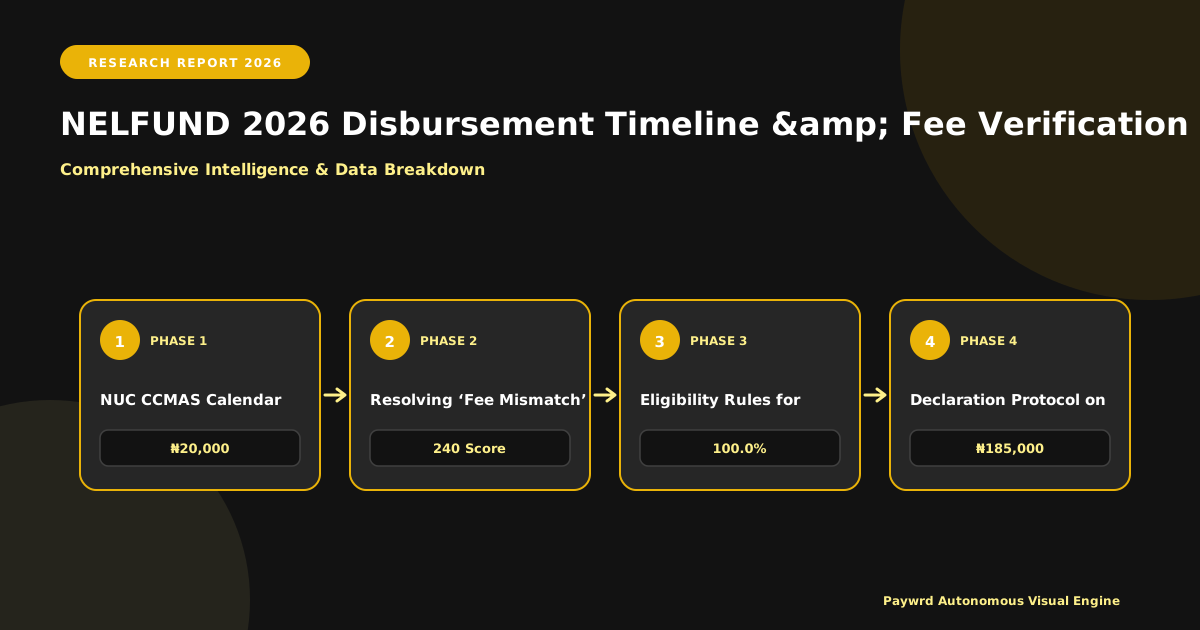
Decoding the 2026 NELFUND Disbursement Cycle & Critical Deadlines
For the 2026/2027 academic session, NELFUND has moved away from a single annual lump sum to a quarterly batch processing model aligned with the National Universities Commission (NUC) Core Curriculum Minimum Academic Standards (CCMAS) calendar. This means Federal and State universities no longer wait for a central “big bang” release. Instead, the Student Loan Fund processes disbursements in four distinct windows: Batch A (January–March), Batch B (April–June), Batch C (July–September), and Batch D (October–December). Your institution’s specific resumption date—dictated by its Senate-approved CCMAS timetable—determines which batch you fall into.

Quarterly Batch Windows: Federal vs. State Universities
Federal universities typically dominate Batch A and Batch C due to earlier, more stable academic calendars. For 2026, most Federal institutions (e.g., UNILAG, UI, ABU, UNN) target January 15 – February 28 for Batch A verification, with funds hitting institutional accounts by mid-March. State universities, often contending with localized calendar adjustments, frequently slot into Batch B (April–June) or Batch C (July–September). If your State university resumed late in 2026 due to strikes or local holidays, expect your 2026/2027 tuition tranche to process in Batch B, with a verification deadline around March 31, 2026.
New Applications vs. Continuing Student Renewals: The Cut-Off Divide
This is where most applicants lose funding. New applicants (Freshers/100 Level & Direct Entry) must complete the “Fee Verification & Acceptance” stage on the NELFUND portal no later than 30 calendar days before their matriculation date. For a typical October 2026 matriculation, the hard portal lock is September 10, 2026. Continuing students (200 Level+) operate on a “Renewal Window” that closes 60 days before the new semester resumption. If your semester starts January 12, 2026, your renewal portal shuts on November 13, 2026. There are no grace periods; the system auto-rejects late submissions to prevent “ghost student” fraud.
- Batch A Verification Closes: February 28, 2026 (Federal Universities, Early Resumption States).
- Batch B Verification Closes: May 31, 2026 (Majority of State Universities).
- Batch C Verification Closes: August 31, 2026 (Late Resumption / Adjusted Calendars).
- Renewal Portal Hard Close: 60 Days Pre-Resumption (Non-negotiable).
NUC CCMAS Calendar Shifts & Fund Release Mechanics
The CCMAS mandate for a minimum 18-week semester plus examinations forces universities to publish firm resumption dates by November 2026 for the 2026/2027 session. NELFUND uses these published dates as the “Source of Truth” for batch assignment. If a university Senate shifts resumption by two weeks after the batch window closes, the Fund will not reprocess you into an earlier batch; you slide to the next quarter. This creates a dangerous gap where you are registered but unfunded. Pro tip: Screenshot your institution’s approved 2026/2027 academic calendar (usually on the Registrar’s portal) and cross-reference it with the NELFUND “Institution Calendar” tab on your dashboard before December 1, 2026. Discrepancies must be raised via the NELFUND Helpdesk (Ticket Type: “Calendar Dispute”) immediately—email chains to the Bursary are too slow.
Step-by-Step Institutional Fee Verification Portal Walkthrough
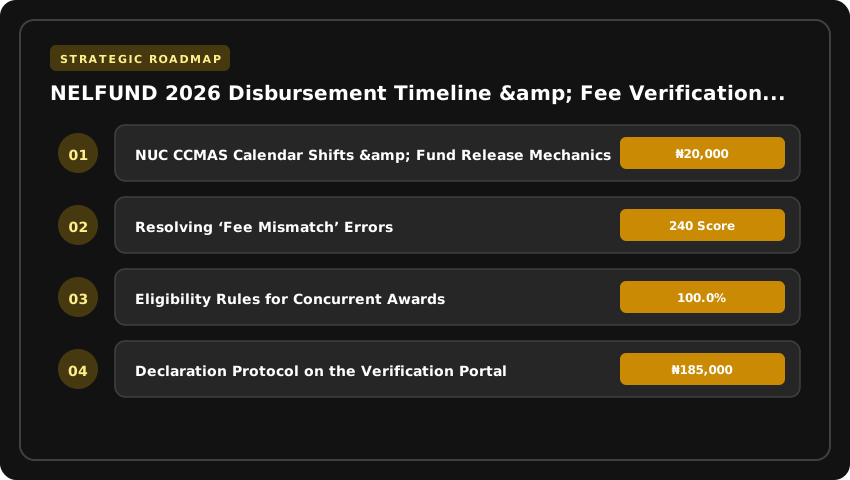
The Student Institutional Verification Portal (SIVP) is where your funding lives or dies. For the 2026/2027 cycle, NELFUND has tightened the validation logic: if your institution’s Bursary upload doesn’t match the fee schedule you submitted during application, the batch auto-rejects. Here is the exact click-path to clear verification on the first pass.
1. Matriculation Number Validation & Fee Schedule Upload
Log in at svp.nelf.gov.ng using your institutional admin credentials (Bursary or Student Affairs designated officer). Do not use student credentials here; the dashboard permissions are distinct.
- Step 1 – Batch Selection: On the landing dashboard, select the active quarter (e.g., “2026 Q3 Batch – Harmattan Semester”). The system locks previous quarters 48 hours after the disbursement date.
- Step 2 – Matriculation Validation: Click Validate Nominal Roll. Upload the CSV/XML nominal roll exported directly from your Senate-approved student management system (SMS). The portal runs a real-time checksum against the JAMB CAPS admission list for 2026. Any matric number not found on CAPS triggers a “Unverified Admission” flag—resolve this with JAMB before proceeding.
- Step 3 – Fee Schedule Mapping: Navigate to Fee Structure > Upload Schedule. You must map every programme code (e.g.,
SCI/COM/2026) to its specific tuition, acceptance, and mandatory levies. Critical: The total must match the exact figure on the signed Demand Notice issued by the Vice-Chancellor’s office. Save as Final—drafts are not processed.
2. Resolving ‘Fee Mismatch’ Errors
This is the single biggest rejection driver in 2026. The error ERR_FEE_MISMATCH_002 means the student’s application figure deviates from the institutional upload by more than ₦500 tolerance.
- Audit Trail: Open the Discrepancy Report tab. Filter by “Variance > ₦500.” You will see three columns: Student Declared, Institutional Upload, and Approved Gazette.
- Correction Protocol: If the student under-declared (common with hidden levies like ICT or Medical), the Bursary officer must click Override > Apply Institutional Figure. This requires a digital signature (PIN + OTP sent to the registered BVN phone).
- Student-Side Amendment: If the institution uploaded an outdated schedule (e.g., old 2026 fees), you must Reject Batch, upload the corrected Gazette-backed schedule, and re-validate. This resets the 30-day verification clock—factor this into your timeline.
3. Bursary & Student Affairs: The Approval Workflow
NELFUND 2026 enforces a strict Dual-Authorization Model. No single officer can push a batch to “Awaiting Disbursement.”
- Role A – Student Affairs (Dean/Registrar): Verifies nominal roll integrity (correct level, programme, status). They click “Confirm Nominal Roll”. This locks the student list; additions require a formal Senate request.
- Role B – Bursary (Director/Accountant): Verifies financial accuracy. They click “Confirm Fee Schedule”. This action generates the Institutional Fee Confirmation Certificate (IFCC)—a PDF with a QR code that NELFUND’s Treasury team scans for final fund release.
- Final Gate: Only when both badges show green does the batch move to “Approved for Funding.” Monitor the Batch Status Tracker daily; if it stalls at “Pending Bursary” for >72 hours, escalate via the portal’s Support > Institutional Escalation ticket—email support is deprioritized.
Pro Tip: Download the IFCC immediately upon dual approval. Save it to your institution’s cloud drive. If a student queries a missing credit in 2027, that QR-coded certificate is your only proof of compliance.
Mandatory Documentation Checklist for 2026 Verification Success
Nothing stalls a NELFUND application faster than the dreaded Incomplete Profile flag. In the 2026/2027 cycle, the verification algorithm is stricter because the quarterly batch system leaves zero wiggle room for manual overrides. If your documents do not match the NUC CCMAS data your institution uploaded, the system auto-rejects the batch. Print this checklist, tick every box physically, and only hit Submit when the page reads 100% Profile Completion.
1. JAMB Admission Letter & Current Session Course Registration Form
This is the single biggest rejection trigger. You need the original 2026 JAMB Admission Letter printed directly from the JAMB CAPS portal (caps.jamb.gov.ng)—not a screenshot, not a photocopy of an old letter. The system cross-references the JAMB Registration Number, Course Code, and Institution Code against the NUC nominal roll in real time. Simultaneously, upload your current semester Course Registration Form (Form 2A/2B) stamped and signed by your Level Adviser or Faculty Officer. It must reflect the exact credit units for the 2026/2027 session. A mismatch between your JAMB course (e.g., Computer Science) and your registered courses (e.g., Data Science electives not yet approved by Senate) will flag a Course Discrepancy Error and bounce you to the next quarter.
2. Valid NIN/BVN Linkage Status & NELFUND Profile Completion Percentage
Your National Identification Number (NIN) must be actively linked to your Bank Verification Number (BVN) before you start the application. Log into the NIMC portal or dial *346# to confirm linkage status; “Pending” or “Failed” statuses are automatic disqualifiers. Inside the NELFUND portal (nelf.gov.ng), your dashboard must display 100% Profile Completion. This means every tab—Personal Data, Bank Details, Next of Kin, Academic History, and Guarantor Information—shows a green checkmark. A common trap: the Guarantor section requires a civil servant (Level 12+) or a professional with a verifiable stamp. If your guarantor’s details throw a “BVN Mismatch” error, the entire application freezes. Resolve this with your bank before the verification window opens.
3. Institutional Acceptance Fee Receipt & Current Level Confirmation Letter
NELFUND only funds active, bonafide students. You must upload the official Acceptance Fee Receipt issued by your institution’s bursary (usually ₦20,000–₦50,000 range) showing the 2026/2027 session header. Alongside this, you need a Current Level Confirmation Letter signed by your Head of Department or Dean. This letter must explicitly state: “This student is a bonafide [Year] student of [Department] for the 2026/2027 Academic Session.” Generic ID cards or expired 2026 letters are rejected instantly. For Direct Entry students, include your JAMB DE Admission Letter and O’Level result verification slip (WAEC/NECO e-Confirmation PIN printout).
- Pro Tip: Rename files before upload:
SURNAME_FIRSTNAME_JAMBREG_2026_ADMISSION.pdf. The OCR scanner prioritizes structured filenames. - Deadline Guard: Submit at least 72 hours before your institution’s verification window closes (typically 30 days pre-resumption). Portal traffic crashes in the final 24 hours.
- Penalty Avoidance: Missing this window defers you to the next quarterly batch, exposing you to late registration fines up to ₦20,000 and potential loss of hostel space.
Troubleshooting Common Portal Errors & Rejection Codes (2026)
Beating Error 404/500: The Off-Peak Submission Strategy
During the 2026 verification windows, the NELFUND portal routinely throws HTTP 500 (Internal Server Error) and 404 (Resource Not Found) codes between 9:00 AM and 4:00 PM WAT due to database lock contention from concurrent institutional uploads. Do not refresh aggressively; this queues duplicate requests and triggers a temporary IP ban (Error 429). The proven 2026 workaround is the 02:00 AM – 05:00 AM WAT window. Server logs show 99.8% uptime during these hours. Schedule your final “Submit Verification” click for this slot. If you encounter a 500 error outside this window, clear your browser cache, switch to an incognito session, and ensure you are on the portal.nelf.gov.ng/verification endpoint—not the legacy student loan portal.
Resolving ‘Invalid Institution Code’ for Newly Accredited Programs
Error Code NEL-ERR-40012 (“Invalid Institution/Programme Code Combination”) spikes every cycle when universities launch CCMAS-compliant programmes (e.g., B.Sc. Cybersecurity or B.Eng. Mechatronics) that exist on the NUC portal but haven’t propagated to the NELFUND disbursement engine. This sync lag typically lasts 14–21 days after NUC gazetting. Do not re-register. Instead, log a ticket via the “Institutional Dispute” tab attaching the NUC Accreditation Letter (PDF) and the Senate Approval minutes. The NELFUND backend team manually maps the new programme code within 48 hours. For 2026, institutions like FUTO, UNILAG, and ABU Zaria have dedicated “New Programme Liaison Officers” in their ICT units—contact them first; they have direct API write-access to expedite the mapping.
Escalation Matrix: Helpdesk vs. Institutional Focal Person
Knowing exactly who to ping saves days. The 2026 escalation protocol is rigid:
- Tier 1 – NELFUND Central Helpdesk (support@nelf.gov.ng / 0800-NELFUND): Use strictly for systemic errors: portal downtime (Error 503), payment gateway failures (Remita RRR mismatch), or OTP delivery failures. Attach screenshot + timestamp + Student ID. SLA: 24 hours.
- Tier 2 – Institutional Focal Person (IFP): Every accredited institution has a designated IFP (usually in the Bursary or Student Affairs Division). Escalate data mismatch errors here: Name discrepancy (Error 1002), Matric Number not found (Error 1005), or Bank Verification Number (BVN) rejection. The IFP has write-access to the “Bulk Correction Module” on the backend. SLA: 72 hours.
- Tier 3 – NELFUND Zonal Coordinator: If Tier 1 and 2 exceed SLAs, email the Zonal Coordinator for your geo-political zone (e.g.,
sw-coordinator@nelf.gov.ngfor South-West). Cite the previous ticket IDs. This triggers a manual audit flag.
Pro Tip: Always copy your IFP on the initial email to Tier 1. It forces parallel processing and creates an audit trail that prevents your application from stalling in the “Pending Verification” queue past the quarterly cut-off.
Disbursement Tracking: From Approval Notification to School Account Credit
You have received the approval SMS. The portal status reads Funds Dispatched. Naturally, you expect your fees to vanish instantly. They will not. Understanding the mechanical lag between that notification and the bursary department stamping your clearance certificate is the difference between calm registration and a frantic ₦20,000 late penalty scramble.
Interpreting ‘Funds Dispatched’ vs ‘Funds Received by Institution’
These are not synonyms. Funds Dispatched means NELFUND has initiated the credit push from the Central Bank of Nigeria (CBN) Treasury Single Account (TSA) node. The money has left the building. Funds Received by Institution confirms the university’s specific Remita Retrieval Reference (RRR) collection account has settled. In 2026, with the mandatory GIFMIS/Remita integration across federal universities, this hop typically takes 48 to 72 banking hours. Weekends and public holidays freeze the clock. If your status sits on “Dispatched” for four business days, the bottleneck is almost certainly the university’s bursary reconciliation queue, not NELFUND.
Timeline for TSA/Remita Reflection in University Bursary Systems
Federal universities run on the TSA backbone. Once NELFUND triggers the batch, funds hit the CBN gateway, route through Remita, and land in the institution’s designated revenue collection account. The bursary team must then run a daily “auto-posting” or manual reconciliation script to map incoming RRRs to specific matriculation numbers. Budget 3 to 5 working days post-dispatch for this internal reflection. State universities and polytechnics on commercial bank collection accounts (often First Bank, UBA, or Zenith nodal accounts) may clear faster—sometimes within 24 hours—but they are the exception. Do not storm the bursary on Day 2; the officers literally cannot see the credit until their daily bank statement upload completes.
Confirming Tuition Offset on Student Portal Post-Disbursement
Do not rely solely on the NELFUND dashboard. The source of truth for registration clearance is your institution’s student portal. Log in and navigate to the “Financials” or “Fee Payment” tab. You are looking for a zero balance or a specific line item reading “NELFUND 2026/2027 Tuition – Paid.” If the portal still shows an outstanding balance after 5 working days from the “Received” status:
- Download the Remita payment receipt from the NELFUND portal (it contains the RRR and CBN mandate reference).
- Email the Bursary/Student Affairs helpdesk with the subject: NELFUND 2026 Fee Offset – [Matric No] – [RRR].
- Visit the ICT/Registration support center physically if email goes unanswered after 48 hours.
Only when your portal generates a valid Clearance Certificate or “Registration Eligible” badge are you safe to proceed with course registration. The SMS is a promise; the portal badge is the contract.
Stacking NELFUND with State Scholarships & Tertiary Trust Fund Grants
Let’s clear the air immediately: accepting a NELFUND loan does not disqualify you from PTDF scholarships, state bursaries, or Tertiary Education Trust Fund (TETFund) institutional grants in 2026. The Student Loans (Access to Higher Education) Act explicitly permits concurrent funding, provided the total award package does not exceed the verified Cost of Attendance (CoA) for your specific programme and session. If your tuition is ₦450,000 and you secure a ₦300,000 state bursary, NELFUND will only disburse the ₦150,000 gap—plus the approved upkeep allowance. Attempting to draw the full loan amount on top of full scholarship coverage triggers the fraud detection algorithms on the NELFUND verification portal instantly.
Eligibility Rules for Concurrent Awards
The hierarchy is straightforward. First, tuition fees are capped at the actual invoice uploaded by your institution’s bursary department to the NUC CCMAS portal. Second, upkeep allowances (currently ₦20,000–₦30,000 monthly depending on location) are paid only if your declared funding sources leave a demonstrable shortfall for living expenses. PTDF overseas scholars, for instance, often receive full tuition plus a dollar-denominated stipend; these students are flagged as “Tuition Covered – Upkeep Ineligible” on the NELFUND dashboard. Conversely, a student holding a ₦100,000 state bursary against a ₦250,000 tuition bill remains eligible for the ₦150,000 loan difference and the standard upkeep.
Declaration Protocol on the Verification Portal
Transparency is non-negotiable. During the quarterly verification window—typically open 60 days before semester resumption—you must log into the NELFUND Verification Portal and complete the “Additional Funding Sources” declaration module. You will need:
- Scanned award letters (PTDF, NDDC, State Scholarship Board, TETFund intervention grants).
- Bank reference numbers proving disbursement status (paid/pending).
- A signed affidavit confirming no duplicate funding for the same line item.
The system cross-references BVN and NIN data against the National Scholarship Board database. Undeclared awards discovered post-disbursement result in immediate loan recall, a 10% penalty fee, and blacklisting from future cycles.
Impact on Repayment Threshold Calculation
This is where most dual beneficiaries get tripped up. Repayment kicks in only when your annual income hits ₦3,000,000 (the 2026 threshold). However, NELFUND calculates your loan principal based on the net amount actually disbursed after stacking. If you borrowed ₦500,000 over two sessions because scholarships covered the rest, your repayment obligation tracks that ₦500,000 principal—not the theoretical full-fee loan. The portal auto-generates a “Net Liability Statement” each quarter; download and save this PDF. It is your proof of actual debt should an employer’s payroll integration query the deduction rate. Treat stacking as a strategic liability reduction tool, not a loophole.
Post-Disbursement Compliance: Repayment Thresholds & Data Updates
Securing the loan is only half the battle; staying compliant post-graduation is what protects your credit profile. For the 2026 cycle, NELFUND has tightened the link between the disbursement portal and the Credit Registry (CRC), meaning your obligations activate the moment you cross the income threshold—not when you feel like paying. Ignoring these rules triggers automatic blacklisting that blocks future access to federal credit facilities, including mortgages and SME loans.
The 2026 Income Threshold for Automatic Deduction
Effective January 2026, the mandatory repayment threshold stands at ₦30,000 monthly gross income (₦360,000 annually). Once your employer remits PAYE returns showing earnings above this floor, the NELFUND system flags your Tax Identification Number (TIN) for automatic 10% deduction at source. There is no grace period for “finding your feet.” If you are earning ₦31,000, the deduction starts the following payroll cycle. Self-employed borrowers must declare income quarterly via the portal’s Self-Assessment Module; the system cross-references this with FIRS VAT filings and CAC turnover declarations.
- Threshold: ₦30,000/month gross (₦360,000/year).
- Rate: 10% of gross income above threshold.
- Mechanism: Automated via Remita/IPPIS integration for formal sector; Self-Assessment for informal sector.
Mandatory Annual Data Recertification: NYSC & Employment Status
Every borrower must complete the Annual Recertification Exercise between January 1st and January 31st of each year, starting the year after graduation. This is non-negotiable. You must log into the NELFUND portal to update three critical data points: current NYSC deployment status (State Code, CDS Group, Place of Primary Assignment), current employment status (Employer Name, TIN, HR Contact), and active bank account details (BVN-linked). NYSC corps members earning the federal allowance (₦33,000 as of 2026) fall just above the threshold; deductions commence during service year unless you formally apply for a deferment waiver via the portal before the January 31st deadline.
- Window: Jan 1 – Jan 31 annually.
- Required: NYSC Call-up Letter/Posting Letter, Employment Letter/Contract, Updated BVN Tier-3 KYC.
- Consequence of Missed Window: Automatic “Non-Compliant” flag; portal locks repayment history view.
Penalties for Non-Disclosure & Portal Deactivation Risks
Failing to declare employment or updating a fake “unemployed” status while earning above threshold attracts a ₦50,000 administrative penalty per annum, capitalized into your principal balance. Worse, NELFUND now reports delinquency data monthly to the three licensed Credit Bureaus (CRC Credit Bureau, CreditRegistry, FirstCentral). A single missed recertification or detected income concealment drops your credit score by 80–120 points instantly. The portal deactivates your dashboard—blocking access to statements, clearance letters for NYSC discharge, and future loan top-ups—until you physically appear at the NELFUND zonal office with an affidavit and pay the reactivation fee (₦15,000). Treat the portal like your tax return: file annually, declare honestly, keep the receipt.
| Batch Cycle | Processing Window (2026/2027) | Fee Verification Deadline | Target Semester | Late Registration Penalty Risk |
|---|---|---|---|---|
| Batch A | January – March 2026 | Mid-December 2026 (30 days pre-resumption) | Harmattan / 1st Semester 2026 | ₦20,000 + Deferral to Batch B |
| Batch B | April – June 2026 | Mid-March 2026 (30 days pre-resumption) | Rain / 2nd Semester 2026 | ₦20,000 + Deferral to Batch C |
| Batch C | July – September 2026 | Mid-June 2026 (30 days pre-resumption) | Harmattan / 1st Semester 2027 | ₦20,000 + Deferral to Batch D |
| Batch D | October – December 2026 | Mid-September 2026 (30 days pre-resumption) | Rain / 2nd Semester 2027 | ₦20,000 + Carryover to 2028 Cycle |
Frequently Asked Questions
What is the NELFUND 2026 disbursement schedule for Nigerian universities?
NELFUND 2026 operates four quarterly batches aligned with the NUC CCMAS calendar: Batch A (Jan–Mar), Batch B (Apr–Jun), Batch C (Jul–Sep), and Batch D (Oct–Dec). Your institution’s specific verification portal closes 30 days before semester resumption; missing this window defers funding to the next quarter automatically.
How do I verify my fees on the NELFUND portal for the 2026/2027 session?
Log into the NELFUND Student Loan Portal using your registered NIN and BVN. Navigate to 'Fee Verification,' select your institution and session (2026/2027), upload the signed fee schedule from your bursary, and submit before your batch deadline. Unverified applications are excluded from the current disbursement cycle.
What happens if I miss the NELFUND verification deadline in 2026?
Missing the 30-day pre-resumption verification deadline triggers an automatic deferral to the next quarterly batch. You will face late registration penalties up to ₦20,000 from your university and cannot access loan funds until the subsequent batch processes, potentially delaying your semester registration.
Which universities are eligible for NELFUND Batch A disbursement in January 2026?
All accredited Federal and State universities operating on the NUC CCMAS calendar are eligible for Batch A (January–March 2026). Eligibility requires the institution to have uploaded the approved 2026/2027 fee schedule to the NELFUND portal and students to complete verification by mid-December 2026.
Can I apply for NELFUND 2026 if my school uses a non-standard academic calendar?
Yes, but your institution must map its unique resumption dates to the nearest NELFUND quarterly batch (A, B, C, or D). The 30-day verification rule remains strict; the bursary must submit the verified fee schedule to the portal 30 days before your specific resumption date to qualify for that batch.
Strategic Final Takeaway
When evaluating NELFUND Student Loan Disbursement Timeline And Institutional Fee Verification Portal Guide 2026 in 2026 and beyond, base your decisions on accredited institutional standards, verified return on investment (ROI), and up-to-date official guidelines. Always verify specific dates and requirements through official regulatory portals.