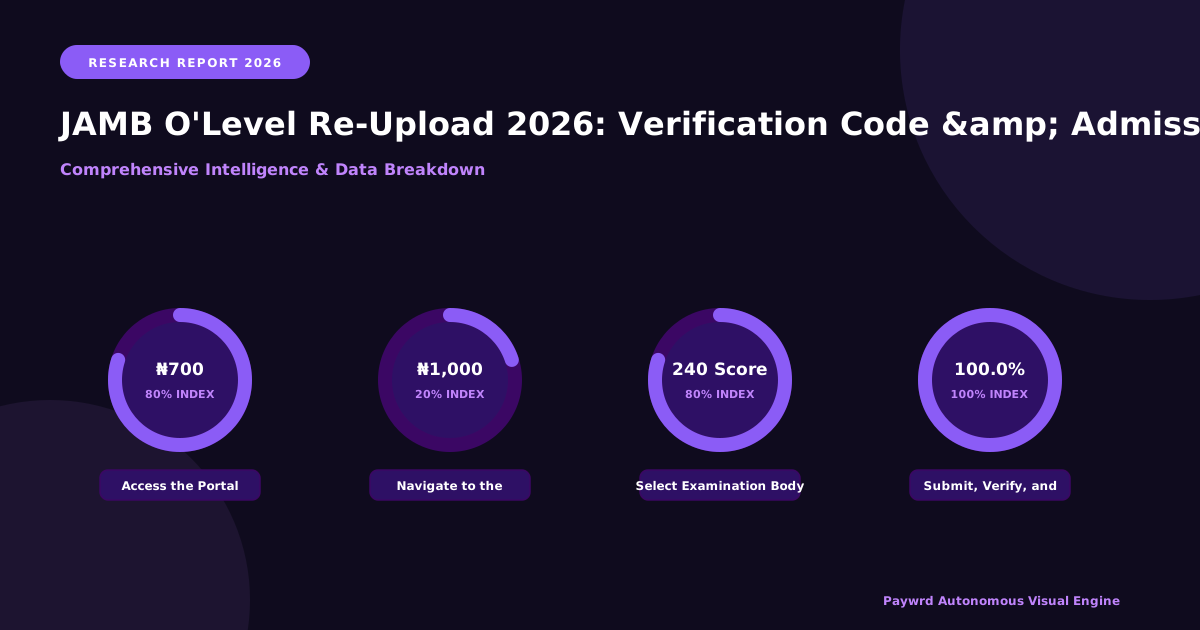
Why JAMB Mandates O’Level Result Re-Upload for 2026 Admission Cycle
Every year, thousands of brilliant Nigerian candidates sit for the Unified Tertiary Matriculation Examination (UTME), score high marks, and still lose their admission offers. The culprit is rarely their intellect; it is almost always an administrative gap—specifically, missing or unverified O’Level results on the JAMB portal. For the 2026 cycle, the Joint Admissions and Matriculation Board (JAMB) has doubled down on its mandatory re-upload policy, and understanding the why behind this directive is your first line of defense against admission forfeiture.

The primary driver is the full operationalization of the Central Admissions Processing System (CAPS) alongside the National Universities Commission’s (NUC) Core Curriculum Minimum Academic Standards (CCMAS). Under CCMAS, universities no longer admit students based solely on UTME aggregates. They must map every admitted candidate to specific programme requirements—subject combinations, credit passes in English and Mathematics, and relevant trade subjects—before the matriculation list is generated. If your WAEC, NECO, GCE, or NABTEB result is not physically sitting on the JAMB server, CAPS cannot “see” you. You become a ghost in the machine: eligible on paper, invisible in the system.
This integration serves three critical regulatory purposes:

- Automated Eligibility Verification: CAPS now runs algorithmic checks against uploaded O’Level data. It verifies that you possess the exact five credits required for your chosen course (e.g., Physics for Engineering, Literature for Law) before any human admission officer reviews your file.
- Elimination of “Awaiting Result” Fraud: Historically, candidates uploaded “Awaiting Result” placeholders and never returned to update them. The 2026 mandate forces finality—either the verified certificate is there, or the admission offer is withdrawn automatically.
- NYSC Mobilization Synchronization: The National Youth Service Corps (NYSC) now draws its mobilization data directly from JAMB’s verified O’Level repository. A mismatch between what you claimed during UTME registration and what you uploaded later triggers a red flag that can delay your service year by a full cycle.
The statistics are sobering. According to JAMB’s 2023/2024 admission monitoring reports, over 18% of candidates who met UTME cut-off marks and institutional Post-UTME thresholds were denied admission solely due to “Outstanding O’Level Result” status. In the 2024 cycle alone, that translated to roughly 300,000+ qualified applicants watching peers with lower scores gain admission simply because they completed the re-upload on time. For professional courses like Medicine, Nursing, and Engineering—where quotas are tight and competition fierce—this administrative oversight is the difference between wearing a white coat and re-sitting UTME.
Beyond compliance, the re-upload protects you. It creates a single source of truth. When you upload directly to the JAMB portal (not a cybercafé’s email), you generate a unique Verification Code. This code is your receipt, your proof, and your leverage. If a university claims they “never received your result,” you present the code; JAMB’s audit trail resolves the dispute in minutes. In the 2026 landscape, where NELFUND student loan disbursement also requires verified admission data, that code isn’t just bureaucratic—it is financial security.
Step-by-Step Process to Re-Upload Your O’Level Result on JAMB Portal 2026
Navigating the JAMB e-facility portal can feel daunting if you are doing it for the first time, but the process is straightforward once you know exactly where to click. Grab your scratch card (or generate a PIN via USSD/bank app), your examination details, and a stable internet connection—preferably on a laptop or desktop for the best view of the CAPTCHA and dropdown menus.
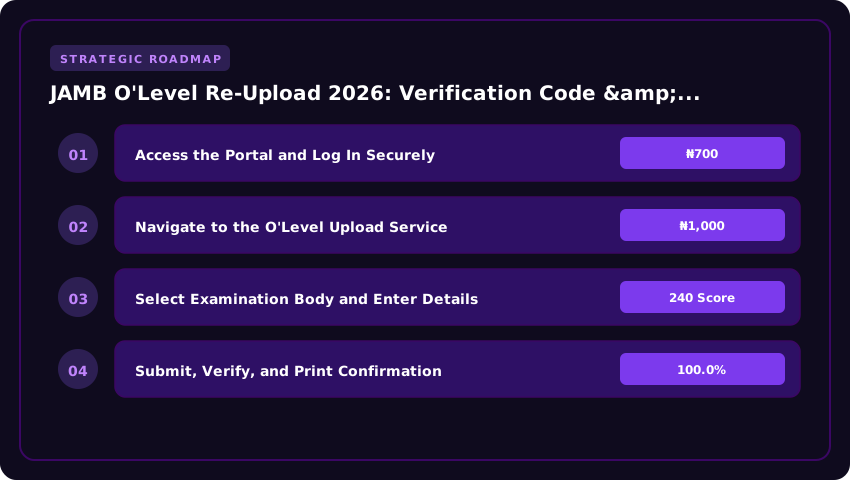
1. Access the Portal and Log In Securely
Open your browser and go directly to efacility.jamb.gov.ng. Avoid search engine links to prevent phishing clones. Click Login and enter your registered email address and password. If you have forgotten your password, use the Forgot Password link; a reset link will hit your email instantly. Once inside your dashboard, you will see a sidebar menu on the left (or a hamburger menu on mobile).
2. Navigate to the O’Level Upload Service
From the dashboard menu, locate and click O’Level Result Upload (sometimes labeled Upload O’Level Result). The system will display your current profile status. If you have previously uploaded a result—perhaps an Awaiting Result (AR) placeholder—you will see those details here. Click the button labeled Upload New Result or Re-Upload to begin the fresh entry. This action clears the old data, so ensure you have your correct WAEC, NECO, or NABTEB details ready before proceeding.
3. Select Examination Body and Enter Details
- Examination Type: Select your exam body from the dropdown—WAEC (May/June), WAEC (GCE Nov/Dec), NECO (June/July), NECO (GCE External), or NABTEB.
- Examination Year: Choose the year you sat for the exam (e.g., 2024, 2025).
- Examination Number: Type your 10-digit (WAEC/NECO) or 13-digit (NABTEB) number carefully. Double-check; a single digit error invalidates the verification.
- Scratch Card PIN & Serial Number: Enter the PIN and Serial Number from your physical scratch card or the e-PIN purchased via Remita, bank USSD (*894#, *901#, etc.), or Quickteller. The standard fee is ₦1,000 (One Thousand Naira Only) for the verification service, plus negligible bank charges (usually ₦50–₦100).
4. Submit, Verify, and Print Confirmation
Click Submit. The portal communicates with the examination body’s database in real-time. If successful, you will see a green Verification Successful banner displaying your grades. Immediately click Print Confirmation Slip (or Print Result). Save the PDF to your cloud storage (Google Drive/Email) and print two hard copies—one for your file, one for Post-UTME screening.
Critical Note for Awaiting Result (AR) Candidates & 2026 Deadlines
If you registered with Awaiting Result (AR), you must return to this portal to upload the actual grades once released. JAMB typically sets a hard cutoff—usually mid-August to early September for the 2026 admission cycle—after which the portal locks for that session. Missing this window means your application remains incomplete, and institutions will not consider you for admission, regardless of your UTME score. Do not wait for your school to remind you; set a calendar alert for the day your result is released and upload within 48 hours.
JAMB Verification Code: What It Is, How to Generate It, and Common Errors
The JAMB verification code is a One-Time Password (OTP) — typically a six-digit numeric token — sent to the phone number or email address linked to your JAMB profile. Think of it as the digital signature that proves you are the legitimate owner of the profile attempting the O’Level upload. Without this code, the portal will not accept your WAEC, NECO, or NABTEB results, effectively stalling your admission processing for the 2026 cycle. It is a mandatory security layer designed to prevent unauthorized result manipulation or proxy uploads by cybercafé operators.
How to Generate or Request a Fresh Code
If you are on the JAMB e-Facility portal and the code field is empty, or your previous code has expired (they typically expire after 10 to 15 minutes), follow these steps:
- Log in to your JAMB profile using your registered email and password.
- Navigate to the “O’Level Result Upload” or “Verification” tab.
- Click the button labeled “Send Verification Code” or “Resend Code”.
- Check the SMS inbox of the phone number registered to your profile (not just any SIM in your phone).
- If you selected email delivery, check your inbox and spam/junk folders for a mail from
noreply@jamb.gov.ng. - Enter the six-digit code exactly as received — no spaces, no hyphens — and click “Verify”.
Troubleshooting SMS Delivery on Nigerian Networks (MTN, Airtel, Glo, 9mobile)
Network congestion is the number one reason codes fail to arrive, especially during peak registration periods. If the code does not arrive within five minutes, try these network-specific fixes:
- MTN / Airtel: These networks usually prioritize transactional SMS. Ensure you have no active “Do Not Disturb” (DND) status. Dial
*365*1#(MTN) or*365*0#(Airtel) to deactivate DND if you suspect it is blocking shortcodes. - Glo: Glo often suffers latency with shortcodes. Toggle Airplane Mode on and off to force a network re-registration. If that fails, move to a location with stronger 4G/LTE signal.
- 9mobile: Ensure your SIM is fully registered and linked to your NIN. Unlinked lines frequently fail to receive OTPs from government portals.
- Universal Fix: Request the code via email instead if your phone number is unreliable. It is often faster and creates a searchable paper trail.
Common Errors and Immediate Fixes
- “Invalid Verification Code”: You likely typed a digit wrong, included a space, or used an expired code. Request a fresh code — do not reuse the old one.
- “Code Expired”: The 10-minute window closed. Click “Resend Code” immediately and enter the new one within two minutes.
- “Verification Code Mismatch”: This happens if you requested multiple codes rapidly. Only the most recent code works. Wait for the latest SMS/email and ignore previous ones.
- “Phone Number Not Registered”: You are trying to use a different line. You must use the exact number used during UTME registration. If you lost that SIM, visit a JAMB CBT centre or JAMB office for a profile data correction (attracts a service fee) before attempting upload.
Pro Tip: Always keep a screenshot of the successful verification screen. If the portal logs you out or throws a server error after verification, that screenshot is your evidence when raising a ticket on the JAMB Support Portal (support.jamb.gov.ng).
Consequences of Not Re-Uploading O’Level Results: Admission Loss, CAPS Rejection & Remedies
Ignoring the JAMB O’Level re-upload mandate is not a minor administrative oversight; it is a structural error that dismantles your entire admission architecture. The most immediate and brutal consequence is automatic disqualification from JAMB CAPS (Central Admissions Processing System). Even if you scored 350 in UTME, the algorithm treats a missing or “Awaiting Result” O’Level status as an incomplete profile. CAPS cannot process what it cannot verify, meaning your name never reaches the institution’s proposed admission list, let alone the approved list.
Beyond the central system, the ripple effect hits the institutional level hard. Universities, polytechnics, and colleges of education run their Post-UTME screenings based on data fed from JAMB. If your profile shows “No O’Level Result Uploaded” or “Result Not Verified,” you are technically ineligible to register for the school’s internal screening. We have seen candidates travel to Abuja, Lagos, or Port Harcourt for physical screenings, only to be turned away at the gate because the portal rejected their registration number. High UTME scores become irrelevant trophies when the foundational academic evidence—your WAEC, NECO, or NABTEB—is absent from the database.
Consider this real-world scenario: Chidi scored 298 in UTME 2025 and applied for Medicine at UNN. He assumed his “Awaiting Result” status from registration would auto-update when WAEC released results in August. It did not. By the time UNN released their first merit list in October, Chidi’s name was missing. He had the grades (5 As, 3 Bs), but the system saw a blank field. He lost a year, the ₦2,000 Post-UTME fee, and the psychological toll of watching peers with lower scores resume lectures.
Remediation is possible, but it demands speed and precision. Your first line of defense is a JAMB CBT-accredited centre. Do not use random cyber cafés. Accredited centres have the direct portal access to perform “O’Level Upload/Correction” under the “Correction of Data” service. They can snap and upload the result instantly, generating a new slip reflecting the update. If the centre encounters a system error—common during peak periods—demand a printed receipt of the attempt.
If the CBT centre cannot resolve it (e.g., “Invalid Verification Code” or “Result Already Used” errors), escalate immediately via the JAMB Support Ticket System on the official support.jamb.gov.ng portal. Attach your registration slip, the O’Level result printout, and the CBT centre’s error receipt. Ticket responses typically take 48–72 hours; follow up daily.
For stubborn cases—biometric mismatches, name discrepancies between UTME and O’Level, or suspected result forgery flags—physical presence is non-negotiable. Visit the JAMB State Office in your capital (e.g., JAMB Zonal Office, Ikoyi for Lagos; JAMB Headquarters, Bwari for FCT). Go early (7:30 AM) with originals and photocopies of your UTME slip, O’Level certificate/printout, birth certificate/NIN slip, and a written application addressed to the Zonal Coordinator. State offices have override privileges that CBT centres and email support lack. They can manually force the upload after verification.
- Action Item: Check your JAMB profile today under “Check Admission Status” > “O’Level Status.” If it reads “Not Uploaded” or “Awaiting,” stop reading and head to an accredited CBT centre.
- Budget: Budget ₦1,000 – ₦2,500 for CBT centre service charges (varies by centre) plus transport to state office if needed.
- Deadline Awareness: Institutions often close their admission portals weeks before JAMB’s official CAPS closure. Treat your institution’s deadline as your absolute hard stop.
The system rewards the proactive. A verified O’Level upload is the key that unlocks the door your UTME score knocked on. Do not let a clerical gap waste a year of your life.
How to Confirm Your O’Level Upload Was Successful on JAMB CAPS 2026
After completing the O’Level re-upload process on the JAMB CAPS portal, the next critical step is verification. Far too many Nigerian candidates in 2024 and 2025 lost admission opportunities simply because they assumed their upload went through, only to discover weeks later that their profile still read “Not Uploaded”. For the 2026 admission cycle, JAMB has tightened its verification protocol, making it mandatory for every candidate to personally confirm that their result reflects correctly before accepting any admission offer.
To begin, log in to your JAMB CAPS profile using your registered email address and password at efacility.jamb.gov.ng. Once inside, navigate to the “My O’Level Result” tab. Here, you will see one of three status indicators: Uploaded, Not Uploaded, or Pending Verification. If your status reads “Uploaded” with your correct name, exam number, and subjects listed, your first confirmation is complete. However, if it still shows “Not Uploaded” after 48 hours of submission, you will need to revisit your accredited CBT centre, as the upload may have failed silently due to server timeouts or incorrect scratch card PIN entry. Most candidates in Lagos, Abuja, and Port Harcourt reported that re-attempting the upload during off-peak hours (early morning or late night) resolved the issue faster.
Cross-referencing your uploaded result with the official verification portals is the second layer of confirmation. JAMB’s 2026 system pulls data directly from WAEC and NECO verification endpoints, so candidates should independently verify their results at waecdirect.org or at result.neco.gov.ng. Log in with your exam number, year of examination, and scratch card details. If your result displays correctly on the WAEC or NECO portal, but JAMB CAPS still shows it as “Not Uploaded”, the issue is almost always a mismatch between the exam number used during JAMB registration and the one on your certificate. Double-check every digit, including the year suffix. For instance, a candidate who registered with 4181002089 (2024) but uploaded results under 4181002089 (2025) will face continuous rejection until corrected.
Once your O’Level is properly reflected on JAMB CAPS, you should begin monitoring your admission status regularly. The phrase “Admission in Progress” on your CAPS dashboard is a positive signal that your chosen institution has begun reviewing your profile. However, it does not guarantee an offer. During this phase, your O’Level data is being cross-checked against the institution’s departmental requirements. Universities like the University of Lagos (UNILAG), Obafemi Awolowo University (OAU), and the University of Nigeria, Nsukka (UNN) are particularly strict about five-credit passes including English Language and Mathematics, with specific subject combinations for courses like Medicine, Engineering, and Law. If your O’Level does not align with the course requirements, the admission will stall at “Admission in Progress” indefinitely.
To stay proactive, candidates should enable JAMB SMS notifications and check their CAPS dashboard at least three times weekly. If you notice “Admission in Progress” for more than three weeks without a final status update, contact your institution’s admission office directly with your JAMB registration number. For students using the new NELFUND student loan programme, ensure your O’Level verification is completed before October 2026, as tertiary institutions require fully verified records before processing tuition payment approvals. Remember, in the NUC CCMAS curriculum framework, no candidate can be mobilized for NYSC without a complete and verified JAMB admission record, so this step protects your entire academic future, not just your admission letter.
- Check CAPS Status: Log in to efacility.jamb.gov.ng and confirm your status reads “Uploaded” with correct personal details.
- Verify on WAEC/NECO Portals: Cross-check your exam number and results on waecdirect.org or result.neco.gov.ng to ensure data integrity.
- Match Exam Numbers: The exam number on your certificate must exactly match the one used during JAMB registration, including the year code.
- Monitor Admission Status: Watch for “Admission in Progress” and act quickly if it stalls beyond three weeks.
- Confirm Before NELFUND Processing: Complete verification early to avoid delays in your student loan approval and institutional clearance.
Frequently Asked Questions: O’Level Re-Upload Fees, Deadlines & Special Cases for 2026
Let us tackle the questions flooding our inboxes and the JAMB support lines. Getting these answers wrong can cost you an entire academic year, so pay close attention to the official positions as stated in the 2026 JAMB UTME/DE Registration Guidelines and the NUC CCMAS Benchmark Minimum Academic Standards.
Is the O’Level Re-Upload Free or Does It Cost Money?
For the 2026 cycle, the re-upload exercise itself is free of charge on the JAMB Central Admissions Processing System (CAPS) portal, provided you are correcting an omission or uploading a result that was genuinely missing during your initial registration. However, if you are effecting a Change of Course/Institution or a Data Correction (like name or date of birth) simultaneously, the standard JAMB service fee of ₦2,500 applies per transaction via the JAMB E-Facility portal. Do not pay any “agent” or cybercafé operator extra “processing fees” for the upload itself; you only pay the accredited CBT centre service charge (usually ₦700) if you need biometric verification assistance on-site.
What Is the Official Deadline for 2026?
JAMB typically closes the O’Level upload portal two weeks before the final closure of CAPS for the admission year. For 2026, the hard deadline is projected to be October 31, 2026, aligning with the usual timeline for the closure of the admission window. Critical Warning: Do not wait until October. Institutions set internal cut-off dates for screening and Post-UTME exercises—often as early as August or September. If your school of choice closes their portal on September 15th, the JAMB October deadline is irrelevant to you. Upload immediately after results are released.
Can I Upload Two Sittings (Combined Results)?
Yes. JAMB and NUC guidelines explicitly permit the combination of two sittings (e.g., WAEC + NECO, WAEC + WAEC GCE, or NECO + NABTEB) for admission into universities, polytechnics, and colleges of education. You must upload both result scratch cards/pins on your JAMB profile. Ensure the grades meet the five (5) credit passes requirement including English Language and Mathematics at not more than two sittings. Note: Some competitive courses (like Medicine, Law, Nursing) in specific universities may insist on a single sitting via their internal Post-UTME screening rules. Always check the specific institution’s brochure on the IBASS portal.
What If the Name on My O’Level Differs from My JAMB Registration?
This is the number one cause of “Verification Failed” errors. If the discrepancy is minor (e.g., “Abdulrahman” vs “Abdul Rahaman” or missing middle name), you must apply for a Correction of Data (Name) on the JAMB E-Facility portal (₦2,500) before uploading the O’Level result. The names must match exactly character-for-character. If the difference is major (e.g., a completely different surname due to marriage or legal deed poll), you need a Sworn Affidavit, Newspaper Publication, and evidence of the legal name change, submitted physically to the JAMB State Office for approval before the system allows the correction. Do not upload the result hoping the system will “understand”; the automated verification bot will reject it instantly.
How Does This Affect My NELFUND Student Loan Eligibility?
This is non-negotiable: No verified admission on CAPS = No NELFUND Loan. The Student Loans (Access to Higher Education) Act, 2024 mandates that the Nigerian Education Loan Fund (NELFUND) only disburses funds to students with “Admitted” status on JAMB CAPS. If your O’Level is missing or unverified, your admission status remains “Recommended” or “Pending,” never “Admitted.” Consequently, your NELFUND application will fail at the Institutional Verification Stage. Fixing your O’Level upload is the prerequisite gateway to accessing the ₦100,000–₦200,000 annual tuition/maintenance loan. Treat this upload as your financial aid application deadline.
| Metric | Self-Service (Portal) | CBT Center Assisted | Official Deadline 2026 | Cost (₦) | Admission Risk if Ignored |
|---|---|---|---|---|---|
| Verification Code Generation | Instant via JAMB e-Facility | Instant (Center prints slip) | Before Upload Window Closes | Free (Portal) / ₦500–₦1,000 (Center Service) | Cannot initiate upload without code |
| O’Level Result Upload (WAEC/NECO/NABTEB) | Manual entry + Verification Code | Biometric verification + Upload | Typically 2–3 Weeks Post-UTME Results | ₦700 (JAMB Fee) + Center Service Charge | Profile remains ‘Awaiting Result’; Ineligible for CAPS |
| Result Verification/Confirmation | Candidate checks status on portal | Center confirms ‘Verified’ status printout | 48–72 Hours after Upload | Included in Upload Fee | Unverified results rejected by Institutions |
| Data Correction (Name/DOB/Gender) | Separate ‘Correction of Data’ Application | Center processes correction form | Strict Window (Usually Pre-Admission) | ₦2,500 (JAMB Fee) + Center Charge | Mismatch causes Admission Rejection/Withdrawal |
| Admission Letter Printing | Post-Acceptance on CAPS | Center prints colored copy | After Acceptance on CAPS | ₦1,000 (JAMB Fee) | No Letter = No NYSC Mobilization / Clearance |
Frequently Asked Questions
How do I generate the JAMB 2026 O'Level verification code?
To generate the 2026 JAMB O'Level verification code, log into your JAMB profile at efacility.jamb.gov.ng, select "O'Level Upload," choose your exam body (WAEC/NECO), and enter your exam number and year. The system instantly displays a unique code; copy it immediately for use at any accredited CBT center.
What is the official cost for JAMB O'Level re-upload at CBT centers in 2026?
The official JAMB-approved fee for O'Level result upload or re-upload at accredited CBT centers for the 2026 cycle is ₦700. Centers may charge an additional service fee typically between ₦500 and ₦1,000. Always demand a printed receipt confirming successful upload to avoid duplicate charges.
What happens if I miss the JAMB 2026 O'Level upload deadline?
Missing the 2026 JAMB O'Level upload deadline automatically disqualifies you from the Central Admissions Processing System (CAPS). Your profile remains "Awaiting Result," rendering you ineligible for merit, catchment, or supplementary lists. No institution can recommend you for admission without verified O'Level credentials on the portal.
Can I correct my name or date of birth during the 2026 O'Level re-upload process?
No, the 2026 O'Level re-upload portal strictly handles result verification (grades, subjects, exam numbers). Demographic corrections like name spelling, date of birth, or gender require a separate "Data Correction" application on the JAMB e-facility portal, attracting a distinct ₦2,500 fee and stricter documentary evidence requirements.
Strategic Final Takeaway
Success in evaluating JAMB O'Level Re-Upload 2026: Verification Code & Admission Fix Guide relies on early preparation, adherence to verified accredited requirements, and cross-referencing official portals. Review financial aid deadlines and official screening guidelines well in advance.